R&S
®
ZVA / R&S
®
ZVB / R&S
®
ZVT GUI Reference
Trace Menu
Operating Manual 1145.1084.12 – 30 237
If the active trace exceeds the limits, then no TTL signal is generated. It is possible to activate both
pass/fail signals for the same trace or assign several traces to a signal.
Extension: Monitoring several traces
If a channel contains several traces, is possible to assign them one after another to each pass/fail signal.
The procedure divides the traces of the channel into four groups that are either assigned to signal 1, to
signal 2, to both signals, or to none of them.
If several traces with independent limit check are assigned to a pass/fail signal, then the TTL signal is
generated only if all traces are within limits. It is switched off as soon as one trace exceeds the limits.
Application: Graduated limit check
The two pass/fail signals can be used to distinguish three quality levels of a DUT. The test is performed
with a looser and a tighter set of limit lines that are assigned to two traces with identical channel and trace
settings. The limit check for the two traces is monitored by means of the signals TTL Out Pass 1 / TTL Out
Pass 2, respectively.
If the DUT is passed in both limit checks, the quality is good.
If the DUT is failed in the limit check with tighter limits, the quality is still sufficient.
If the DUT is failed in both limit checks, the quality is poor.
Instead of using two traces, it is possible to consider two groups of traces that are assigned to TTL Out
Pass 1 and TTL Out Pass 2.
CALCulate<Chn>:LIMit:TTLout<nr>[:STATe] ON | OFF
Horizontal Line
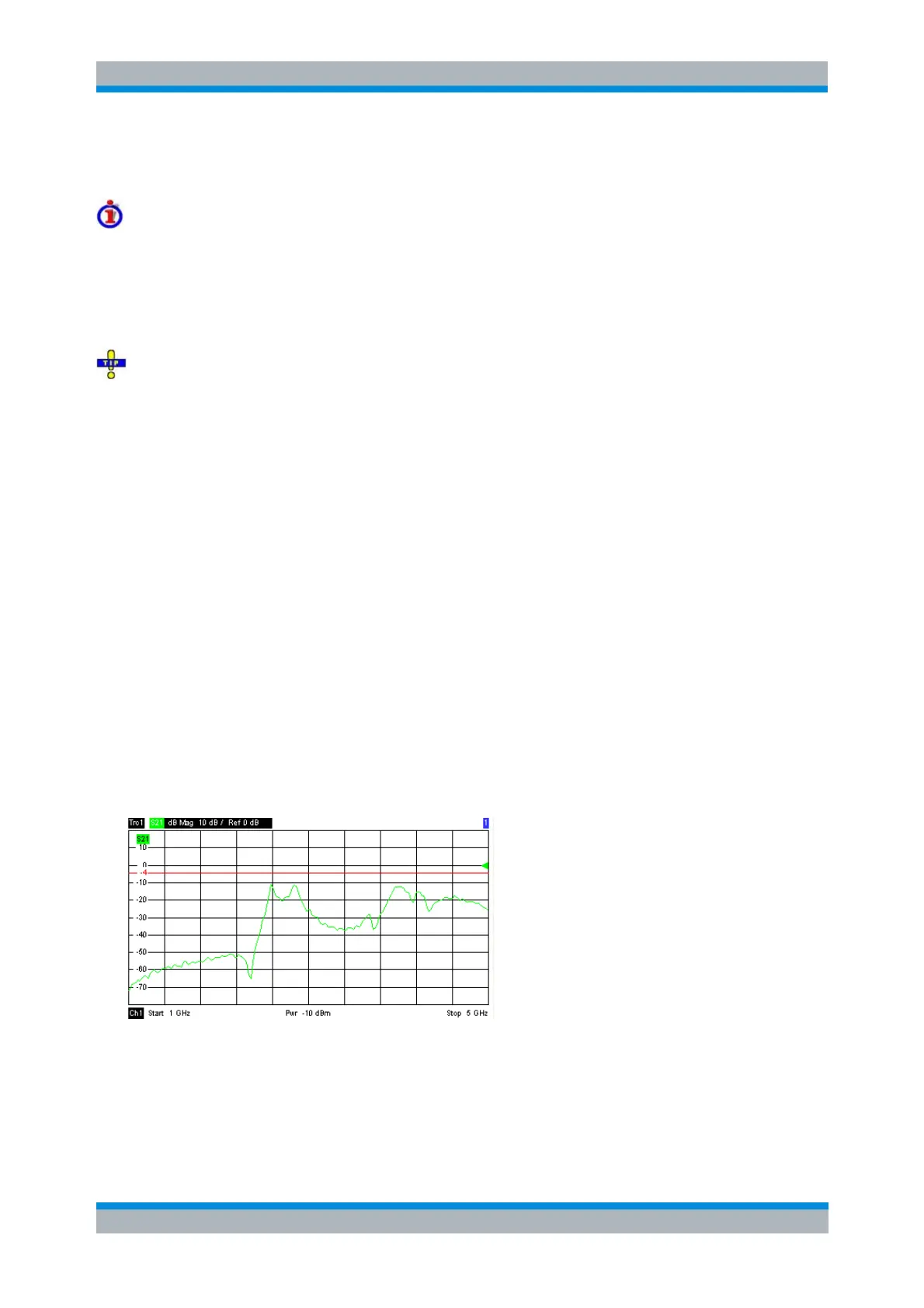
Shows or hides the horizontal line associated to the active trace in a Cartesian diagram area. A
checkmark appears next to the menu item when the horizontal line is shown.
The horizontal line (or display line) is a red line which can be moved to particular trace points in order to
retrieve the response values.
Pressing Horizontal Line for a first time shows the line for the active trace and opens the numeric
entry bar to define its position (response value). The (rounded) position is displayed near the left
edge of the screen.
Pressing Horizontal Line for a second time hides the horizontal line for the active trace.



 To Next Page