R&S
®
ZVA / R&S
®
ZVB / R&S
®
ZVT GUI Reference
Channel Menu
Operating Manual 1145.1084.12 – 30 299
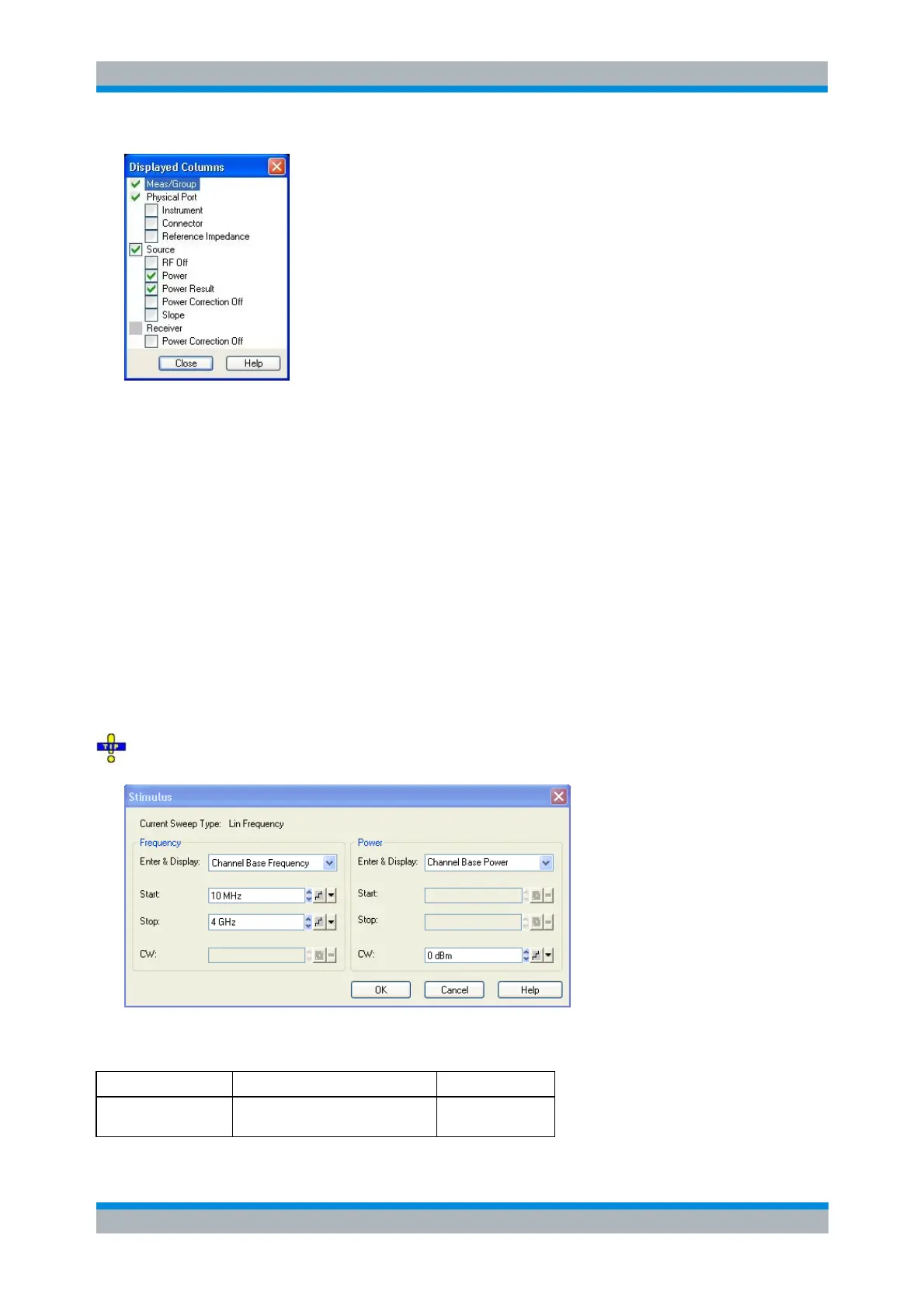
(Un)checking Logical Port, Source or Receiver displays (removes) the corresponding sections in
(from) the Port Configuration table.
(Un)checking one of the second-level boxes displays (removes) the corresponding column in
(from) the Port Configuration table.
The physical port number is always displayed. The logical port information is displayed only if a balanced
port configuration is defined.
No command, display configuration only.
Stimulus Dialog
The Stimulus dialog modifies all sweep frequencies and power levels in the active channel, based on an
arbitrary frequency and power reference. This is particularly useful in arbitrary mode (with option R&S
ZVA-K4), where the frequencies and source power levels at the ports are independent. The dialog is
accessed from the Port Configuration dialog.
The Stimulus dialog can be opened from the context menu of the channel list.
The available sweep parameters depend on the Current Sweep Type (Channel – Sweep – Sweep Type)
which is displayed below the title bar of the dialog.
Lin. Frequency
Log. Frequency



 To Next Page