R&S
®
ZVA / R&S
®
ZVB / R&S
®
ZVT GUI Reference
Channel Menu
Operating Manual 1145.1084.12 – 30 286
embedding/deembedding a DUT with single ended or balanced ports.
Defined Coherence Mode... activates the operating mode where the analyzer generates several
continuous signals with specific relative amplitude and phase (with option R&S ZVA-K6, True
Differential Mode)
Alternating Sweeps activates or deactivates the operating mode where the analyzer performs only
one partial measurement per sweep.
Pulse Generator turns the pulse generator on or off.
Def Pulse Generator defines the properties of the pulse generator signals.
Spurious Avoidance defines the relative position of the local oscillator (LO) relative to the RF input
signal.
Low Phase Noise reduces the phase noise of the source signals.
ZVAX Path Config configures the RF signal paths in the Extension Unit R&S ZVAX24 and the
installed hardware modules. This menu item is unavailable if no RZS ZVAX24 unit is connected.
ZVAX-TRM Config configures the RF signal paths in the Extension Unit R&S ZVAX-TRM and the
installed hardware modules. This menu item is unavailable if no R&S ZVAX-TRM unit is
connected.
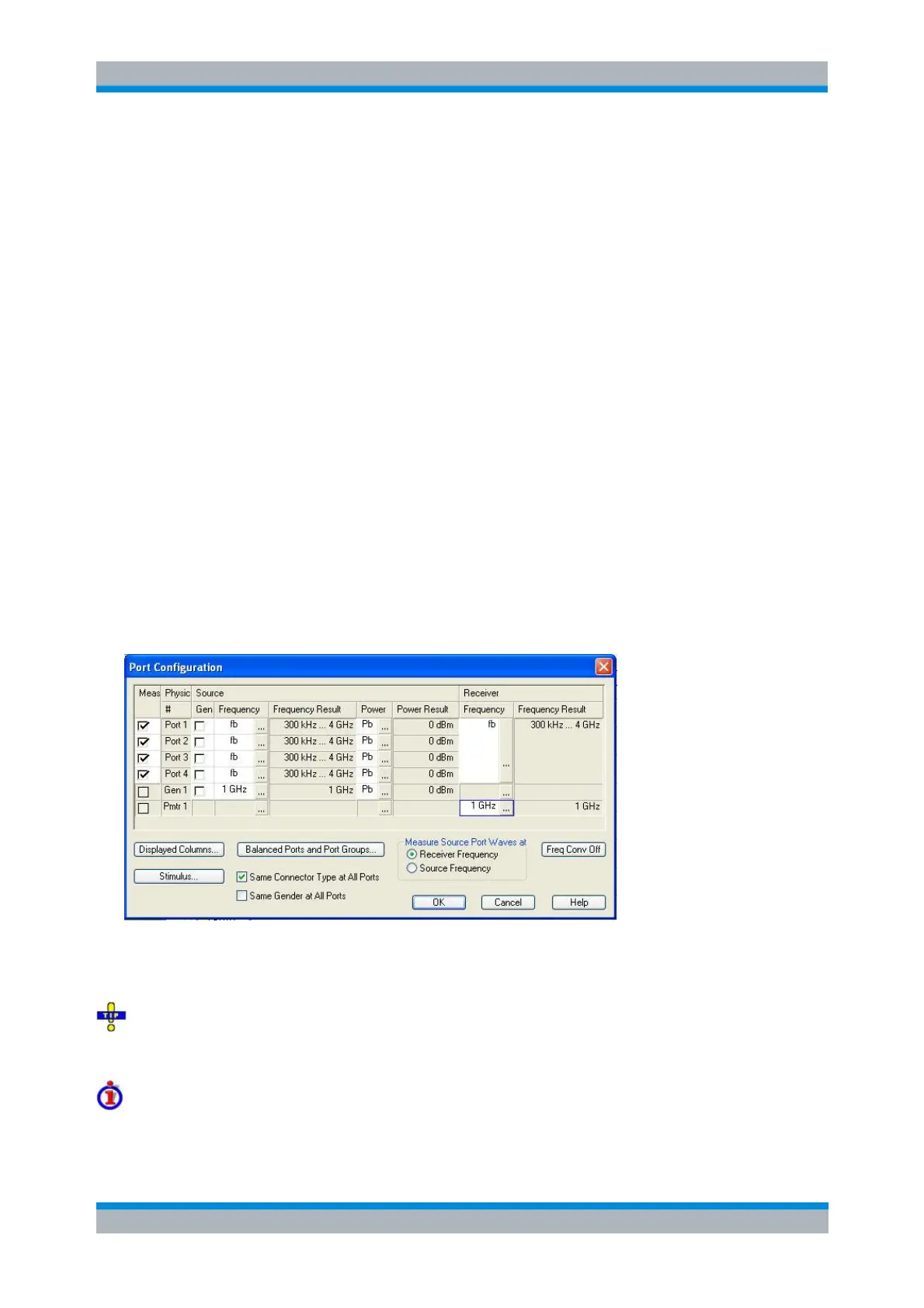
Port Configuration
The Port Configuration dialog defines the properties of the test ports and configures the source signals
and the receiver.
The table in the Port Configuration dialog contains the individual test port properties. Each table row
corresponds to one logical or physical port; the number of rows is equal to the number of test ports of the
analyzer.
Many measurement tasks can be performed with default port settings. Consequently the Port
Configuration dialog does not show all columns in its default configuration. Use the Displayed Columns
button to customize the table and display or hide columns.
Measured Ports (Meas/Group)
The measured ports are selected using the Meas column of the Port Configuration table. A measured port



 To Next Page