R&S
®
ZVA / R&S
®
ZVB / R&S
®
ZVT GUI Reference
Channel Menu
Operating Manual 1145.1084.12 – 30 298
SOURce<Ch>:POWer<Pt>:CORRection:LEVel:OFFSet (for Cal Power Offset)
SOURce<Ch>:POWer<Pt>:CORRection:GENerator<Gen>:LEVel:OFFSet (for Cal
Power Offset)
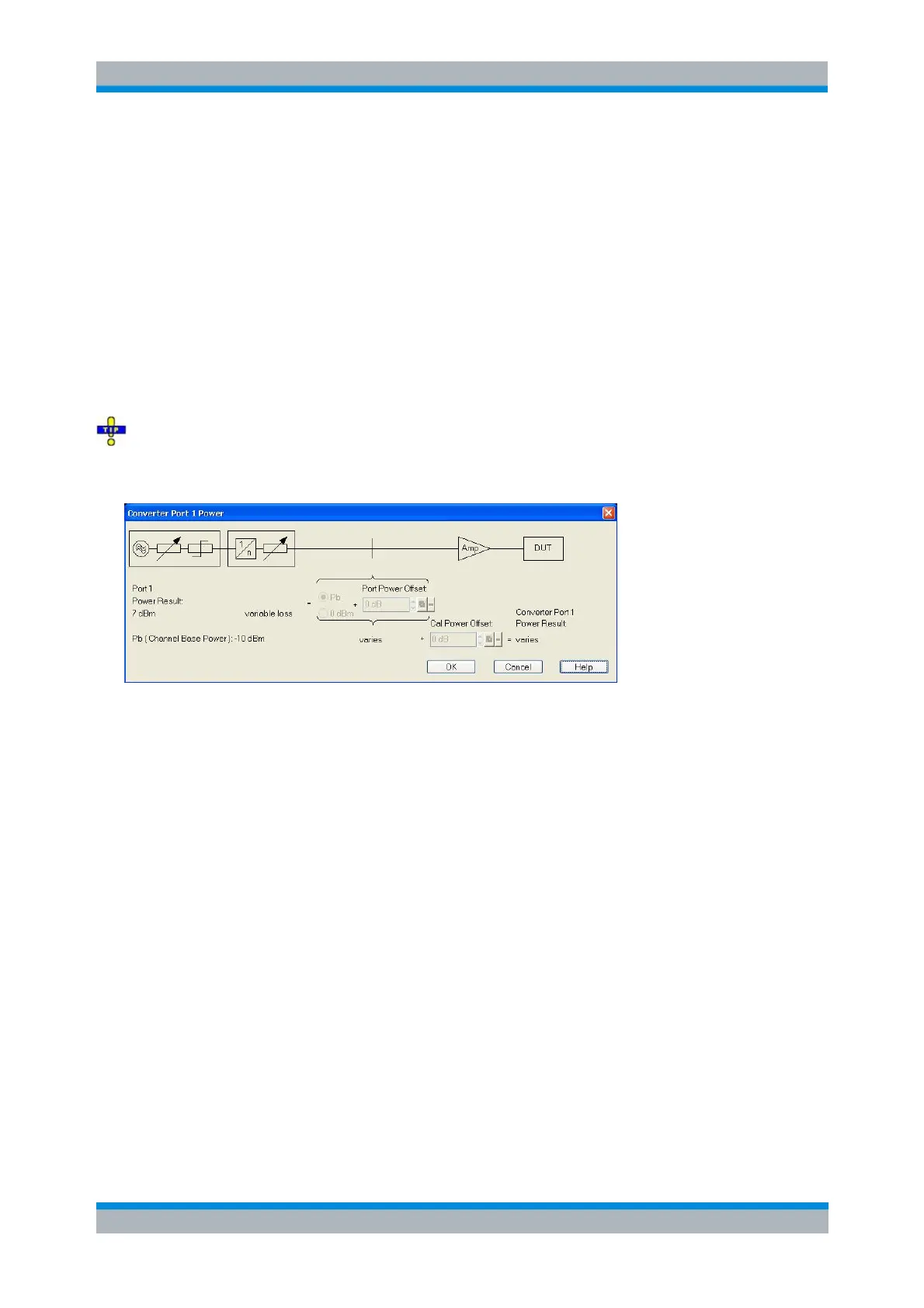
Converter Port <n> Power (R&S ZVA and R&S ZVT)
The Converter Port <n> Power dialog displays the port-specific source power for frequency converter
ports. The dialog is similar to the Port <n> Power dialog (for network analyzer ports). It can be opened
from the Source section of the Port Configuration dialog if a frequency converter test setup is active.
However, the power settings can only be modified if one of the options Electronic Attenuator Only, RF In
Power … with Linear Approximation or RF In Power … with Data Set is selected in the Port <n> Power
Control dialog.
Since FW version 3.40 the converter power configuration is part of the Converter Control
configuration. The Power Transfer dialog was removed: its functionality was moved to the Port<i> Power
Control and Linear Approximation dialogs.
The Converter Port <n> Power settings serve different purposes:
The block diagram in the upper part of the dialog symbolizes the NWA test port providing the
converter input signals RF IN, including the signal source, a continuously adjustable attenuator
providing the test port power offset, and the source step attenuator (if fitted). The test port signal is
configured in the Port <n> Power dialog; the current output power result for the physical analyzer
port is displayed below the block diagram.
Port Power Offset and Cal Power Offset are analogous to the parameters in the Port <n> Power
dialog (included in the Port <n> Power Result), however, the test port and converter values can be
set independently. Depending on the Port<i> Power Control settings, the Port Power Offset for
converters with electronic attenuators will either modify the analyzer power, the electronic
attenuator of the converter, or both. The Cal Power Offset makes it possible e.g. to account for a
second amplifier between the converter port and the DUT.
Converter Port <n> Power Result is the power at the reference plane of the power calibration (if
available), considering all dialog settings, including the Cal Power Offset.
SOURce<Ch>:POWer<Pt>:CONVerter:OFFSet
SOURce<Ch>:POWer<Pt>:CORRection:CONVerter<Con>:LEVel:OFFSet
Displayed Columns
This dialog customizes the Port Configuration table and displays or hides columns.



 To Next Page