R&S
®
ZVA / R&S
®
ZVB / R&S
®
ZVT GUI Reference
Channel Menu
Operating Manual 1145.1084.12 – 30 289
CALCulate<Chn>:TRANsform:IMPedance:RNORmal TWAVes | PWAVes
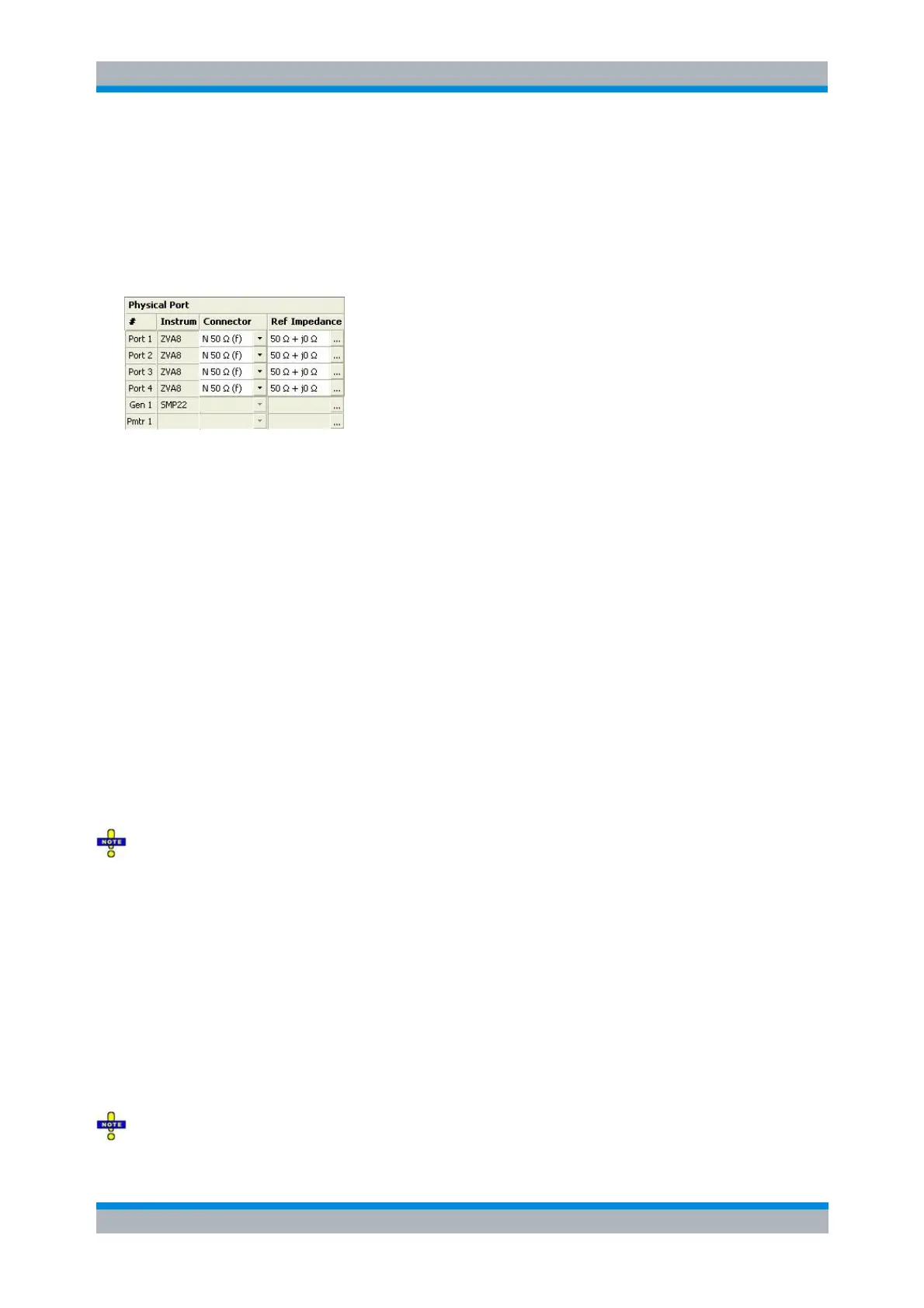
Physical Port
Shows and/or defines the properties of the physical (unbalanced) ports of the analyzer.
# is the test port number of the analyzer as shown on the front panel. External generators and
power meters configured in the System Configuration dialog are also shown in the list of physical
ports.
Instrum. shows the network analyzer type (e.g. ZVA8, ZVA24). The types of external generators
and power meters are also displayed in this column.
Connector opens a drop-down list to select the connector type An (f) behind the connector type
denotes female connectors, an (m) denotes male connectors. Symmetric (sexless) connectors
(e.g. PC7) are not labeled. User-defined connectors can be added or removed in the Available
Connector Types dialog, which is opened from the Channel – Calibration – Calibration Kits dialog.
at the port and its gender. If Same Connector at All Ports is active, the connector types at all ports
(but not their gender) are always adjusted to the current selection.
Ref. Impedance shows the adjustable complex reference impedances of the physical port. For
background information refer to Reference Impedances. If a balanced port configuration is active
the reference impedance settings for all ports are displayed in the Logical Port section.
For external generators and frequency converters, no reference impedance settings are available.
The reference impedance for external power meters must be real; no wave theory selection is
required. If a value Re(Z
0
) other than 50 Ω is entered, the power result from the power meter is
multiplied by the factor 50 Ω / Re(Z
0
) (conversion of the reported power to a voltage at 50 Ω, then
re-conversion to a power using Re(Z
0
)).
To perform a system error correction, the physical port must be available as a source and receive
port. This condition is met if it is selected as a measured port in the Balanced Ports and Port Groups
dialog (Meas is on).
[SENSe<Ch>:]CORRection:COLLect:CONNection<port_no>
[SENSe<Ch>:]CORRection:COLLect:SCONnection<port_no>
[SENSe<Ch>:]CORRection:COLLect:CONNection:PORTs ALL | SINGle
SENSe:PORT<phys_port>:ZREFerence <real> [,<imaginary]
Source (most settings for R&S ZVA and R&S ZVT only)
Shows and/or defines the RF generator settings for each physical port of the analyzer and for each
external generator. No source settings are provided for external power meters.
Most of the settings in this section require option ZVA-K4, Arbitrary Generator and Receiver



 To Next Page