R&S
®
ZVA / R&S
®
ZVB / R&S
®
ZVT GUI Reference
System Menu
Operating Manual 1145.1084.12 – 30 543
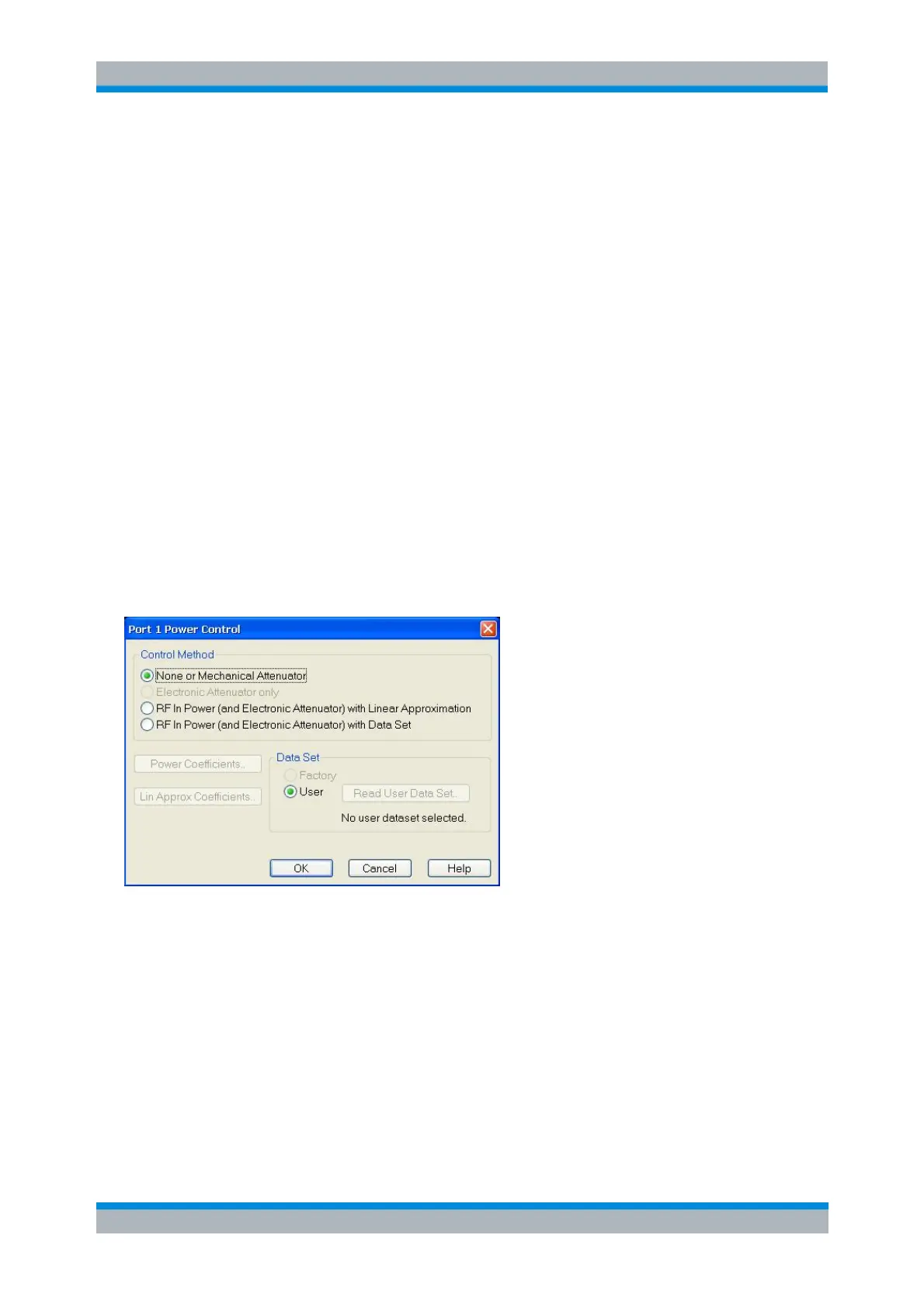
A click on the ellipsis button in the Power Control column opens the Port<i> Power Control dialog. The
power control method must be selected and configured in the following cases:
For converters R&S ZVA-ZxxxE with electronic attenuator
Each electronic attenuator has its individual characteristics represented by a polynomial that
describes the dependence of the attenuation on the control current generated by hardware option
R&S ZVA-B8. The coefficients of this polynomial must be entered manually for the port to which
the converter is connected.
For all converters for which linearization data have been acquired using the R&S Converter
Leveling Tool
For converters whose power transfer characteristics can be approximated by a (piecewise) linear
function
For all converters of the R&S ZCxxx family (which provide level linearization data via USB)
[SENSe<Ch>:]CONVerter:ASSign<Port>
Port<i> Power Control
The Port<i> Power Control dialog allows to select (and configure) the power control model to be used for
the respective converter port.
The Control Method radio button group provides the different level adjustment options:
None or Mechanical Attenuator (default) is suitable for converters without or with manually
adjustable variable attenuator. A power calibration is not possible. This option can always be
selected. Note however, that it is not compatible with true differential mode or defined coherence
mode.
Electronic Attenuator only is exclusively for converters with electronic attenuator. If selected, the
Power Coefficients button becomes enabled, which in turn opens the Power Coefficients dialog. A
power calibration is possible.
RF In Power (and Electronic Attenuator) with Linear Approximation models the output power in
dBm as a linear function of the input power in dBm, taking the electronic attenuator into account, if
available. If selected, the Lin Approx Coefficients button becomes enabled, which opens the
Linear Approximation dialog. This option is available for all converter types.



 To Next Page