R&S
®
ZVA / R&S
®
ZVB / R&S
®
ZVT GUI Reference
Channel Menu
Operating Manual 1145.1084.12 – 30 318
signal) frequency.
Restrictions
For vector mixer measurements (option R&S ZVA-K5), mixer delay measurements without LO access
(option R&S ZVA-K9), and long distance mixer delay measurements (option R&S ZVA-K10), only one LO
signal (corresponding to one mixer stage) is supported. In addition, the frequency conversion factors for
vector mixer measurements must be equal to 1.
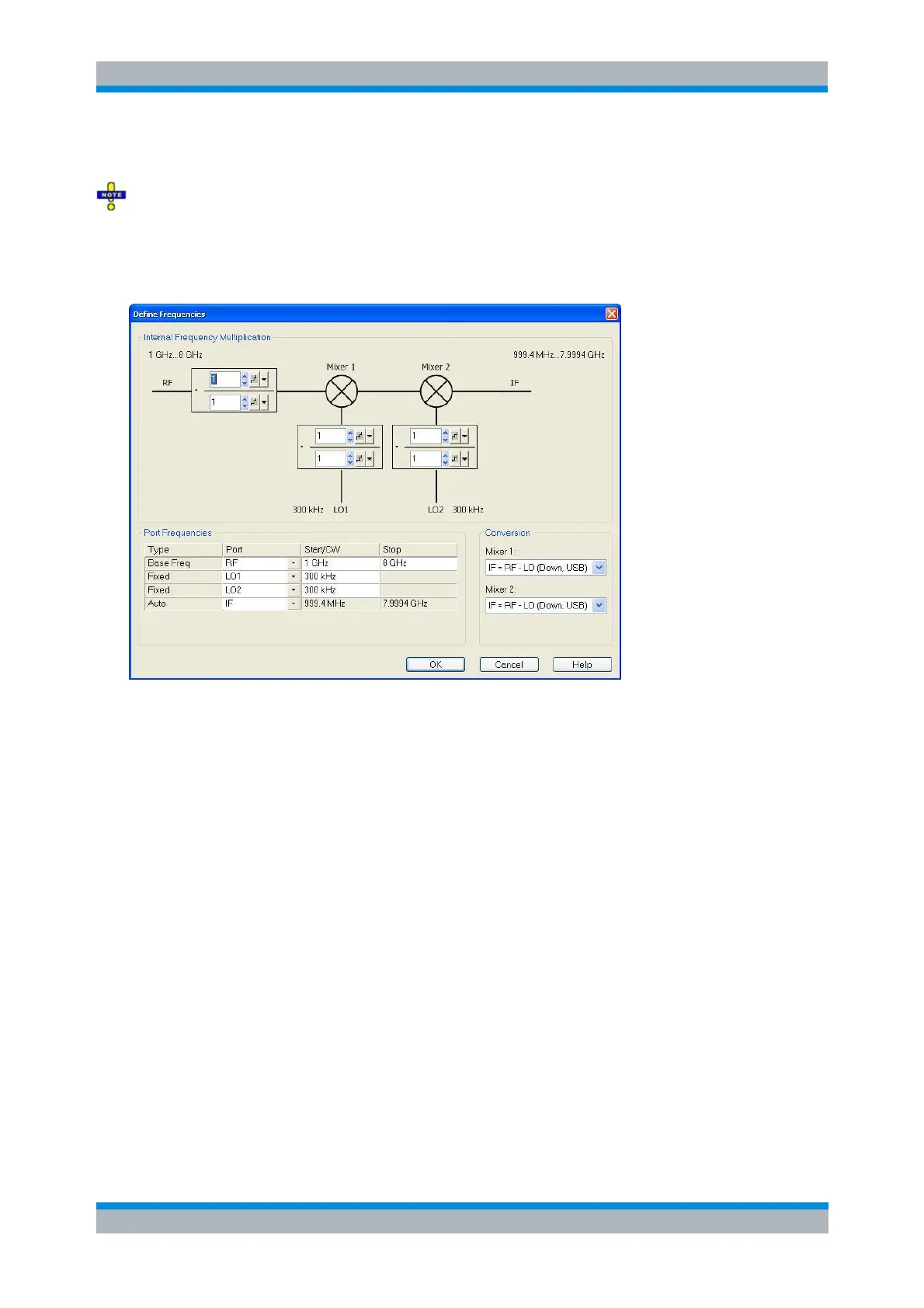
The diagram contains the mixer signal diagram with the frequencies or frequency ranges. The diagram
also defines the frequency conversion factors for the input signals. Each conversion factor is ratio of two
integer numbers. The frequency-converting device is considered to be part of the mixer system under test
(MUT). In the default configuration where the RF signal is swept and the LO signals are at fixed frequency,
the conversion factors do not modify the analyzer's source signals (RF, LO 1, LO 2); they are used for the
calculation of the IF frequency only.
The Port Frequencies table consists of the following columns:
Type specifies how the frequency for each signal is defined. One of the mixer input and output
signals is at the analyzer's channel base frequency (Base Freq; the signal is swept if a frequency
sweep is active; it is at fixed frequency (CW) for the other sweep types). One or two signals are at
Fixed frequencies. The last frequency or frequency range is calculated automatically, depending
of the other dialog settings.
Port assigns the input and output ports to the predefined port frequency Types. The table contains
one or two LO ports, depending on the number of Converter Stages selected in the mixer
measurement dialog.
Start/CW defines the start frequencies or fixed frequencies at the ports with Base Freq or Fixed
frequency type and overwrites the Channel – Stimulus settings. For frequency sweeps, the Base
Freq is the frequency sweep range.
Stop defines the stop value of the frequency sweep range with Base Freq type (for frequency
sweeps only).
The Conversion panel provides the following settings:



 To Next Page