R&S
®
ZVA / R&S
®
ZVB / R&S
®
ZVT GUI Reference
Channel Menu
Operating Manual 1145.1084.12 – 30 333
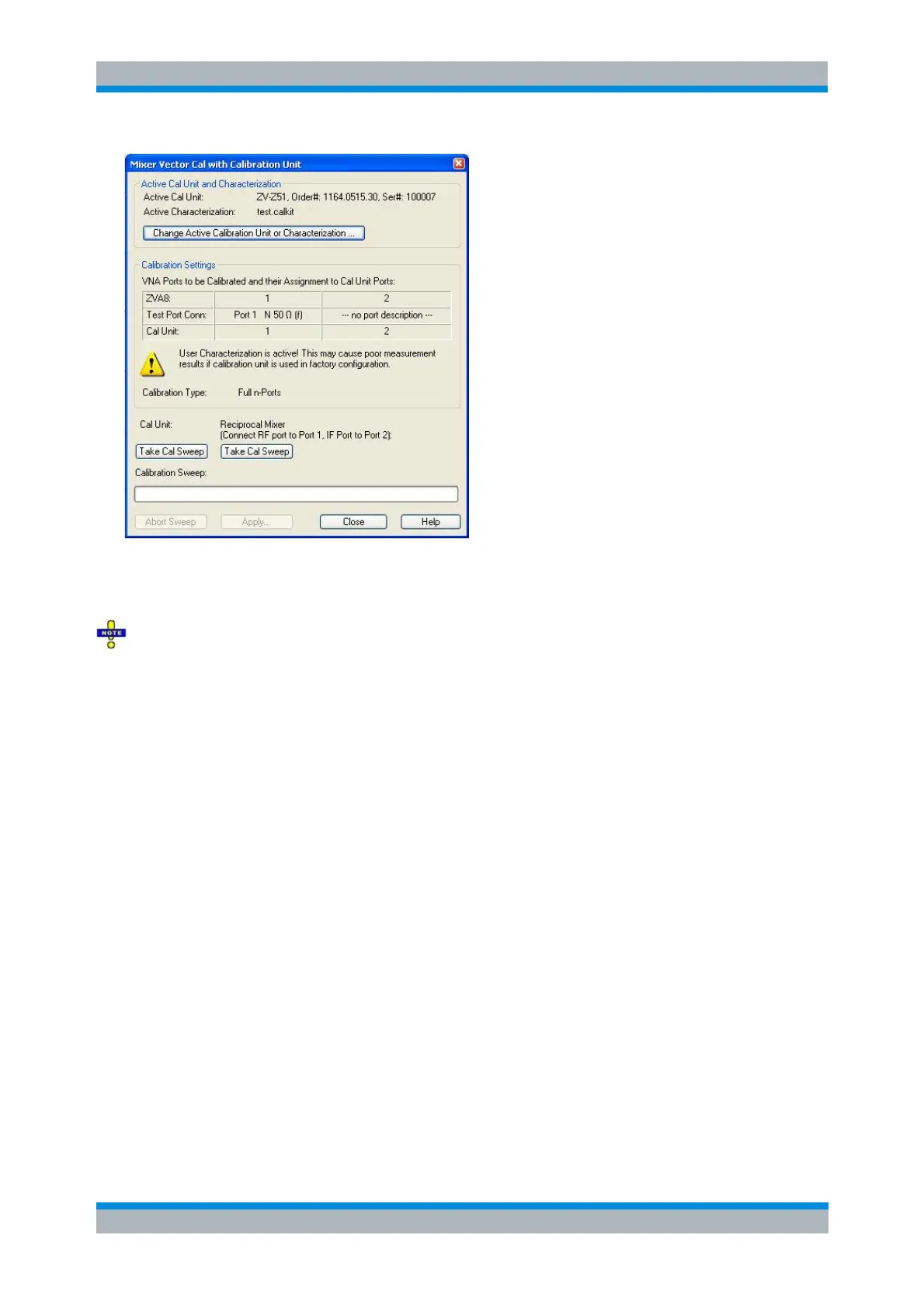
The dialog shows the active calibration unit and characterization. Click Change Active Calibration Unit or
Characterization... to change these settings. The port assignment displayed in the center of the dialog
must not be changed.
To prevent the LO power from being set to -10 dB during calibration, deactivate Automatic Power
Reduction for Calibration Unit in the Calibration tab of the System Config dialog and ensure an input
power below -10 dBm at the cal unit ports by other means.
The automatic calibration procedure is analogous to manual calibration, however, automatic calibration
involves only two steps:
Connect the cal unit between ports 1 and the lowpass filter (see figure in section Manual Cal) and
click the left Take Cal Sweep button to obtain the one-port correction data.
(The active cal unit contains the necessary one-port standards and provides all necessary one-
port data at once.)
Connect a reciprocal calibration mixer between ports 1 and the lowpass filter and click the right
Take Cal Sweep button to obtain the missing 2-port correction data.
(This step is necessary because the calibration unit does not provide any frequency-converting
calibration standards.)
The order of the two calibration steps is arbitrary. After completing the calibration sweeps, click Apply to
start the calculation of the system error correction data and apply the calibration to the active channel.
[SENSe<Ch>:]CORRection:COLLect:AUTO:VMIXer:ACQuire
Mixer Delay Meas (R&S ZVA and R&S ZVT)
The Mixer Delay Meas submenu controls the measurement of the absolute or relative group delay of a
mixer. Mixer delay measurements require option R&S ZVA-K9, Mixer Delay w/o LO Access. An additional
option R&S ZVA-K10, Long Distance Mixer Delay, enables mixer delay measurements with an external



 To Next Page