R&S
®
ZVA / R&S
®
ZVB / R&S
®
ZVT GUI Reference
Channel Menu
Operating Manual 1145.1084.12 – 30 469
Add or View / Modify Standard
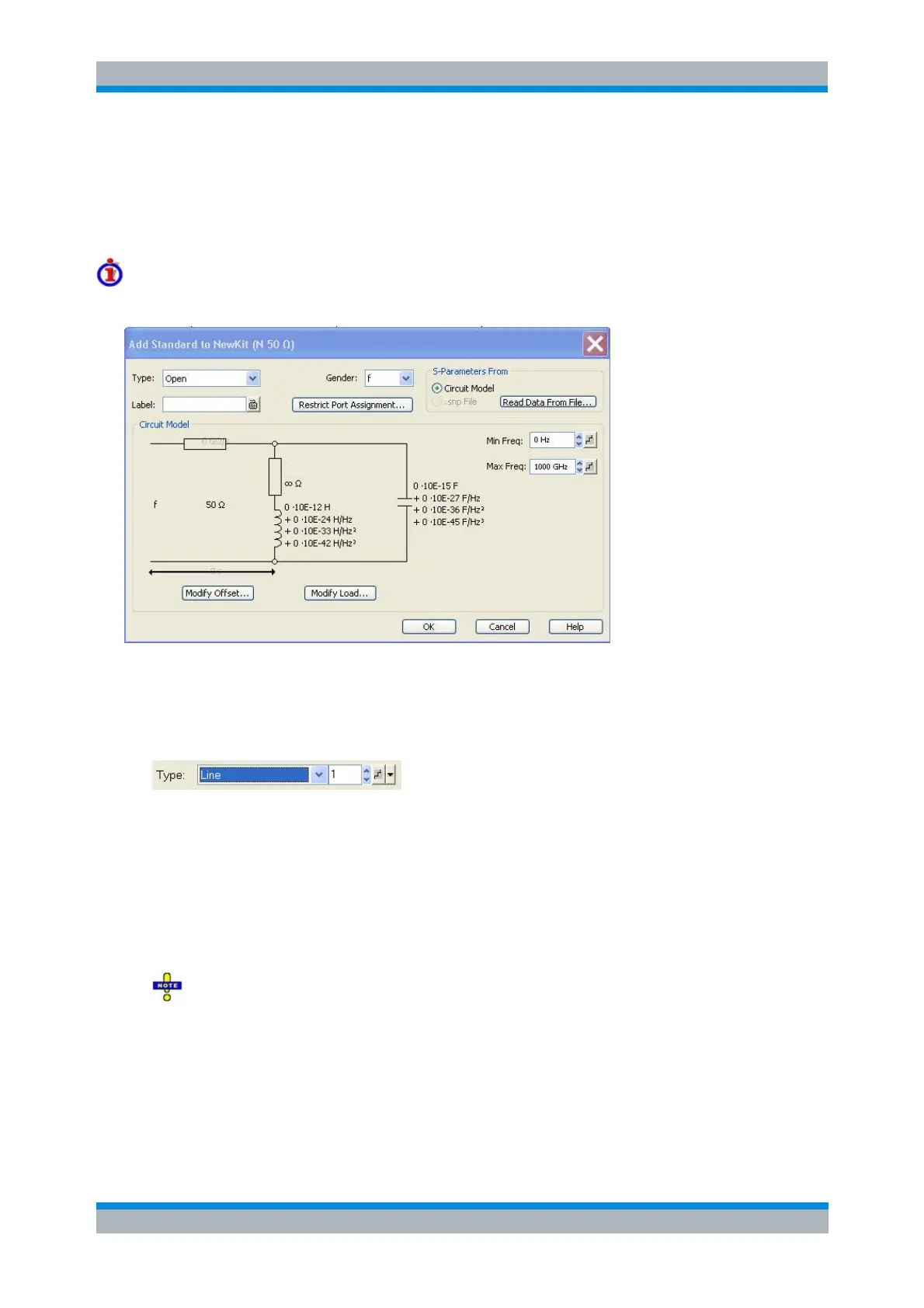
Defines, displays or modifies the properties of the calibration standards in a particular calibration kit. This
dialog is opened from the Add or View / Modify Calibration Kit dialog (Add Standard... or View / Modify
Standard... buttons). Depending on the title, some control elements may not be active.
For an overview of calibration standards and their properties refer to section Calibration standard
types below.
In its upper part the Add Standard or View / Modify Standard dialog contains several controls to do the
following:
Select a standard Type and its Gender (for polarized/not sexless connector types and if the port
assignment is not restricted) and assign a Label. For line standards the GUI displays an
additional index field to distinguish between multiple line standards.
Restrict Port Assignment
Select S-Params From
Qualify whether the standard is described by a Circuit Model from which the analyzer can
calculate the S-parameters or by a table of measured or simulated S-parameters stored in a
Touchstone file. Pressing the Read Data from File... button opens a file selection dialog where the
appropriate file type (*.s1p for one-port standards and *.s2p for two-port standards) is
automatically selected. The file import dialog contains a checkbox for renormalization, in analogy
to the Import Complex Data dialog.
The Sliding Match and Attenuation are special standard types which must be described by a
circuit model. The controls in the S-Params From panel are disabled.
For two-port standards described by a *.s2p file, the implicit ports 1 and 2 (given by the order of S-
parameters Re(S11) Im(S11) Re(S21) Im(S21) Re(S12) Im(S12) Re(S22) Im(S22) in the
file) are assigned to the test ports that the analyzer actually calibrates as follows: Port 1 is always
assigned to the lower-numbered calibrated test port, port 2 to the other (higher-numbered)
calibrated test port.



 To Next Page