R&S
®
ZVA / R&S
®
ZVB / R&S
®
ZVT GUI Reference
Channel Menu
Operating Manual 1145.1084.12 – 30 487
MMEMory:AKAL:USER:CONVersion
The Calibration Settings are reset every time the Calibration Unit dialog is closed. Do not
attempt to switch on the display and open the cal unit dialogs from a remote script, otherwise
you will lose your settings.
Modify Calibration Settings
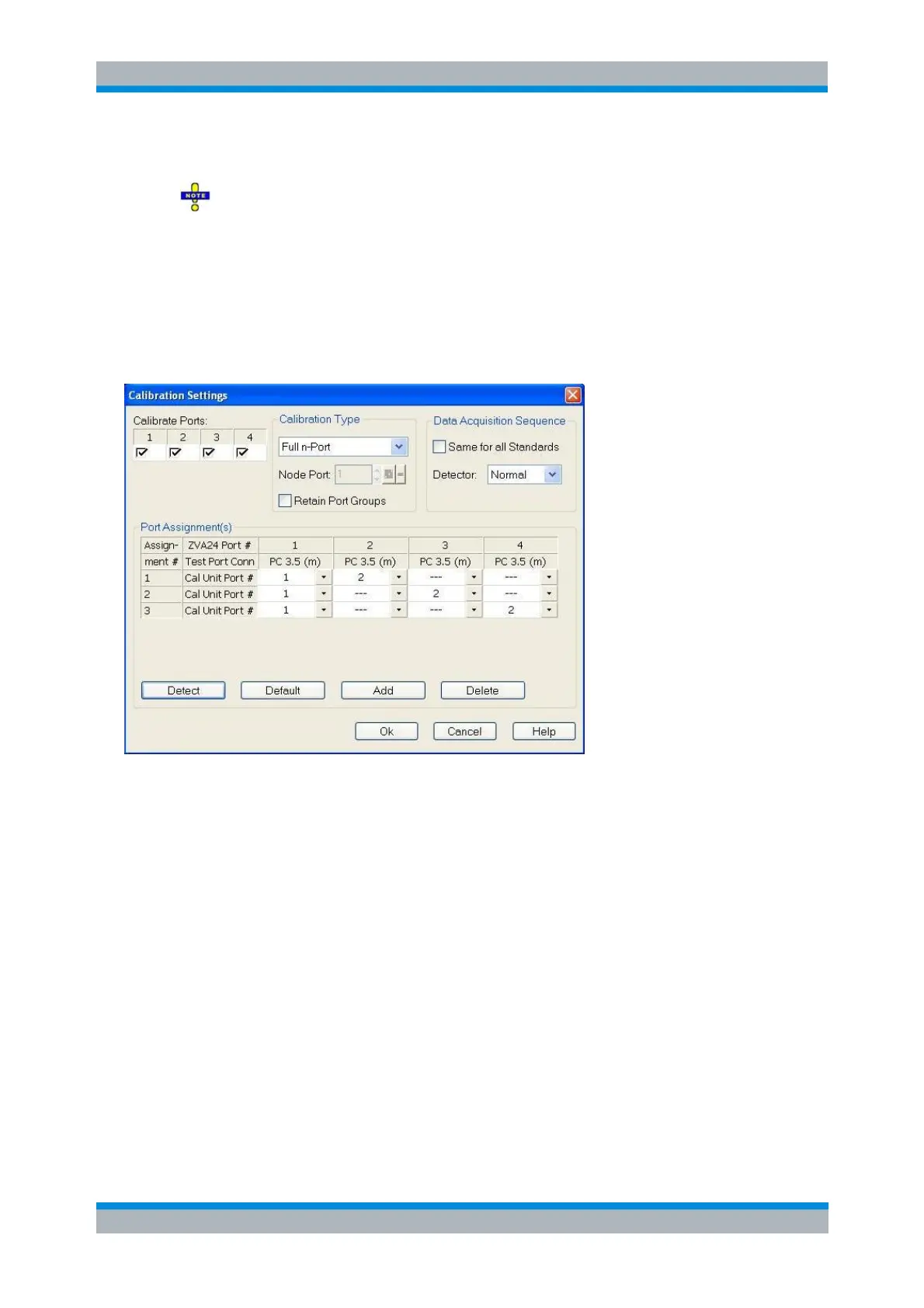
The Calibration Settings dialog defines the calibrated ports and the calibration type for automatic
calibration.
In the Calibration Settings dialog, you can:
Select the network analyzer ports to be calibrated (Calibrate Ports).
Select the Calibration Type, Detector, and Node Port: See Calibration Types above and note on
One Path Two Port calibration below.
Define how port groups are treated during calibration.
Uncheck Retain port groups (default) to dissolve port groups during calibration and to create a
single system error correction for all selected ports.
Check Retain port groups to create a separate system error correction for every port group, which
is particularly useful to calibrate port groups with frequency offset. Note that this is not supported
for One Path Two-Port and Separate Full Two-Port calibrations and is not compatible with multiple
port assignments.
Select the sweep setup for the calibration; see Same Sweep Setup for All Standards.
Select the Normal or AVG detector, the latter primarily for noise figure measurements with option
R&S ZVAB-K30.
Manually assign cal unit ports to network analyzer port (Port Assignment(s) table).
Detect the current port assignment between the analyzer and the connected calibration unit in
order to overwrite the Port Assignment table.



 To Next Page