R&S
®
ZVA / R&S
®
ZVB / R&S
®
ZVT GUI Reference
System Menu
Operating Manual 1145.1084.12 – 30 521
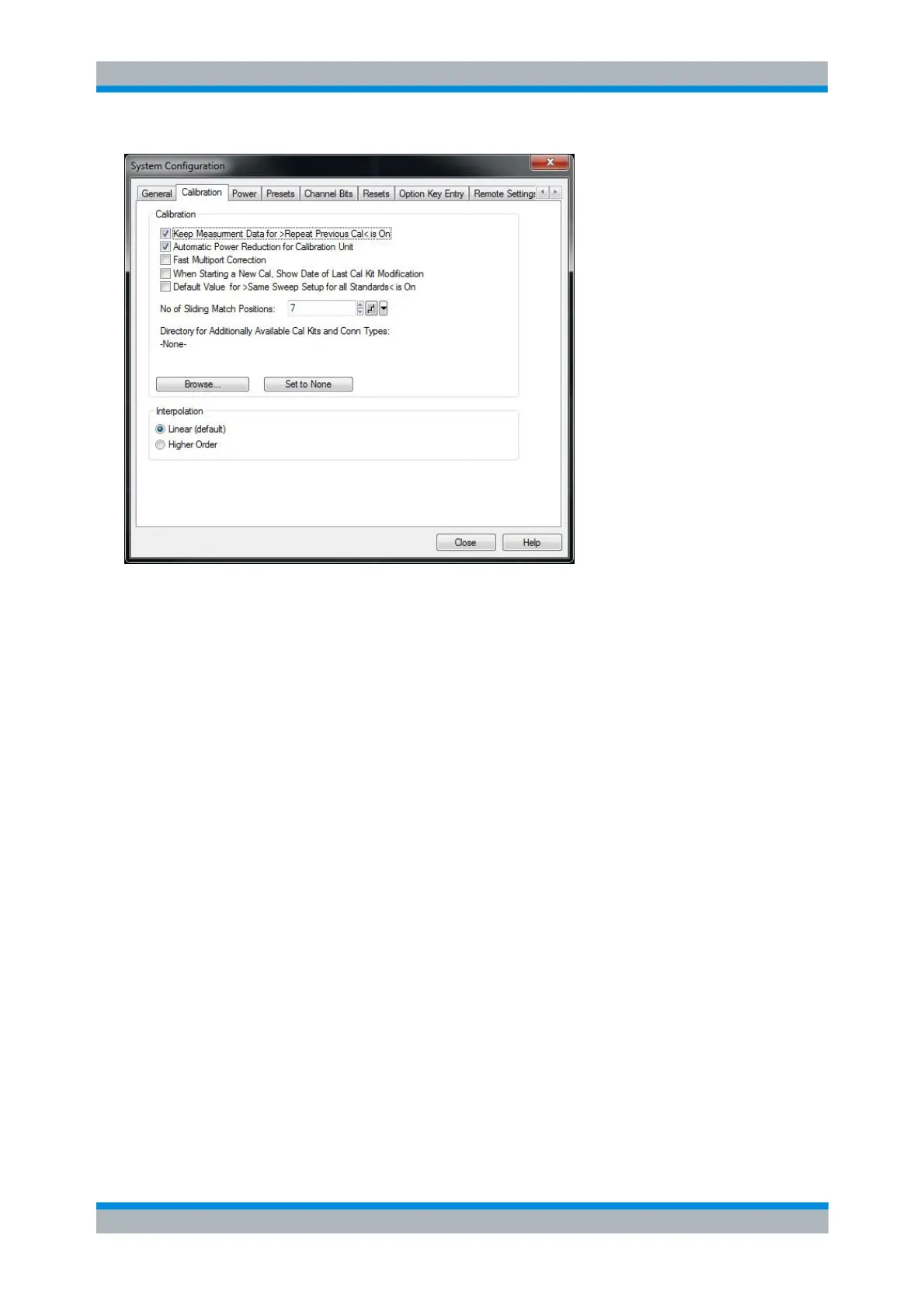
The Calibration tab provides the following settings:
Keep Measurement Data for >Repeat Previous Cal< causes the raw measurement data of the
standards to be stored after the calibration is completed. This function is equivalent to the
parameter in the Measure Standards dialog of the calibration wizard (see detailed description
there) but applies to all calibrations.
Automatic Power Reduction for Calibration Unit sets the source power at all test ports to –10 dBm
while an automatic calibration or a cal unit characterization is active. Applying this source power to
the ports of the calibration unit ensures best accuracy of the automatic
calibration/characterization. The source power levels are reset to their original values after the
calibration is completed.
The automatic power reduction can be deactivated in case that the test setup introduces a large
attenuation.
Note that for a Vector Mixer Meas calibration the reduction is only applied to the RF and IF ports.
Fast Multiport Correction activates an approximate but faster algorithm for the correction of
measurement results based on the system error correction data. The fast algorithm is used for
measurements with more than 2 ports. Select Fast Multiport Correction to speed up the
measurement, especially if you use 4 or more analyzer ports and if your network analyzer is
equipped with a CPU board FMR6. Depending on the test scenario, the exact algorithm (Fast
Multiport Correction: Off) can improve the measurement accuracy.
When Starting a New Cal, Show Date of Last Cal Kit Modification - Shows/hides the Kit Modified
column in the first dialog of the Calibration Wizard.
Select Default Value for >Same Sweep Setup for all Standards< is On if Same Sweep Setup for
All Standards shall by default be selected in the Calibration Wizard.
Note that this setting will only take effect if the factory preset is applied (either via File > New or
via System > Preset).
It will not take effect on existing channels or setups, if a new channel is created within an existing
setup (because the new channel will inherit the settings of the active channel) or if a user preset is
used (because this will restore the channel configuration of the user preset file).



 To Next Page