3. Confirm that you want to restore the default settings in the pop-up mes-
sage.
Configuring the SNMP Status
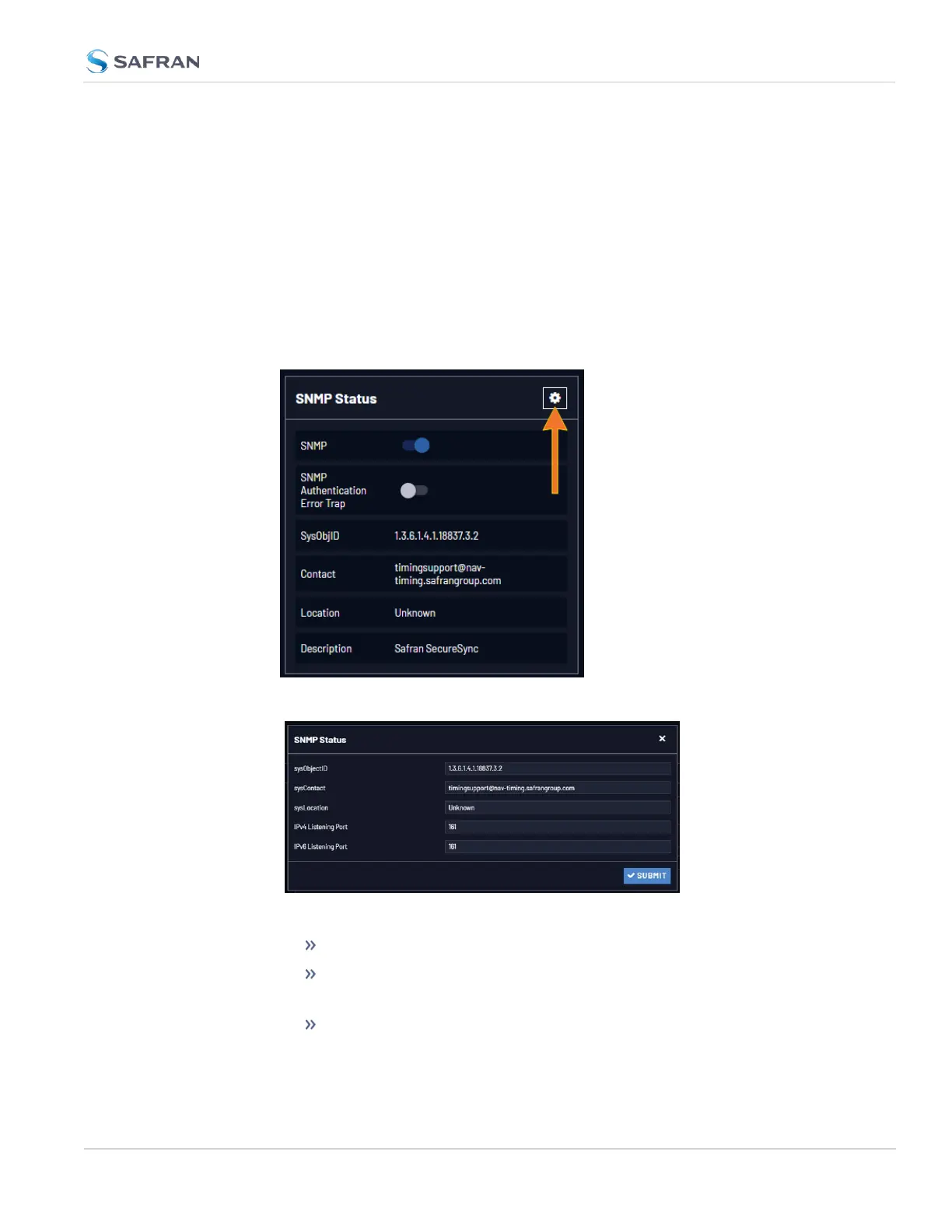
The SNMP Status Settings are sysObjectID, sysContact, and sysLocation. To con-
figure SNMP Status Settings:
1. Navigate to MANAGEMENT > NETWORK: SNMP Setup.
2. In the SNMP Status panel on the left, click the GEARicon in the top-right
corner of the panel.
3. The SNMP Status pop-up window will display:
The following settings can be configured in this window:
In the sysObjectID field, enter the SNMP system object ID.
In the sysContact field, enter the e-mail information for the system
contact you wish to use.
In the sysLocation field, enter the system location of your VersaSync
unit.
2.8 Configuring Network Settings
CHAPTER 2 • VersaSync User Manual Rev. 12
99



 To Next Page