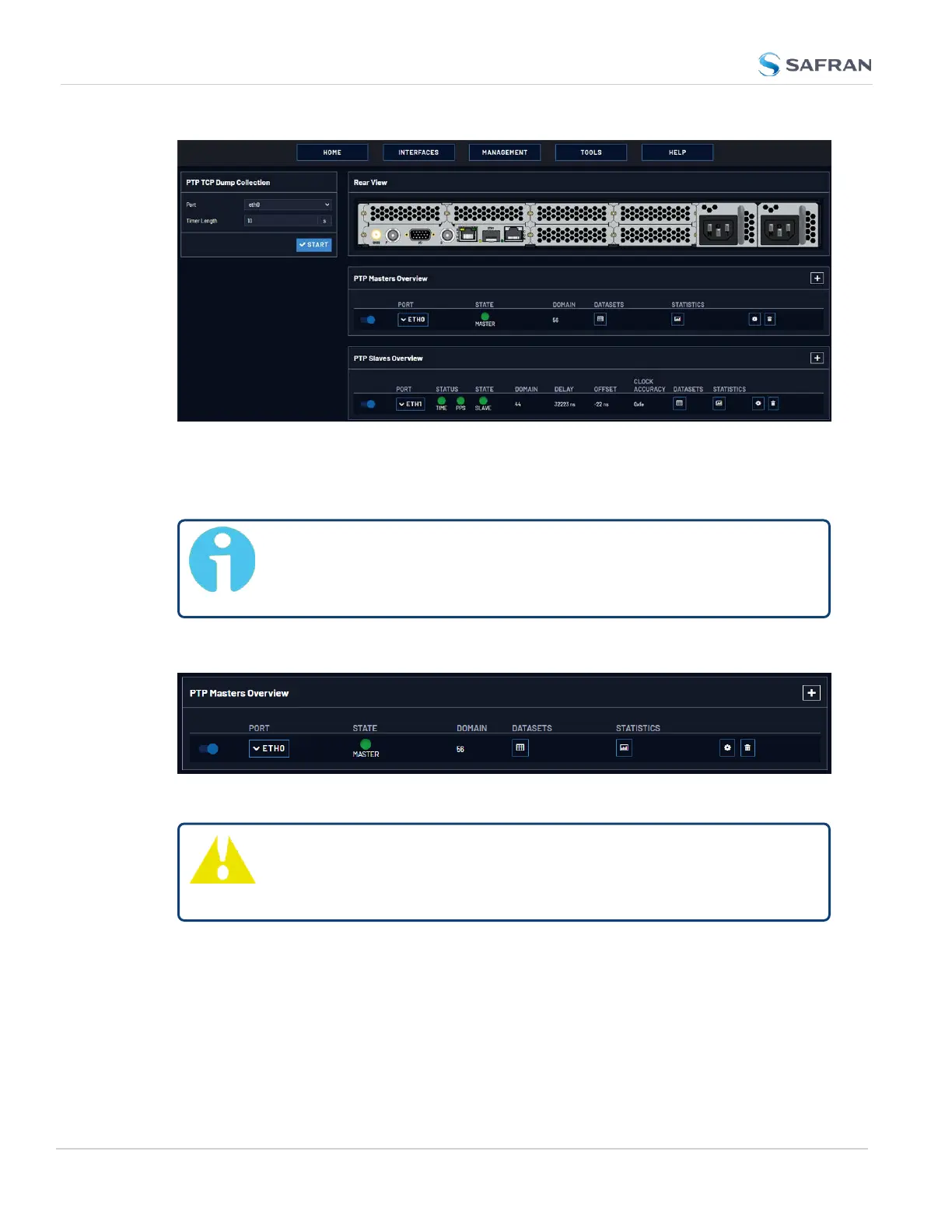
Figure 2-6: PTP setup screen
You will see the PTP Masters Panel, the PTP Slaves Panel, and the PTP TCPDump
Collection Panel.
Note: Web UIpages refresh every 30 seconds, so if your changes
aren't immediately reflected, you can try refreshing the page in your
browser.
The PTPMasters Overview Panel
Figure 2-7: PTP Masters Overview Panel
Tip: You will not see any data in this panel if you do not have a
PTPMaster configured. See "Configure a New PTP Master or
PTPSlave" on page150
The PTPMasters Overview panel contains an overview of each PTP master con-
figured on the unit, along with links to view more specific information.
The ON/OFF toggle will Enable/Disable PTPon the specific port.
The Port dropdown lists the port (eth0/eth1), and displays additional con-
figuration information if the drop-down is selected:
140
CHAPTER 2 • VersaSync User Manual Rev. 12
2.8 Configuring Network Settings



 To Next Page