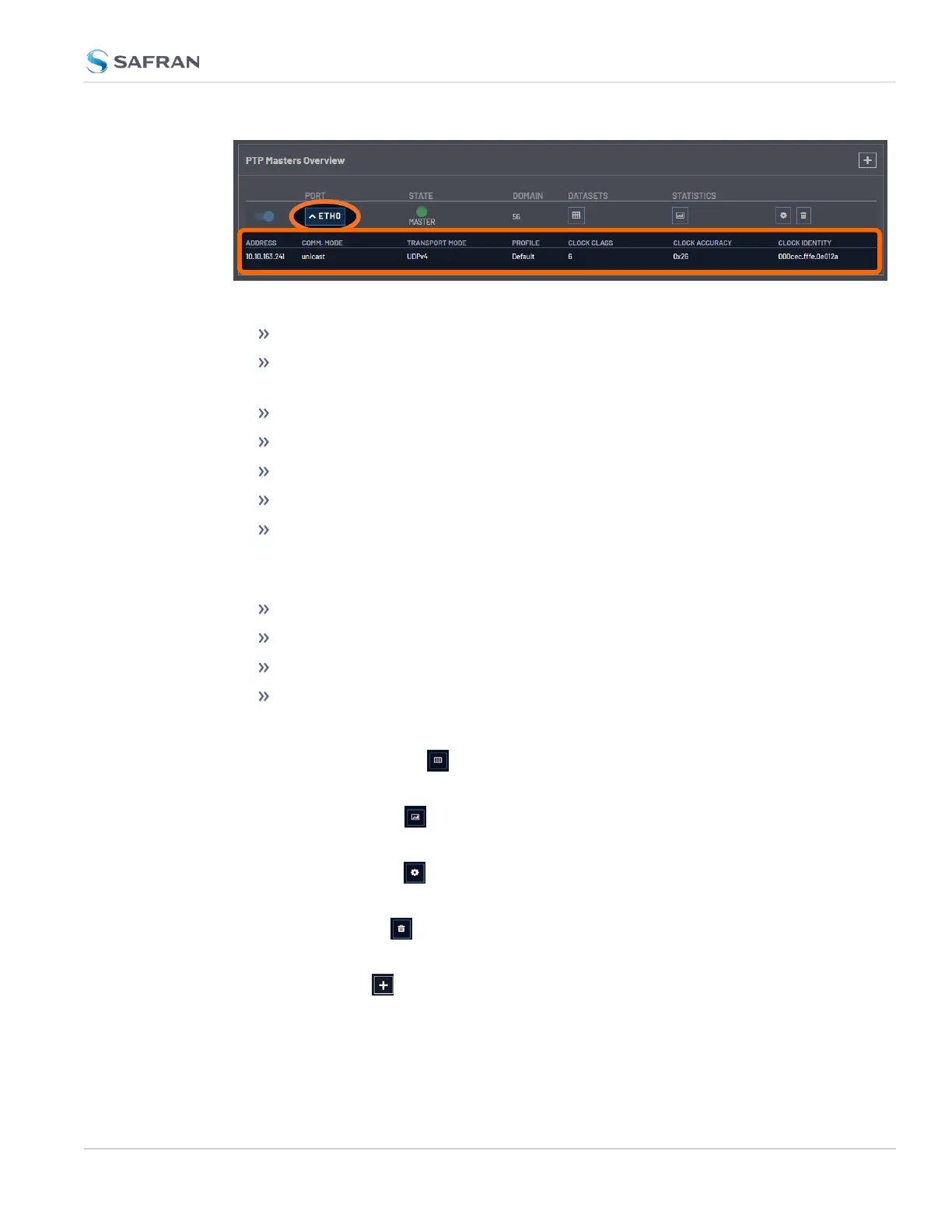
Figure 2-8: PTP Master Overview Drop Down
Address: the IPor MAC address associated with the Ethernet port
Comm. Mode: the PTP transmission mode configuration (Unicast, Multicast,
or Hybrid).
Transport Mode: (Ethernet, UDP on IPv4, UDP on IPv6).
Profile: the currently selected PTP profile.
Clock Class: as reported by the PTP data.
Clock Accuracy: as reported by the PTP data.
Clock Identity: a unique identifier for the PTP instance.
The State displays the current PTPmaster state. The LED will change according
to the current state:
Green: Master
Yellow: Listening, Passive
Red: Faulty
Grey:Disabled, Unknown
The Domain displays based on the current configuration.
The Datasets button displays the Datasets popup window (see "The
PTPDatasets Panel " on page146).
The Statistics button displays the Statistics popup window (see "The PTP Stat-
istics Panel" on page147).
The Settings button brings up the popup window to edit settings (see "The
Edit PTP Settings Panel" on page143).
The Delete button removes the configuration on a given Ethernet port and
will return all settings to default.
The Plus symbol adds a new PTPMaster and brings up the Edit PTP Settings
popup window..
2.8 Configuring Network Settings
CHAPTER 2 • VersaSync User Manual Rev. 12
141



 To Next Page