Note: The Restore Defaults button in each PTP Settings panel will
only apply to the configuration of the Ethernet port that is currently
open.
Settings changed by the user will be maintained when the PTPservice is stopped
and started, and between reboots and power cycles.
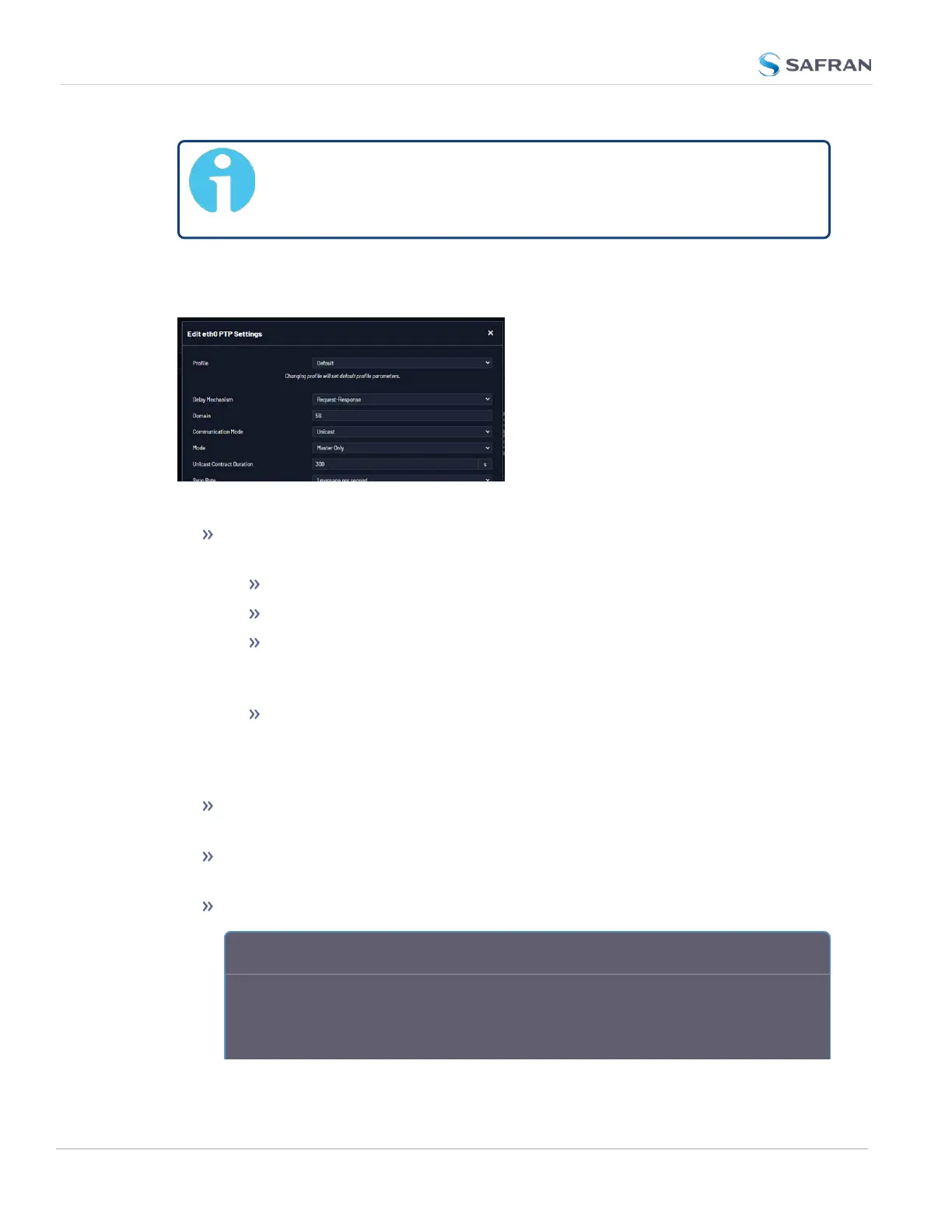
Figure 2-11: Edit PTP Settings panel
Profile: PTP profile selection beyond Default will result in new fields, para-
meters, and default values.
Default Standard presets and defaults for PTPfunctionality.
Telecom G.8265.1: Defaults: Unicast is required, Domain is set to 4.
Power Utility 61850- 9- 3: Defaults: Peer Delay Mechanism, with an
announce rate of 1 message per second, Ethernet Network Transport,
and available Peer MAC Address field.
Power System C37.238: Defaults: Peer Delay Mechanism, with an
announce rate of 1 message per second, Ethernet Network Transport,
available Peer MAC Address and Alt Timescale Display Name fields.
Domain is set to 254.
Delay Mechanism: [Request-Response or Peer] Set for propagation delay
measurements.
Domain: [defaults very for Profile selection] Sets the current PTP Domain
Number, as defined in IEEE Std 1588-2008 Section 7.1
Communication Mode: Select multicast, hybrid, or unicast mode.
A b o u t … P T P T r a n s m i s s i o n M o d e s
The PTP Card is able to transmit the PTP packets in three transmission modes:
• Multicast Mode: PTP packets are transmitted to all PTP Clocks by means of
Multicast IP addresses. PTP packets received by the PTP Clocks are then filtered
144
CHAPTER 2 • VersaSync User Manual Rev. 12
2.8 Configuring Network Settings



 To Next Page