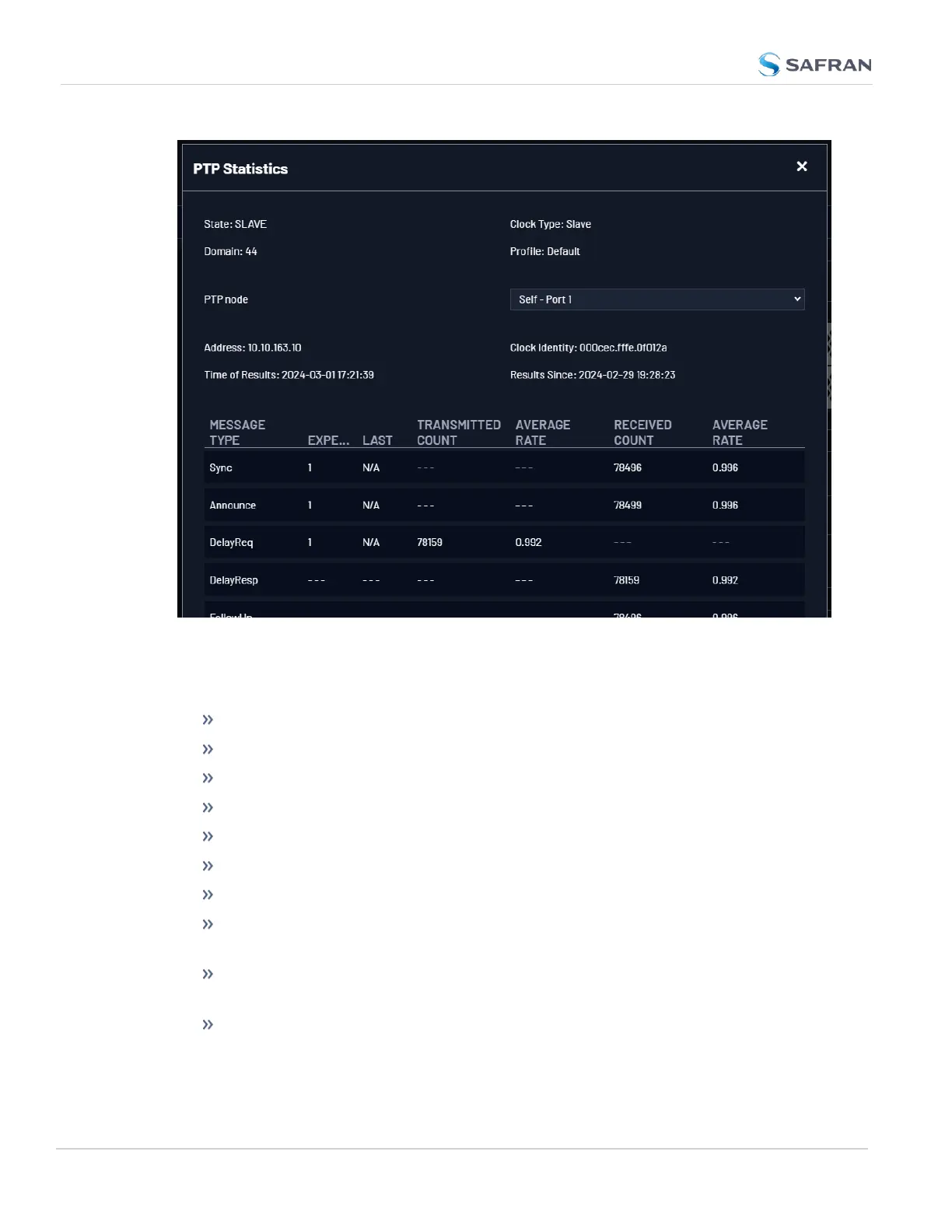
Figure 2-12: PTP Statistics Panel
Select the PTPNode to view the statistics of the communication between the Eth-
ernet port selected and a specific PTP node.
State: Current PTP state
Clock Type: (Master or Slave)
Domain: current settings
Profile: current settings
PTP Node: IP address of PTPnode.
Address: IPor MAC address
Clock Identity: [e.g., "a0:36:9f:ff:fe:37:b9:5d"]
Time of Results: [e.g., "2023-08-12 18:19:15"] Time at which stats were
retrieved.
Results Since: [e.g., "2021-10-18 16:05:30"] Time at which the stats collection
started
Transmitted/Received Count: Message count of sent/received data
148
CHAPTER 2 • VersaSync User Manual Rev. 12
2.8 Configuring Network Settings



 To Next Page