To display a higher resolution graph of a shorter time frame, move
one or both of the two sliders inwards.
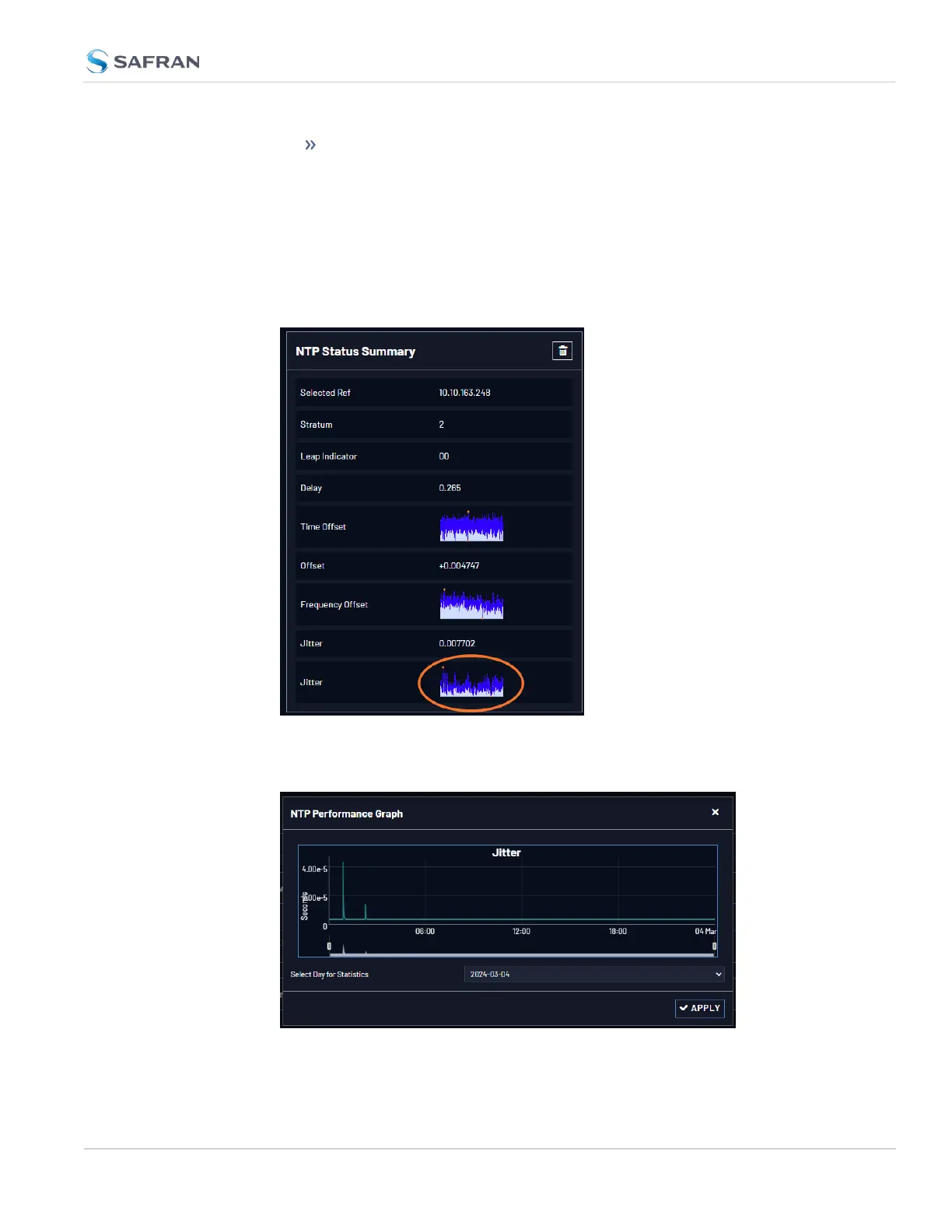
The NTP Jitter Performance Graph
To view the NTP Jitter performance graph:
1. Navigate to MANAGEMENT > NETWORK: NTP Setup screen.
2. In the NTP Status Summary panel locate the Jitter graph.
3. Click the graph in the NTP Status Summary panel.
4. The NTP Performance Graph panel will appear.
4.6 Quality Management
CHAPTER 4 • VersaSync User Manual Rev. 12
279



 To Next Page