Installing the Printer Driver (LAN/Wireless LAN)
122
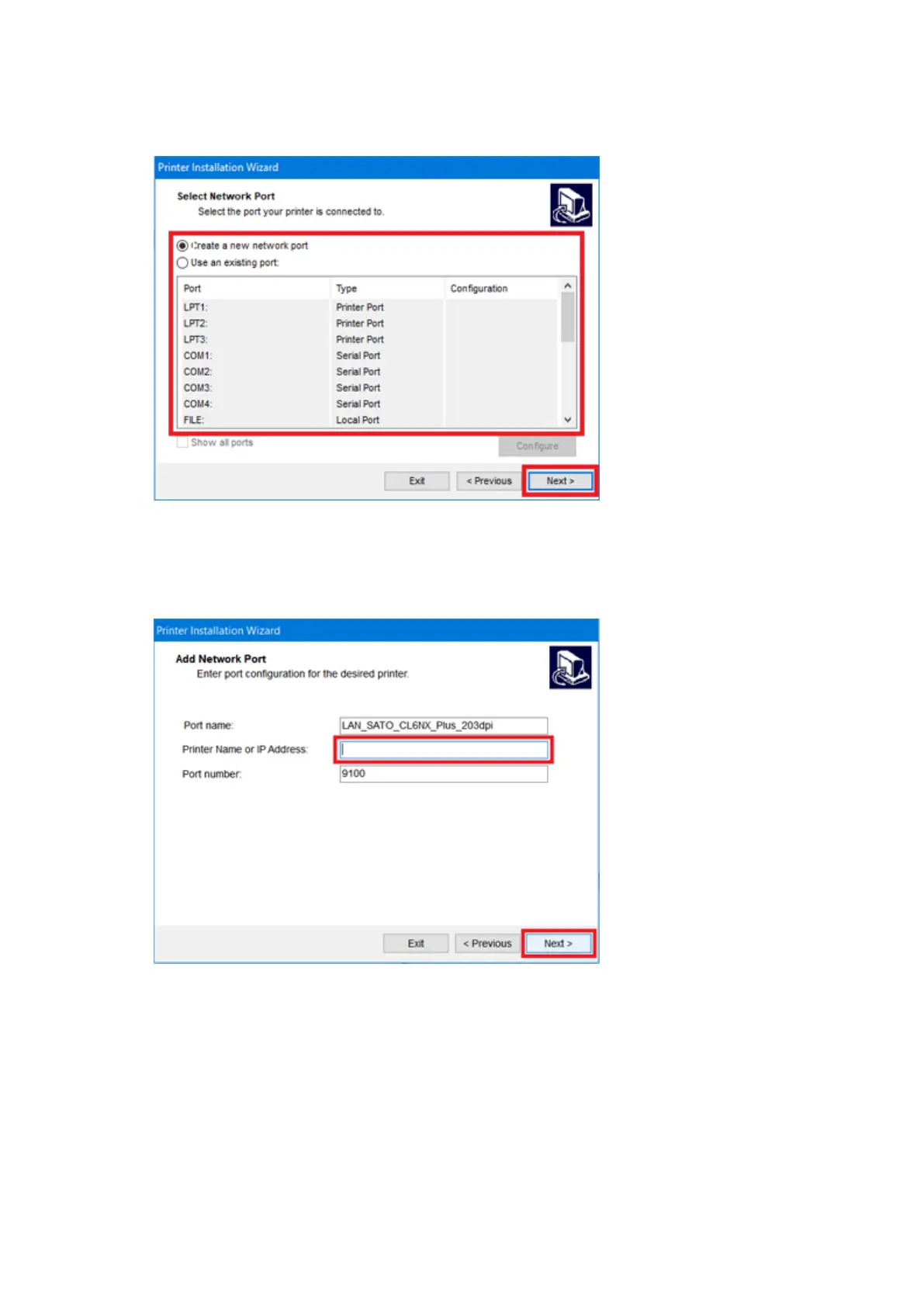
c. Select the network port, and click [Next].
If you have selected [Create a new network port], proceed to step d.
If you have selected [Use an existing port] and then selected a port from the list, proceed to
step 11.
d. Enter the printer name or IP address, and click [Next].



 To Next Page