Removing the Liner from the Rewinder
188
13. Close the print head.
14. Close the dispenser unit.
15. Press the media guide lightly against the end of the media, and then turn the knob
to lock the media guide.
16. Close the top cover.
• When closing the top cover, be careful not to pinch your fingers.
17. Perform a test print to make sure that the media is loaded correctly.
• You need to load the ribbon when printing using thermal transfer.
• When not using the product for a long time, keep the dispenser unit open to protect the
roller.
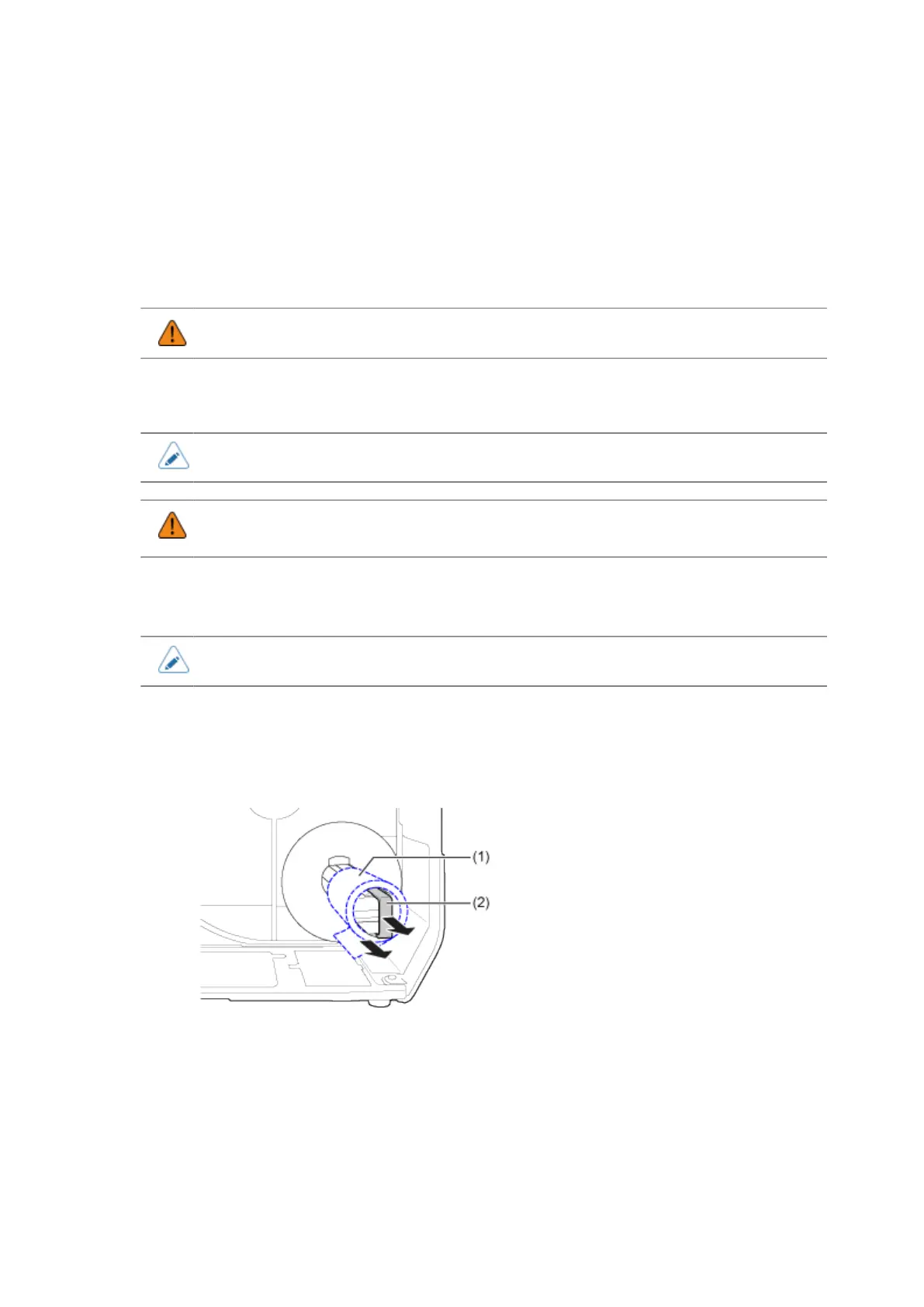
Removing the Liner from the Rewinder
• The rewinder can take up maximum a diameter of 120 mm (4.72") of liner.
1. Confirm that the liner (1) has been cut, pull the clip (2) towards you, and pull out
the liner (1).
2. Place the clip back to its original position.



 To Next Page