173
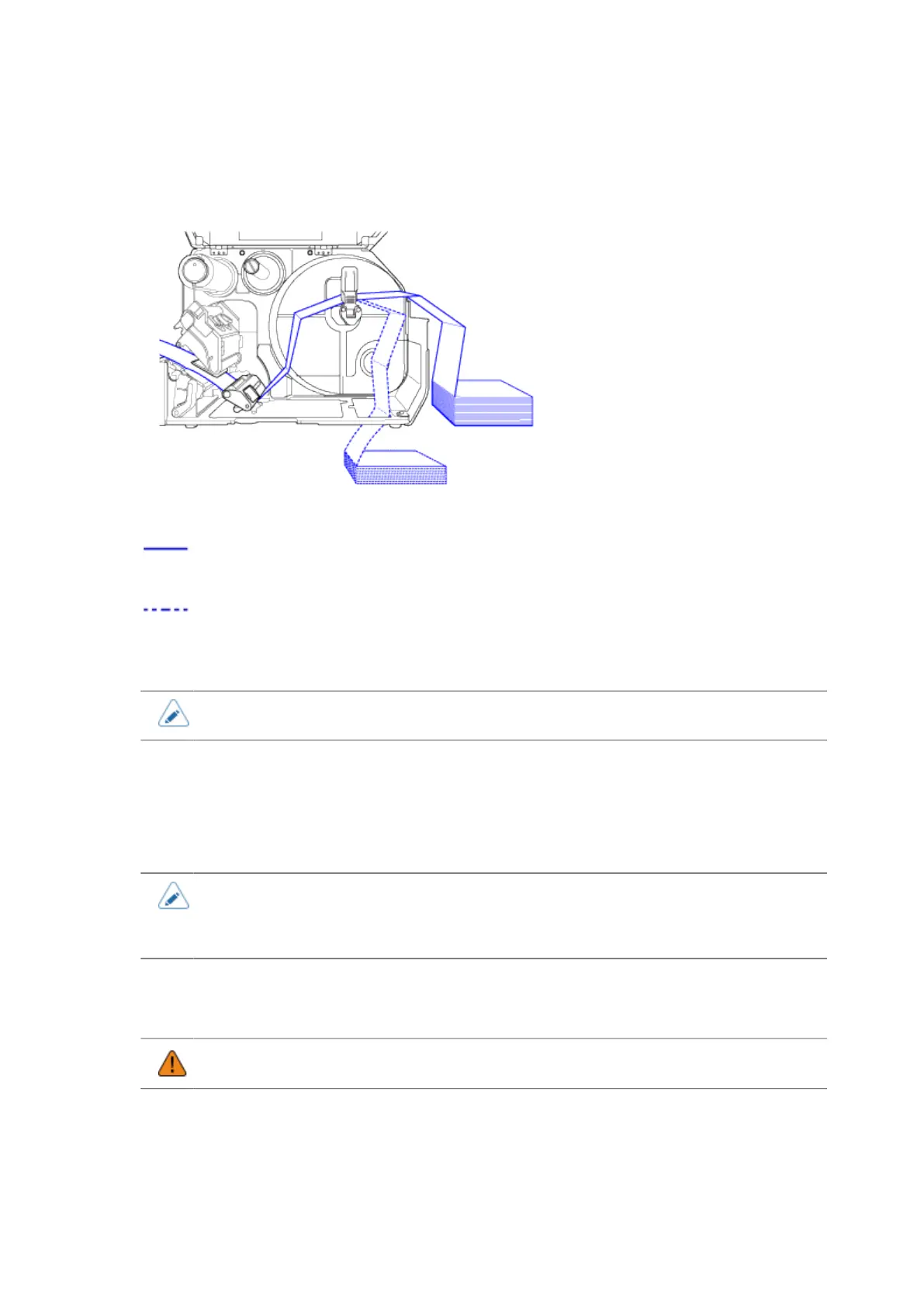
3. Place the fan-fold media on a flat location, and load the media from the media slot
on the rear or the bottom of the product.
The routing path of the media is shown in the below picture.
Load the media from the rear of the product
Load the media from the bottom of the product.
• When loading the media, make sure that the print side faces up.
4. After passing the media through the slot, refer to the same steps as the Media Roll
to load the media.
5. Perform a test print to make sure that the media is loaded correctly.
• You need to load the ribbon when printing using thermal transfer.
• If a media jam frequently occurs with the media being loaded from the bottom of the
product, change the load location to the rear of the product.
Loading the Media with the Optional Cutter Unit
• Be careful not to touch the cutter blade.
1. Open the top cover (1).



 To Next Page