49
2.
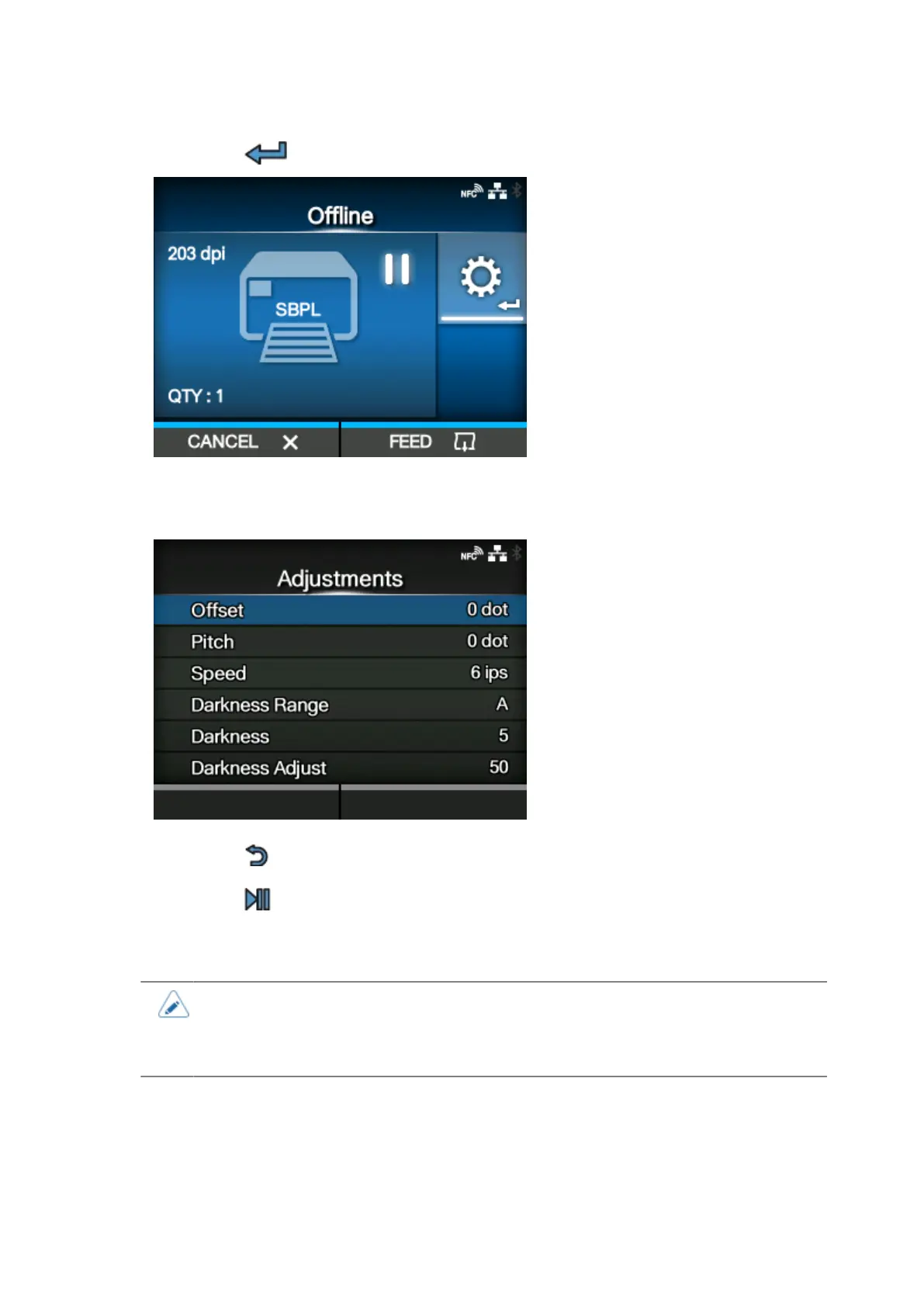
Press the button.
The Adjustments mode appears.
3. Select an item and adjust the setting.
4.
Press the button to return to Offline mode.
5.
Press the button to change to Online mode.
The print job resumes with the adjusted settings.
• When [Printing] > [Advanced] > [Prioritize] menu has been set to [Commands] and the
print settings have been specified by command, the changes made in the Adjustments
mode will be applied only to the data already analyzed at that time. The settings
specified by command will be applied to the rest of the data.
Canceling the Print Job
Cancel the print job according to the following procedure. When the print job is canceled, the data
stored in the receive buffer of the product is also deleted.



 To Next Page