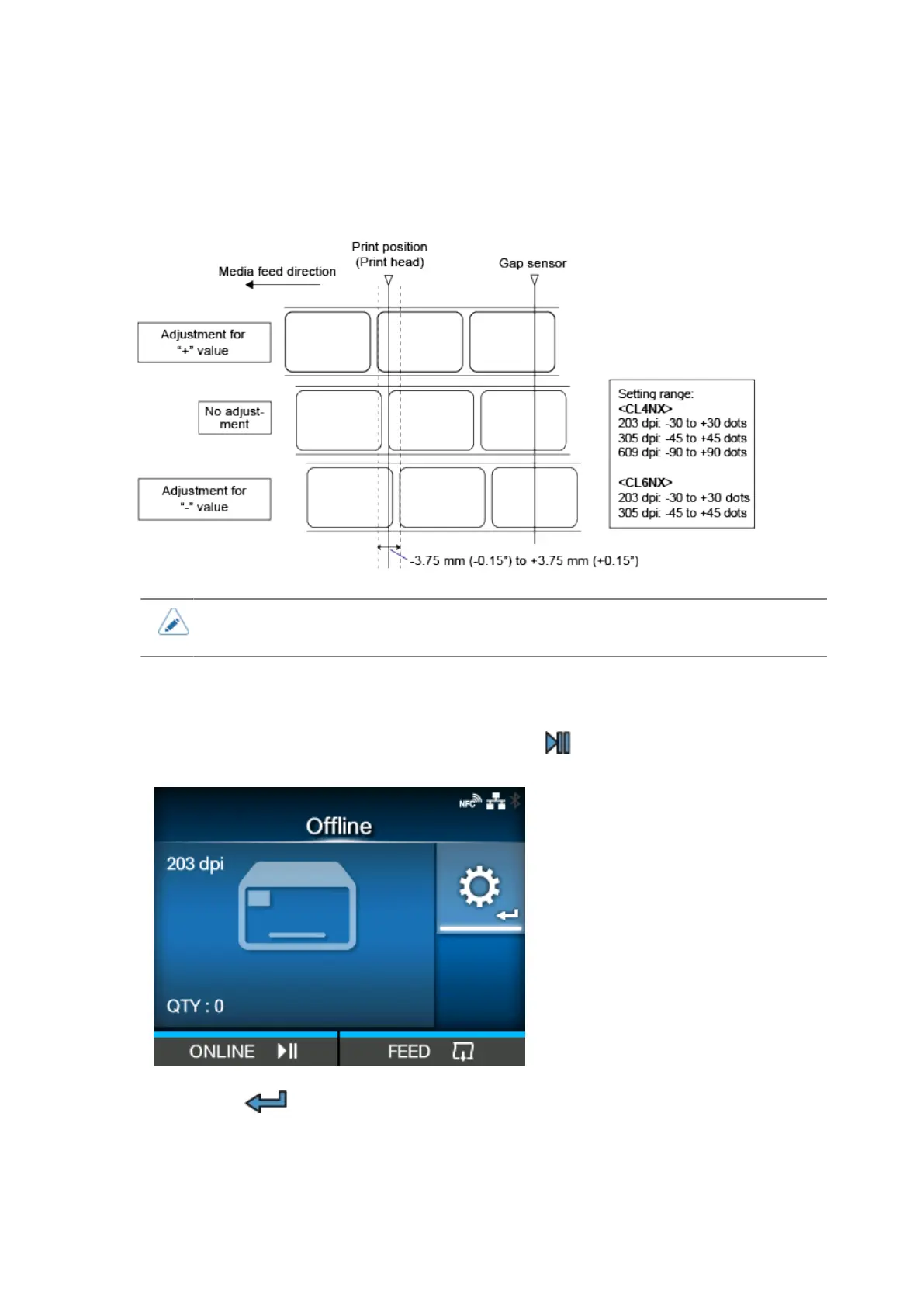
Adjusting the Print Position
600
Adjusting the Print Position
Set the [Pitch] in the [Printing] > [Advanced] > [Adjustments] menu to adjust the print position.
• The above reference position (print position) is the stop position when the media
sensor type is set to Gap.
1.
When the product is in Online mode, press the button on the operator panel to
change to Offline mode.
2.
Press the button to show the [Settings] menu.



 To Next Page