529
Settings
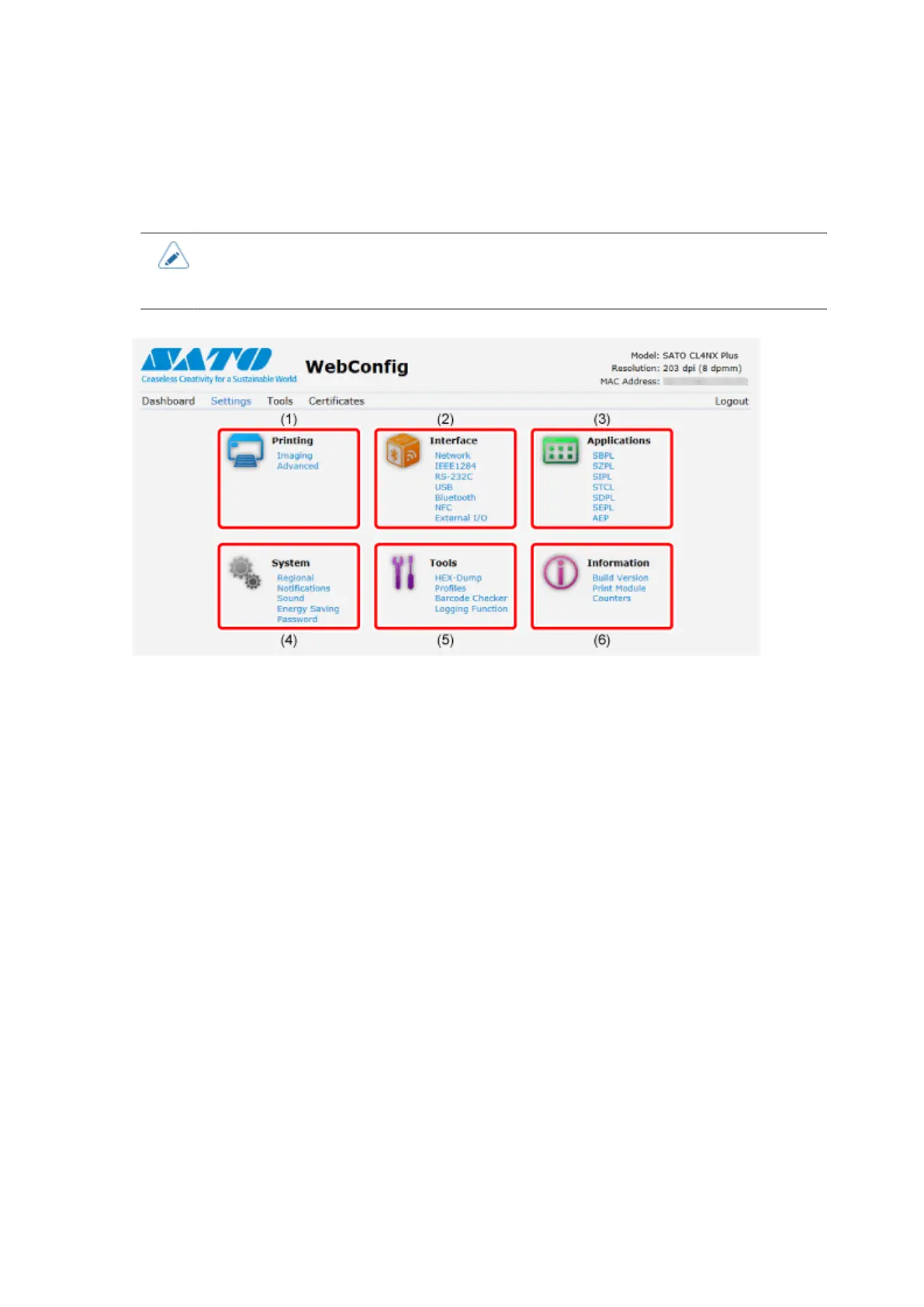
Settings equivalent to the product's Settings mode can be done on the browser.
• Login is required to view the [Settings] page. Click [Login] to log in before opening the
[Settings] page.
The default user is [settings], and the default password is "0310".
(1) [Printing]
You can do the settings equivalent to [Settings] > [Printing] in the Settings mode.
(2) [Interface]
You can do the settings equivalent to [Settings] > [Interface] in the Settings mode.
(3) [Applications]
You can do the settings equivalent to [Settings] > [Applications] in the Settings mode.
(4) [System]
You can do the settings equivalent to [Settings] > [System] in the Settings mode.
(5) [Tools]
You can do the settings equivalent to [Settings] > [Tools] in the Settings mode.
(6) [Information]
You can do the settings equivalent to [Settings] > [Information] in the Settings mode.



 To Next Page