527
Dashboard
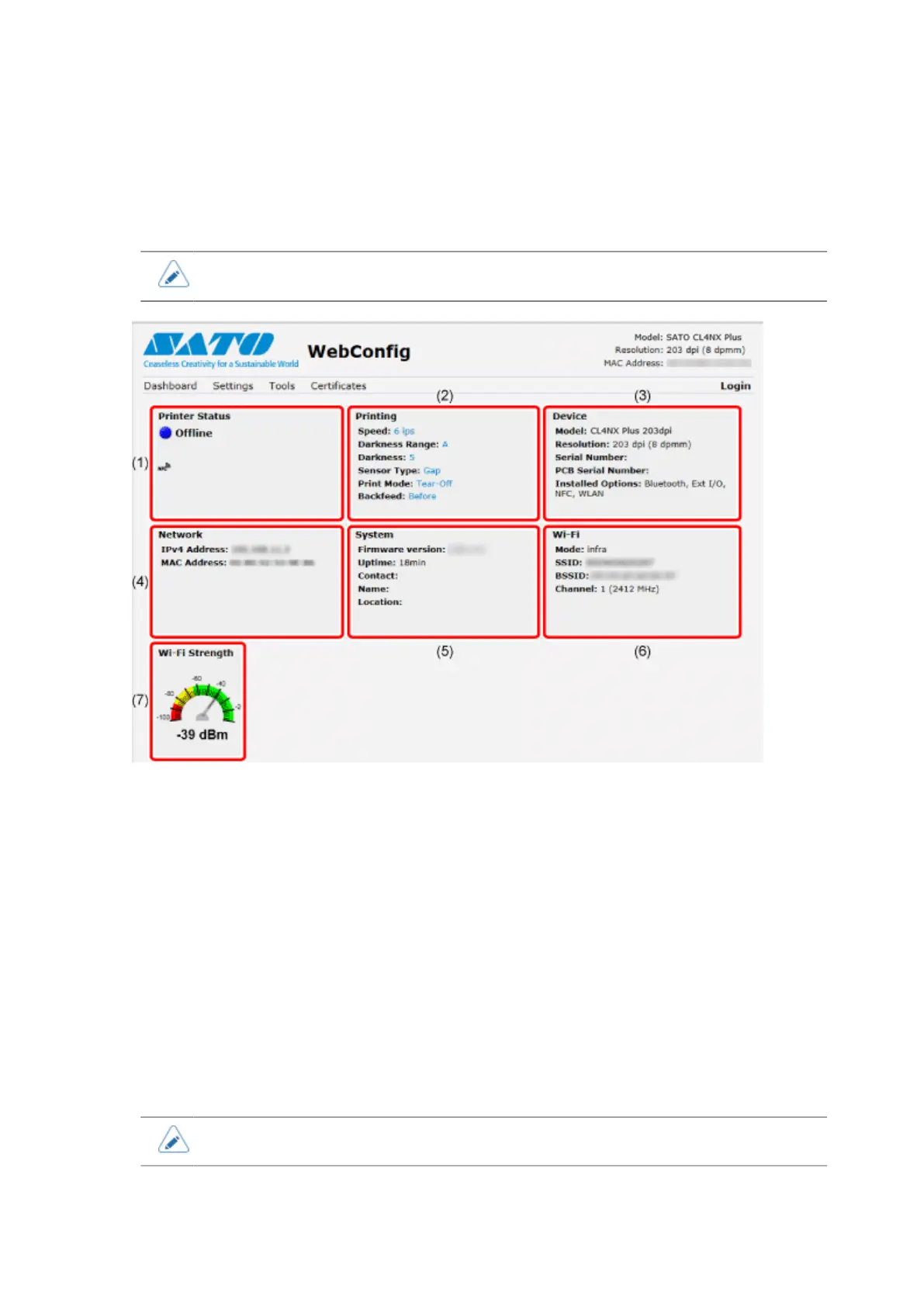
[Dashboard] is the initial page for the web configuration page. Each section shows specific information
or the current status of the product.
• You can view the [Dashboard] page without logging in.
(1) [Printer Status]
Shows the current state (online, offline, error) and current status icons.
(2) [Printing]
Shows the print speed, darkness, sensor, print mode and backfeed setting.
(3) [Device]
Shows the model, current resolution and options that are installed.
(4) [Network]
Shows the current IP address and MAC address of the active interface.
(5) [System]
Shows the current firmware version, uptime, SNMP contact, name and location.
(6) [Wi-Fi]
Shows the current Wi-Fi setting.
• This information is shown only if Wi-Fi is available and active.



 To Next Page