157
Configuring the Printer Settings
[Printing Defaults] and [Printing Preferences]
These functions can configure the media settings and printing modes of the product from the printer
driver and send them to the product.
Use [Printing Defaults] or [Printing Preferences] from the properties screen of the product's printer
driver.
When configuring the printer driver for all users, use [Printing Defaults].
When configuring the printer driver for each user, use [Printing Preferences].
• The settings of the printer driver should be done by an administrator.
How to Show the [Printing Defaults] Settings Screen
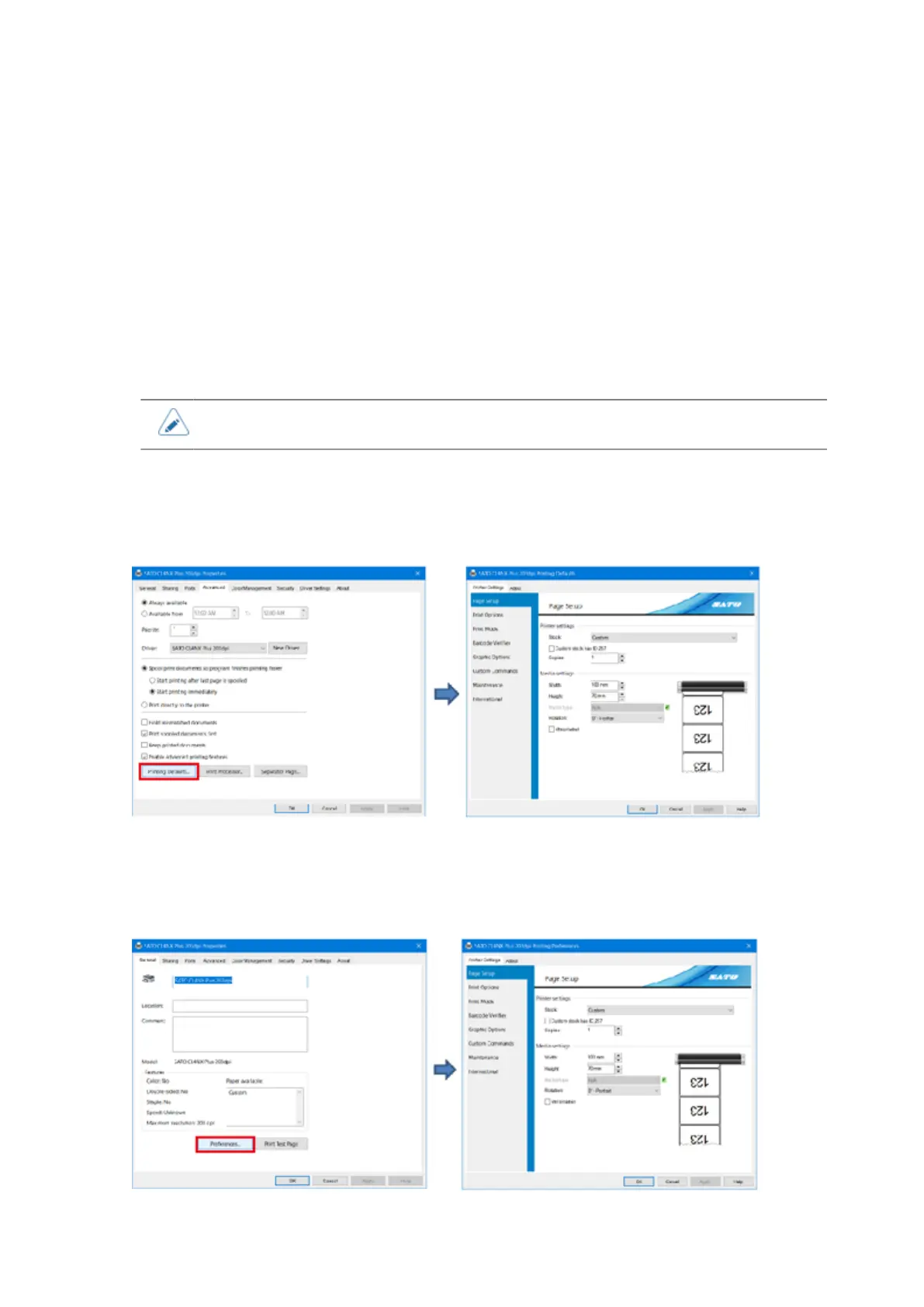
When you open the printer driver [Properties], select the [Advanced] tab and click [Printing Defaults],
the [Printing Defaults] settings screen is opened. The printer driver settings for all users can be
selected.
How to Show the [Printing Preferences] Settings Screen
When you open the printer driver [Properties], select the [General] tab and click [Preferences], the
[Printing Preferences] settings screen is opened. The user specific printer driver settings can be
selected.



 To Next Page