Uninstalling the Printer Driver
148
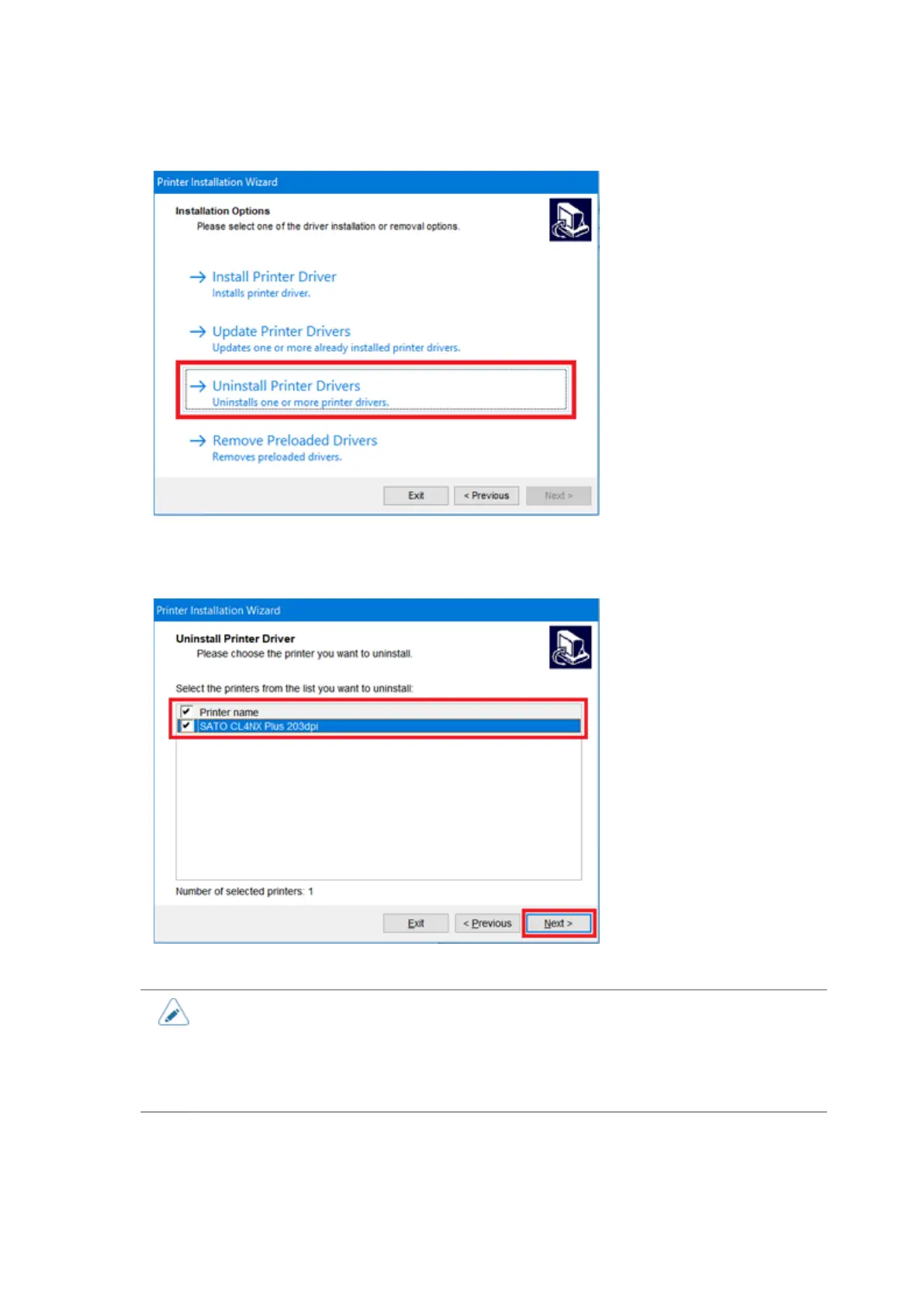
8. Click [Uninstall Printer Drivers].
9. Check the check box of the printer you want to uninstall and click [Next].
You can select multiple printers.
The printer driver is uninstalled.
• When the multiple printers are shown, as long as you do not remove all of the printers,
the files related to the installed printer drivers are not removed. In that case, only the
printer name is removed.
• If a security warning screen indicating that another process is blocking access
appears, follow the steps on the screen, and click [Next].



 To Next Page