Configuring the Printer Driver Settings as an Administrator
154
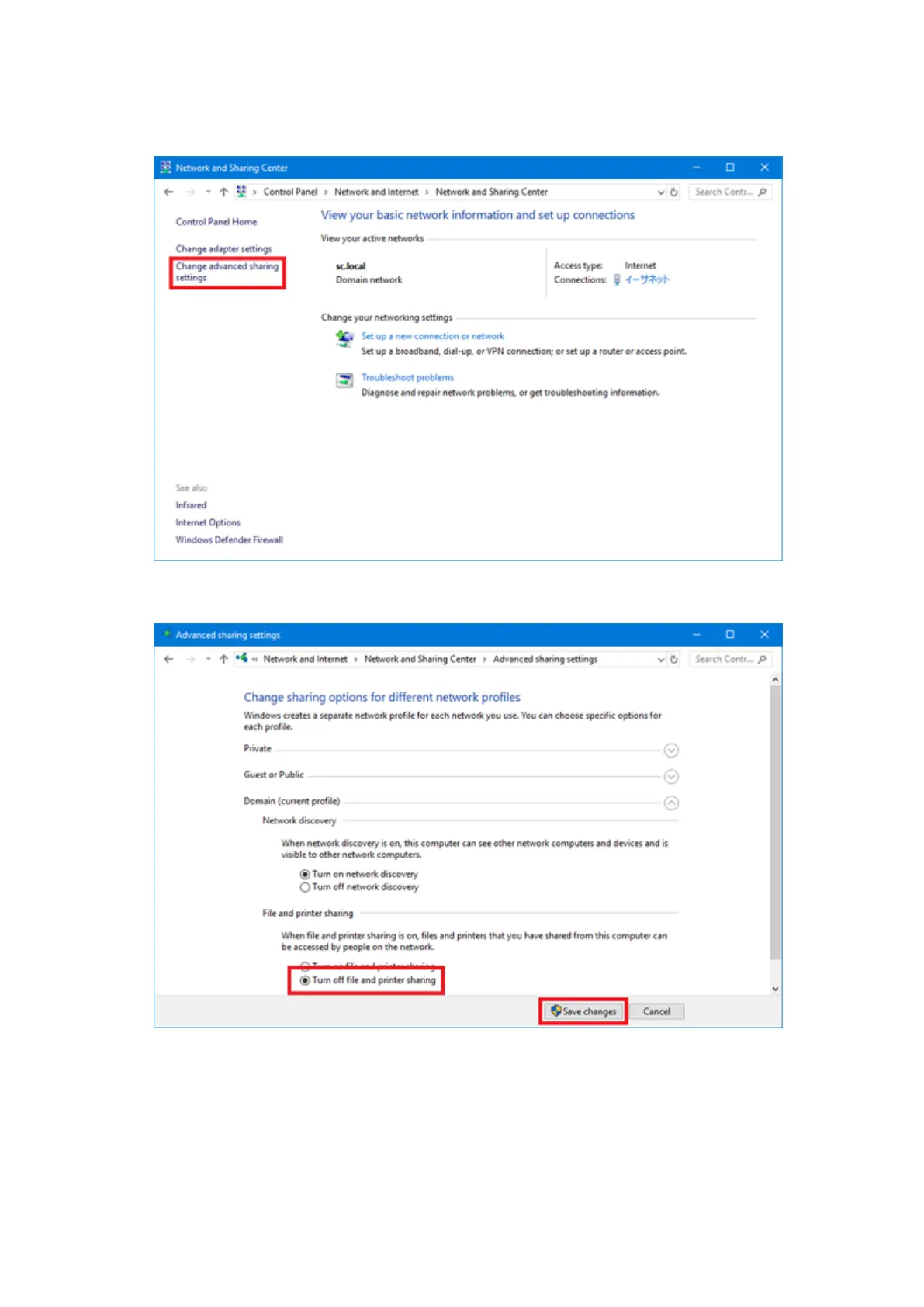
b. Select [Change advanced sharing settings].
c. In [File and printer sharing], select [Turn off file and printer sharing] and click the [Save changes]
button.
Configuring the Printer Driver Settings as an Administrator (Windows Server 2008)
When printing a layout created by an application software, configure the printer driver settings first.



 To Next Page