171
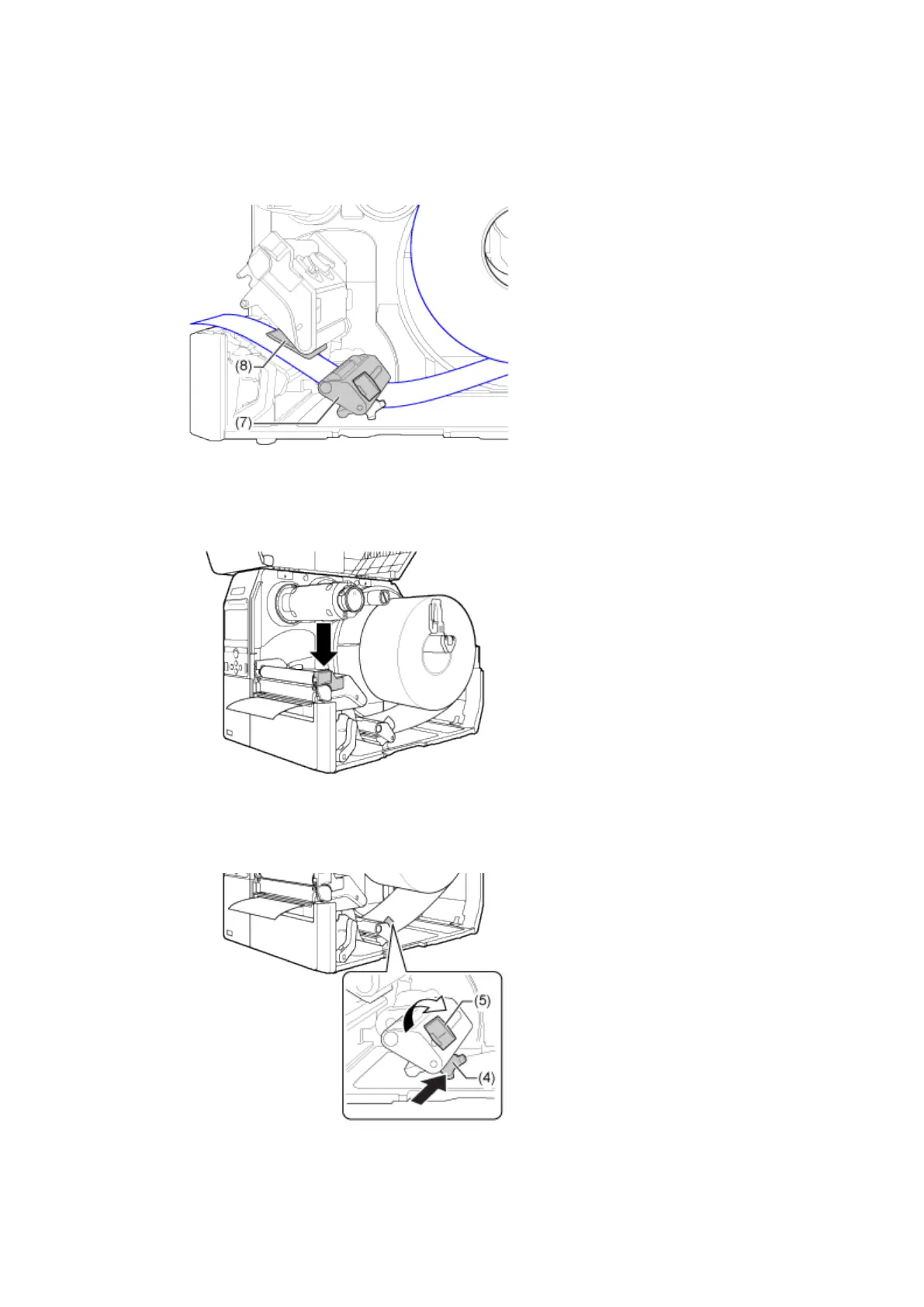
6. Pass the media below the media damper (7) and the media sensor guide (8) while
pushing the media to inside of the product.
Make sure that the end of the media extends out the front of the product.
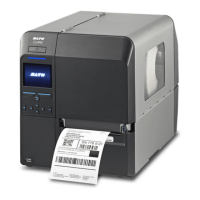
7. Press the print head down until the head lock lever is locked.
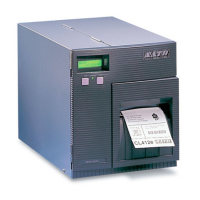
8. Press the media guide (4) lightly against the end of the media, and turn the knob (5)
to lock the media guide.
9. Close the top cover.


 To Next Page