37
Icon Description
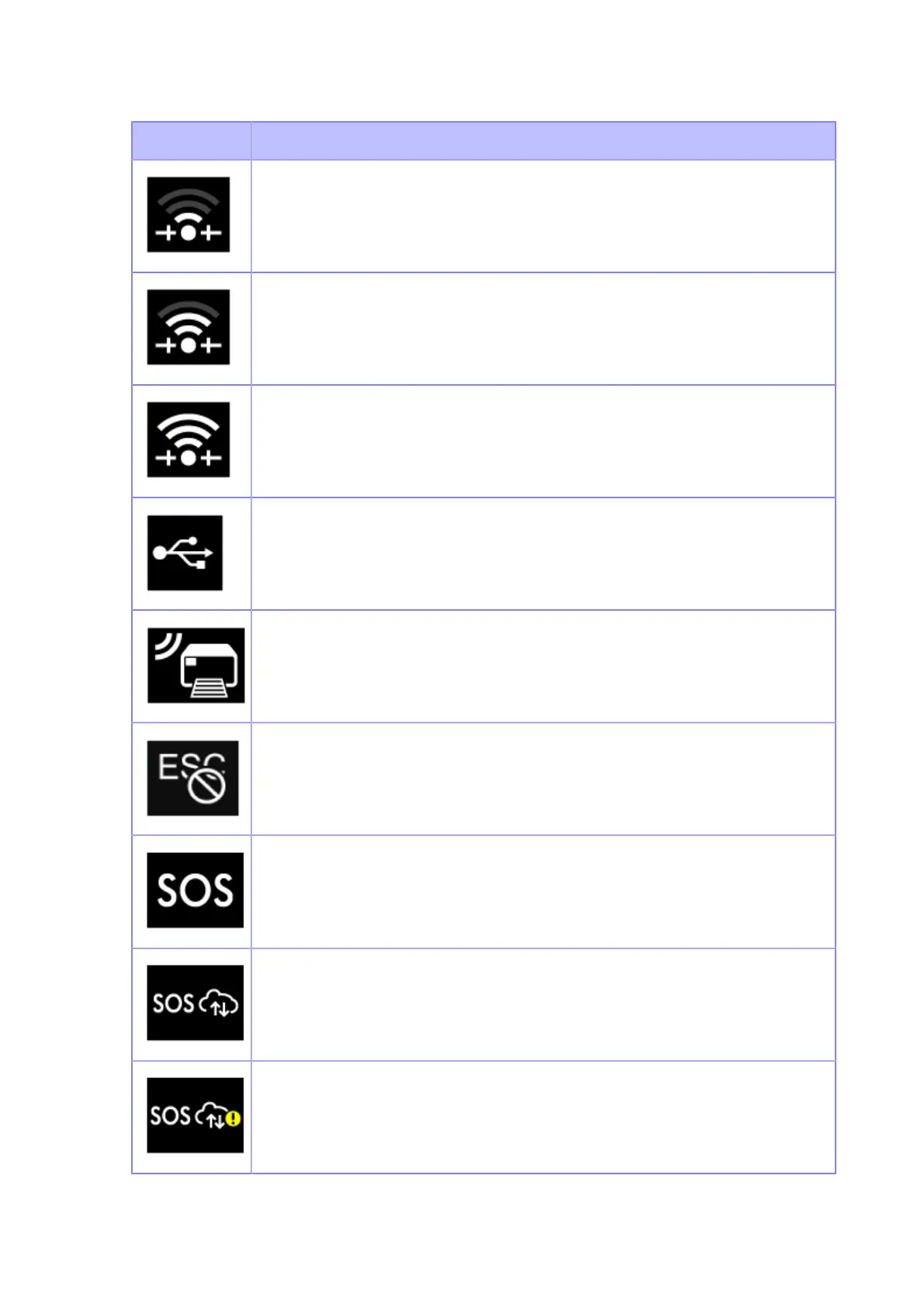
Wi-Fi Direct is connected.
Signal Level: 2
Wi-Fi Direct is connected.
Signal Level: 3
Wi-Fi Direct is connected or the product is set to act as an access point.
Signal Level: 4
Product is connected to USB host.
Waiting for external input/output signal.
Standard code is disabled.
The On-Demand mode of the SOS (SATO Online Services) is enabled.
The Real Time mode of the SOS is enabled. The product is connected to the SOS
cloud.
The Real Time mode of the SOS is enabled, but not connected to the SOS cloud.
If the LAN or Wi-Fi icon is grayed out, the product is not connected to the network.
If the LAN or Wi-Fi icon is active, the Internet connection of the SOS cloud has a
trouble.



 To Next Page