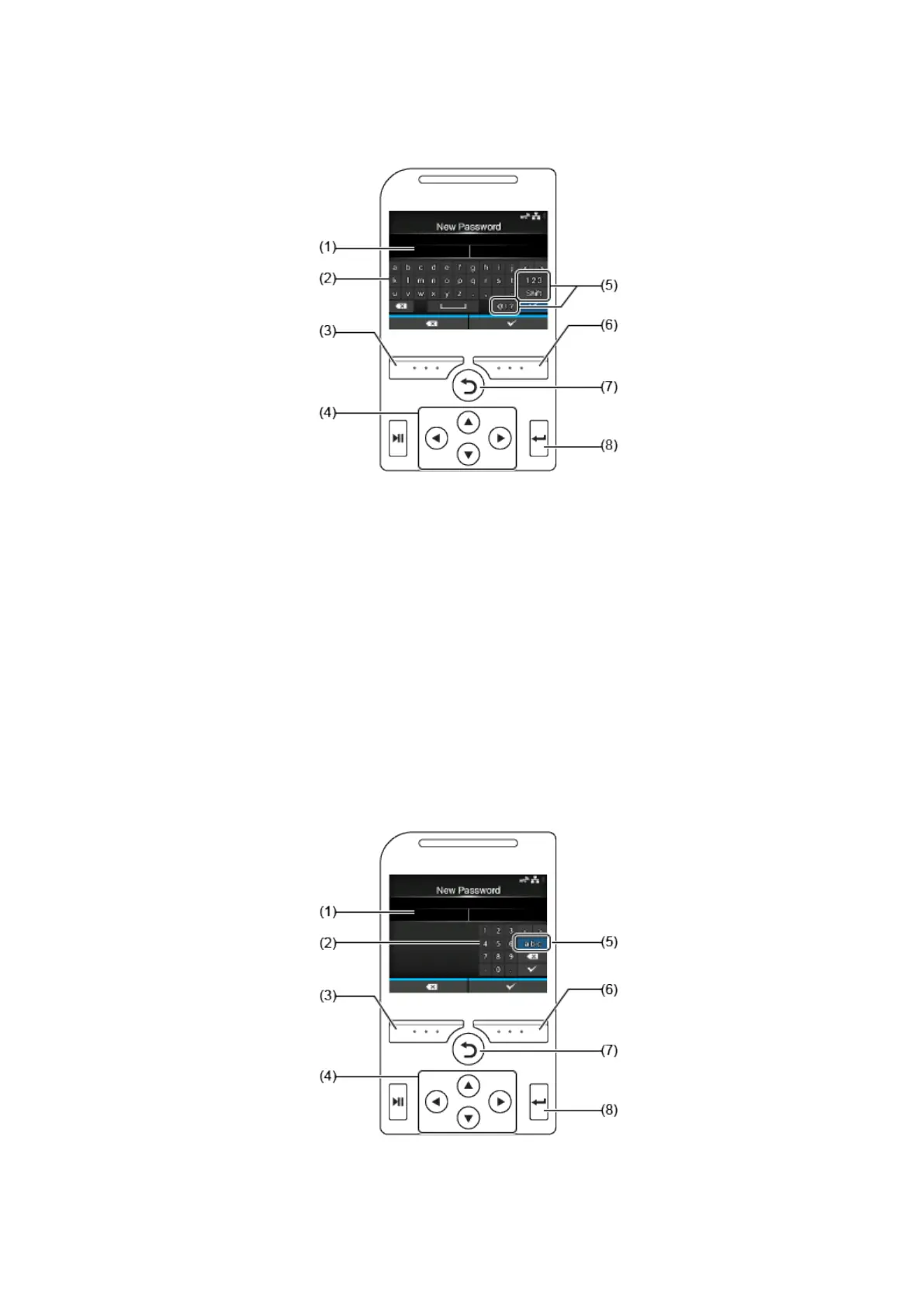
Setting Value Input or Selection
56
• Character Input
(1) Text box
(2) Selection area
(3) Delete the character displayed to the left of the cursor in the text box.
(4) Select the character for input using the arrow buttons. The selected character will be highlighted in
the selection area.
(5) Change the input mode.
(6) Save the character you enter in the text box and return to the item list.
(7) Cancel the character you enter in the text box and return to the item list.
(8) Enter the selected character into the text box.
• Numeric Input
(1) Text box



 To Next Page