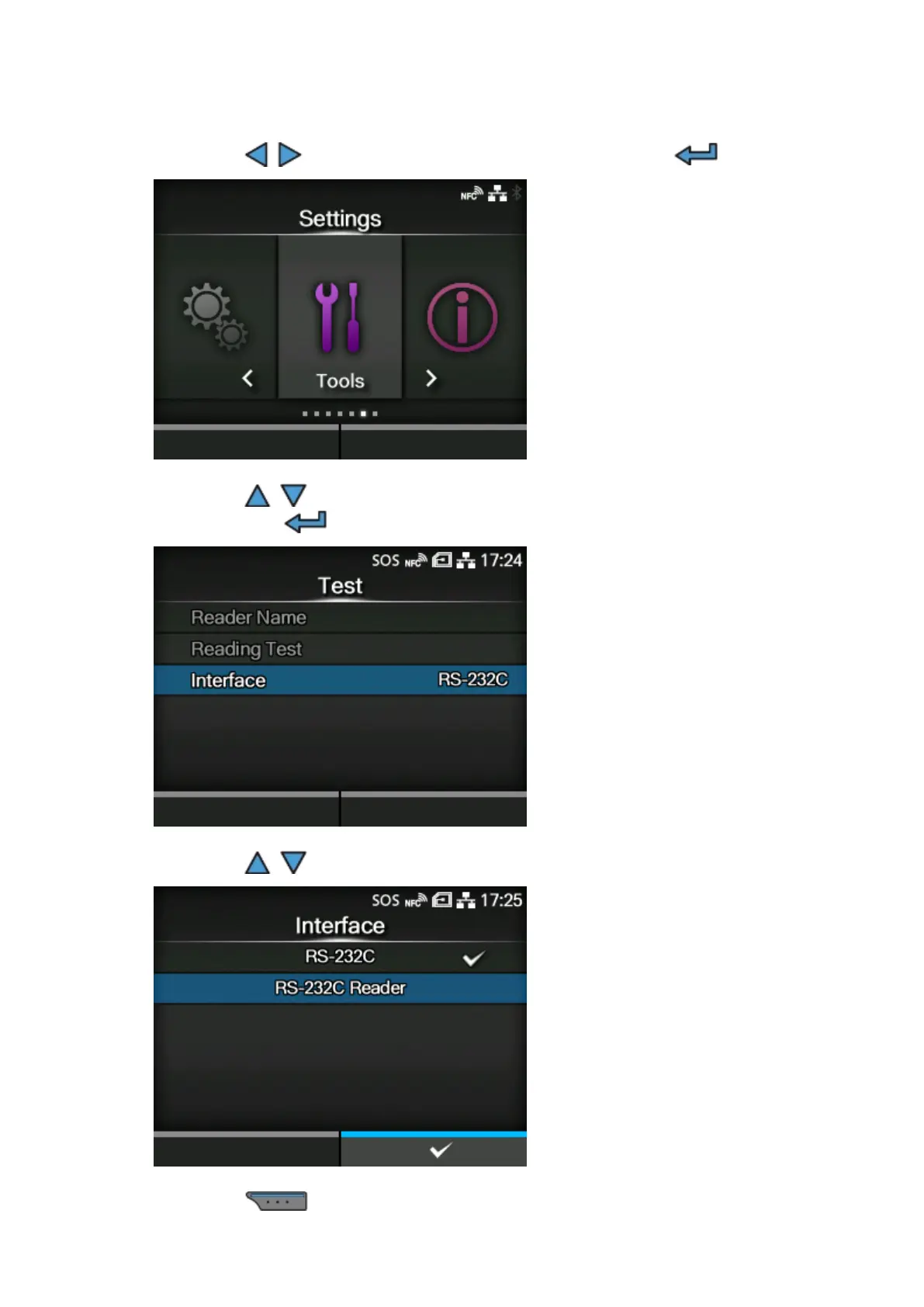
Changing How the RS-232C Interface is Used (When Using the KEYENCE Barcode Checkers)
628
4.
Press the / buttons to select [Tools], and then press the button.
5.
Press the / buttons to select [Barcode Checker] > [Test] > [Interface], and
then press the button.
6.
Press the / buttons to select [RS-232C Reader].
7.
Press the button to save the setting value.



 To Next Page