Doing a Test Read with the Barcode Checker
630
• When the barcode checker is powered on, it emits a laser light. Be sure to keep the
laser away from your eyes.
• When using GFS4170, it keeps emitting a laser light while the product is powered on.
To turn off the laser light, power off the product.
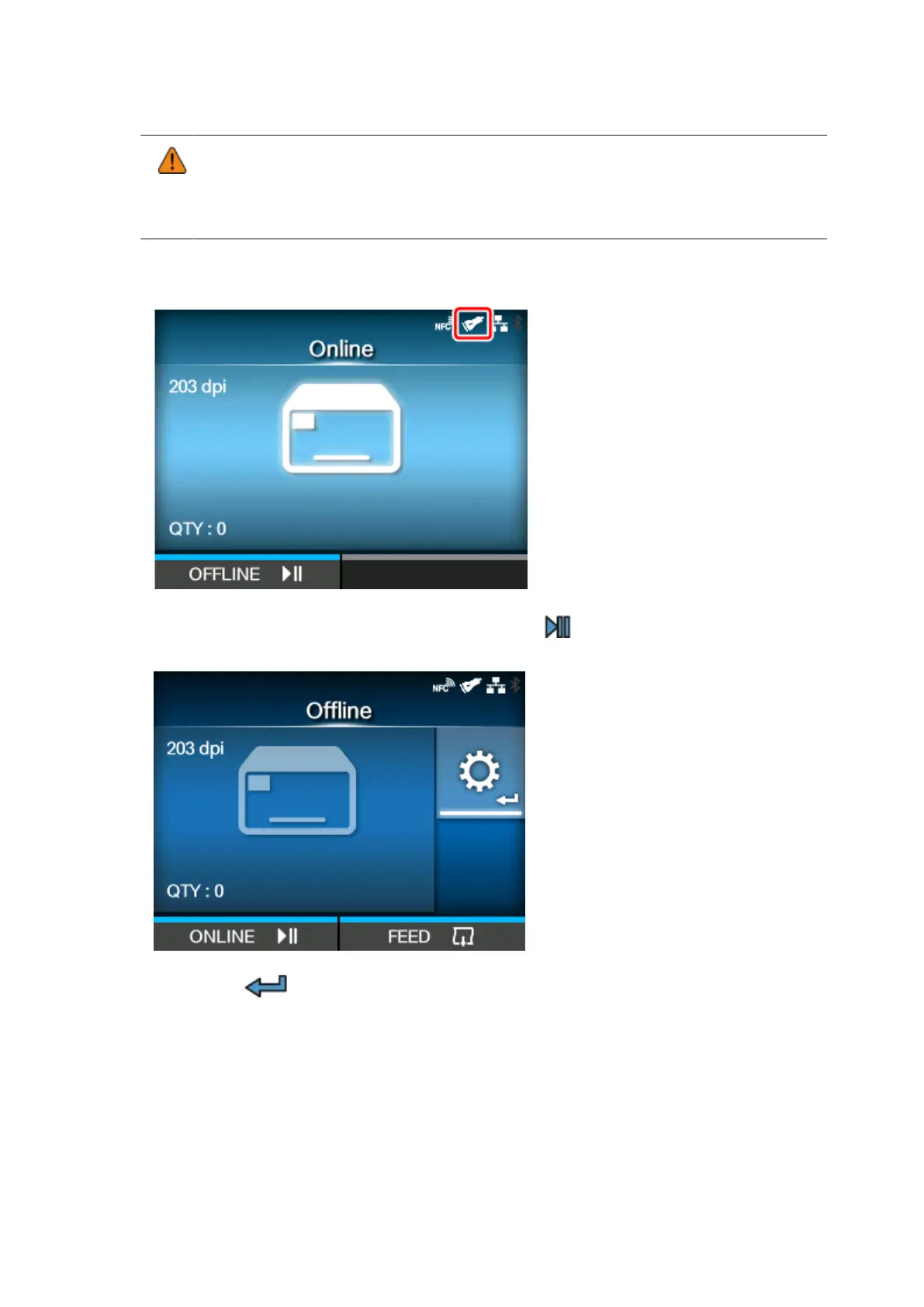
Once the connection between the product and the barcode checker is complete, the barcode
checker icon appears on the status bar of the display.
2.
When the product is in Online mode, press the button on the operator panel to
change to Offline mode.
3.
Press the button to show the [Settings] menu.



 To Next Page