63 22 726 D3561
108 D3561.201.01.03.02 05.2012
4 Operation Sirona Dental Systems GmbH
4.5 Dentist element Operating Instructions SINIUS / SINIUS CS
Multifunctional syringe , electronic flow monitoring
4.5.12.2
Operating the SPRAYVIT M multifunctional syringe
Operating the SPRAYVIT M multifunctional syringe
Operating the SPRAYVIT
The following instructions apply to the standard version of the SPRAYVIT
M multifunctional syringe (water on the right). A SPRAYVIT M with
inverted media (water on the left) is available as an option.
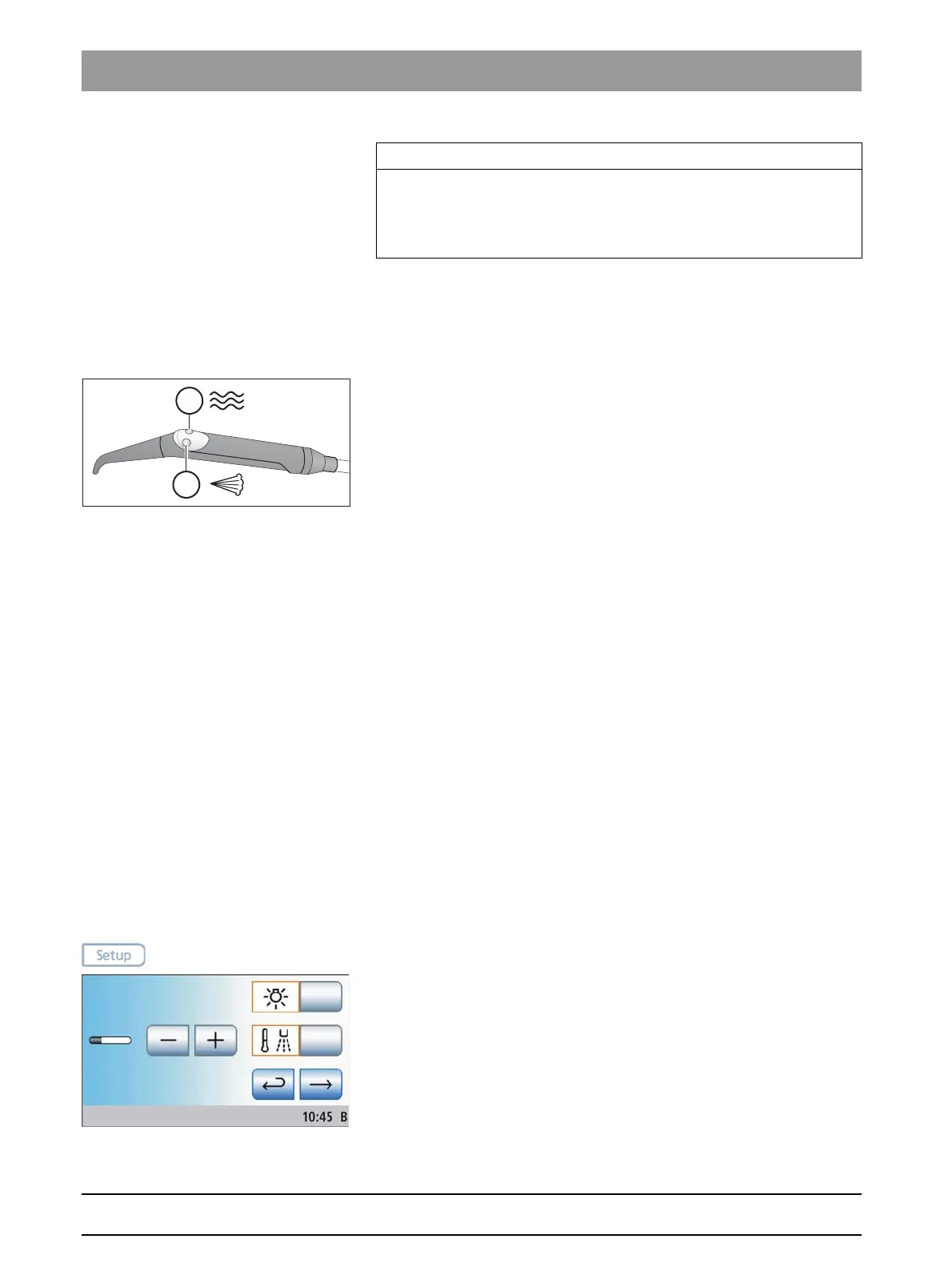
➢ Press the
Air
key (A).
Air flows out of the instrument tip.
➢ Press the
Water
key (B).
Water flows out of the instrument tip.
➢ Press the
Air
key (A) and the
Water
key (B) simultaneously.
Spray flows out of the instrument tip.
For more information on operation and care, please refer to the Operating
Instructions of the SPRAYVIT M.
4.5.12.3
Instrument light on/off and water temperature adjustment
Instrument light on/off and water temperature adjustment
The water temperature and instrument light of the two SPRAYVIT M
multifunction syringes on the dentist and assistant elements can be set
separately.
Settings made in the
SPRAYVIT
setup program always refer to the
multifunctional syringe currently removed from the dentist or the assistant
element. If both SPRAYVIT M multifunctional syringes are removed, the
settings apply only to the multifunctional syringe of the dentist element.
Opening the SPRAYVIT M setup program
In order to prevent interference with the treatment process, the
corresponding screen does not automatically appear on the touchscreen
when the SPRAYVIT M is removed from its holder. It must be opened with
the
Setup
key.
✔ The SPRAYVIT M multifunctional syringe of the dentist element or
the assistant element is removed.
➢ Press and hold the
Setup
fixed key (> 2 s).
The
SPRAYVIT
setup program is displayed.
IMPORTANT
Electronic flow monitoring
If the electronic flow monitoring system detects low flow, the water
heater will be deactivated and the system displays the corresponding
error message, see also "Error messages" [ → 219].















 To Next Page