63 22 726 D3561
D3561.201.01.03.02 05.2012
89
Sirona Dental Systems GmbH 4 Operation
Operating Instructions SINIUS / SINIUS CS 4.5 Dentist element
båÖäáëÜ
➢ Use the – and + keys to adjust the maximum operating voltage of the
instrument light.
4.5.8.5
Setting the foot control as a direct starter or speed foot control
Setting the foo t control as a direct starter or speed foot control
The foot control can be set as a direct starter or as a speed foot control in
the motor or SIROSONIC TL scaler sub-screen:
● Direct starter
When the foot control is actuated, the instrument is switched on with
the set speed and intensity.
● Speed foot control
Used to continuously adjust the instrument up to maximally the set
speed and intensity values depending on the setting the foot control
pedal.
Instruments placed in a ho rizontal position
✔ The
Sub-screen
of the removed instrument is displayed on the
touchscreen.
➢ Touch the
Direct Starter/speed foot control
key.
If the key is highlighted gray, the direct starter function is switched
on. If the key is highlighted orange, the speed foot control
function is switched on.
4.5.8.6
Setting the spray amount
Setting the spray amount
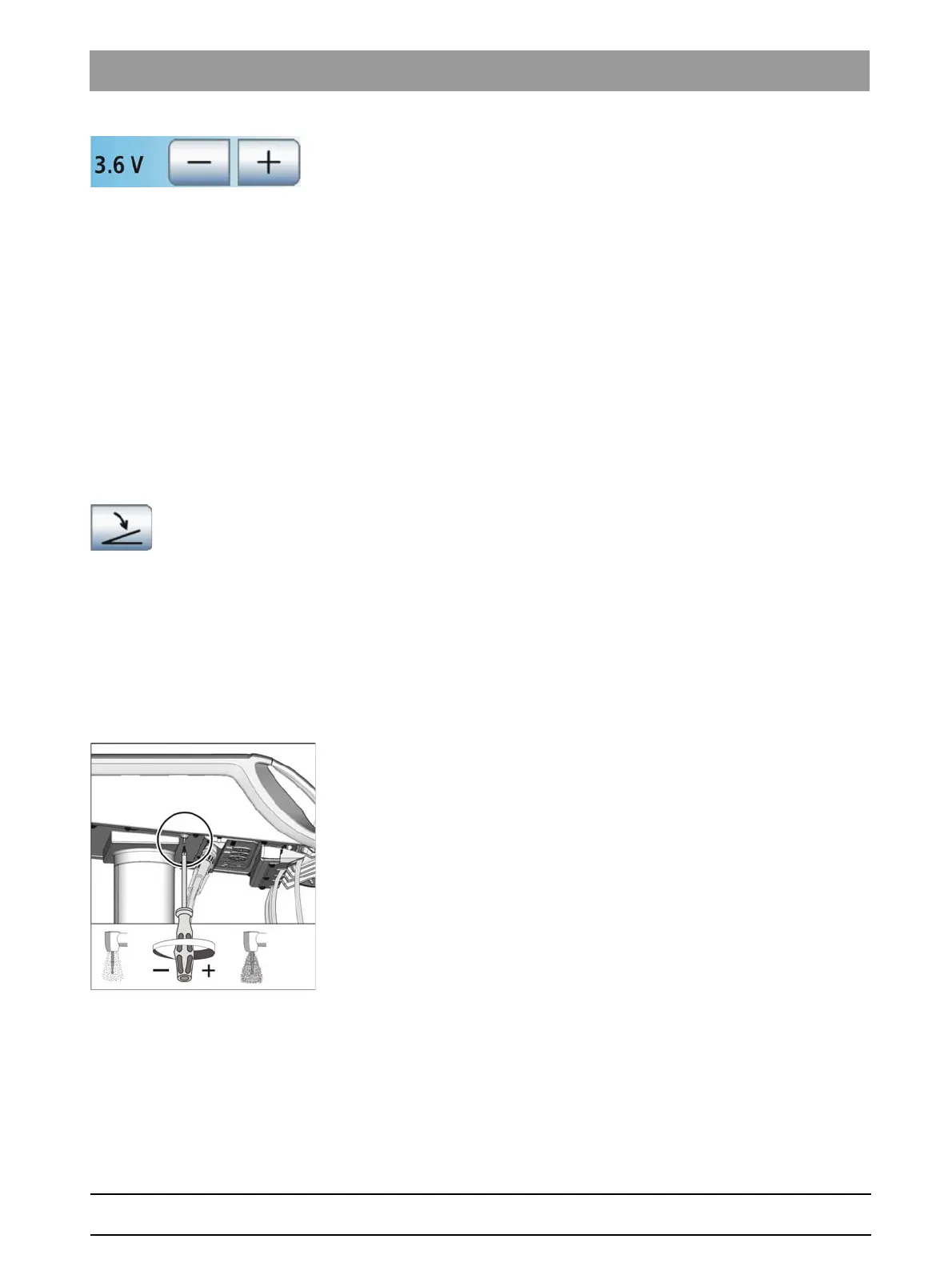
The spray amount is preset at the factory. However, it can be adjusted
using the regulating screw on the dentist element. This setting is then
valid for all burr drives.
SINIUS dentist element
1. Set the spray amount by turning the screw at the bottom of the dentist
element.
2. Check the set spray amount with a burr drive. Correct the setting if
necessary.
SINIUS CS dentist element
The regulating screw for setting the spray amount is located below the
instrument holder. The holder is fixed on the front edge with two internal
clamps on the dentist element.















 To Next Page