63 22 726 D3561
214 D3561.201.01.03.02 05.2012
5 Care, cleaning and maintenance by the practice team Sirona Dental Systems GmbH
5.6 Sanitation Operating Instructions SINIUS / SINIUS CS
5.6.2 Display sanitation report
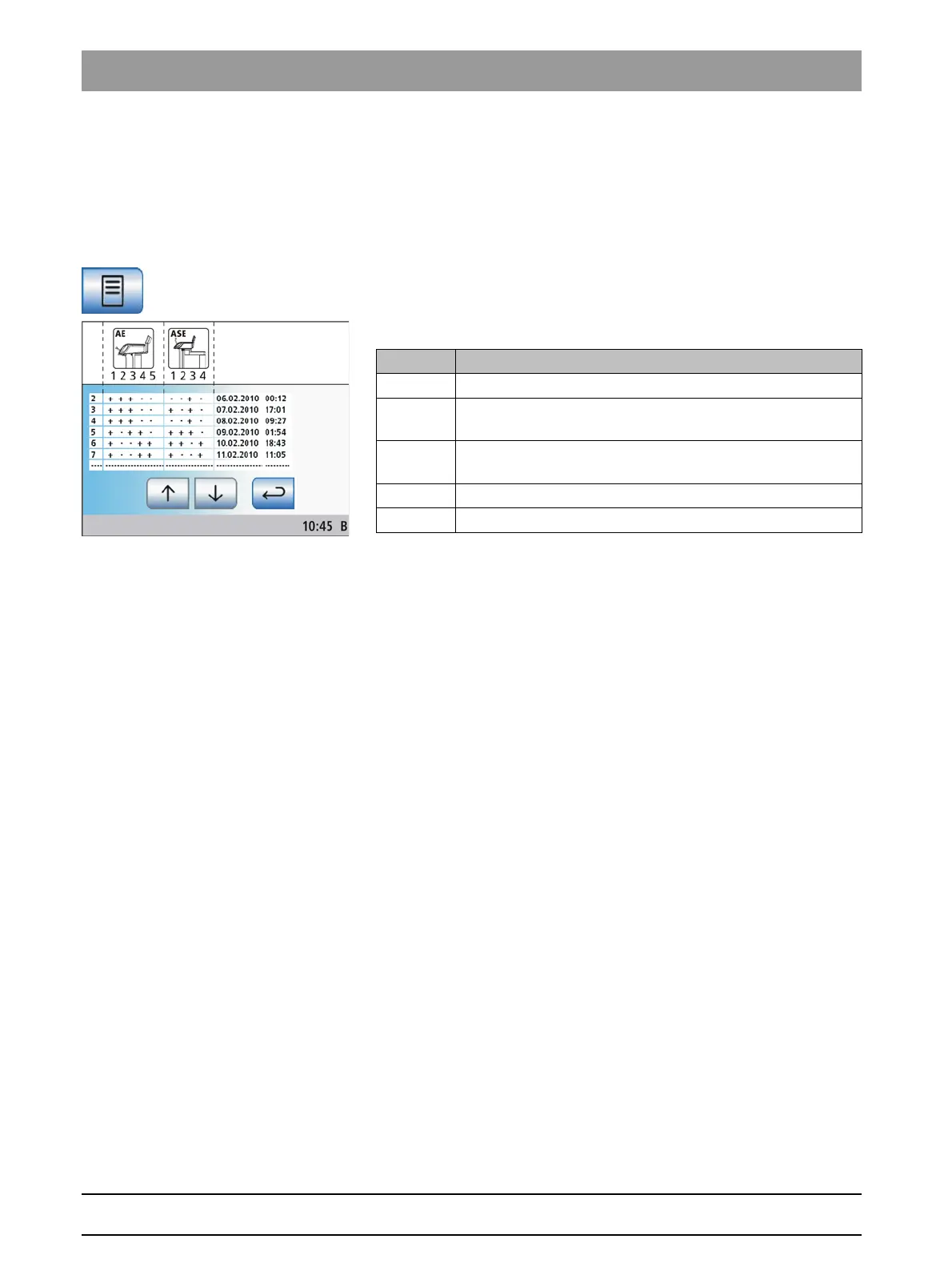
Display sanitation report
Sanitation processes with a reaction time of at least 24 hours are logged
by the treatment center. The corresponding log reports can be displayed
on the touchscreen.
✔ The
Sanitation program
is displayed on the touchscreen.
➢ Press the
Sanitation program
key to display the log.
The sanitation report is displayed.
The sanitation report contains the following data:
5 instrument holders on the dentist element
The status ofcolumn 3 and 4 can assume the following values:
+ = successful sanitation
- = Sanitation was not completed (e.g., interruption)
Column Display
1 Sequential number
2 Status of sanitized instruments in dentist element, holder 1
to 5
3 Status of sanitized instruments in assistant element, holder
1 to 4
4 Date of sanitation
5Time















 To Next Page