63 22 726 D3561
118 D3561.201.01.03.02 05.2012
4 Operation Sirona Dental Systems GmbH
4.5 Dentist element Operating Instructions SINIUS / SINIUS CS
4.5.14.6
Functions in the sub-screen
Functions in the sub-s creen
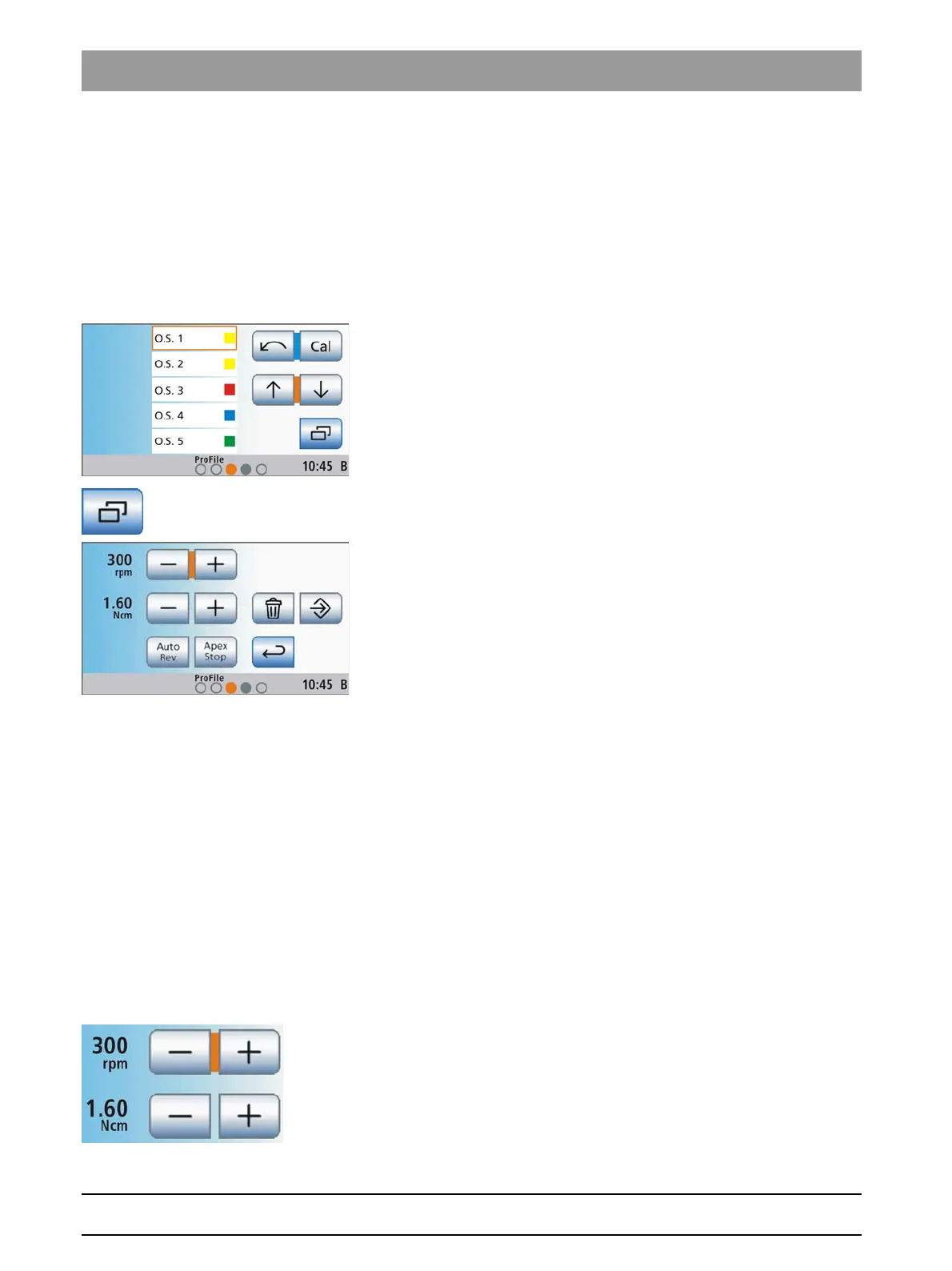
Opening the endodontics sub-screen
Opening the endodontics sub-screen
Settings, such as changing the preselected speed and torque
values [ → 118] or removing a file from the sequence [ → 120], are file-
specific. They apply only to the file selected from the file list. Therefore
please double-check which file is selected from the list before opening the
Endodontics
sub-screen.
✔ The
Endodontics program
is displayed on the touchscreen.
1. Use the ↑ and ↓ keys to select the file whose settings you would like
to change.
The selected file is highlighted orange.
2. Touch the
Sub-screen
key.
The
Endodontics
sub-screen is displayed.
3. Perform the settings as described in the following sections:
Setting the speed and torque
Setting the speed and torque
If you do not wish to work with the standard parameters of the file, you
can set them yourself.
In the Treatment function, the speed and torque values of the contra-
angle handpiece, and not those of the motor, are specified. The control
electronics of the burr drive calculate the motor control based on the
contra-angle handpiece gear reduction and the speed and torque
settings.
1. Select a file from the file list of the
Endodontics program
to change its
speed and torque values. Touch the ↑ and ↓ keys.
or
➢ Touch the file in the file list.
The selected file is highlighted orange.
2. Switch to the
Endodontics
sub-screen and use the – and + keys to set
the speed and torque of the contra-angle handpiece. You can also
hold down the keys for this purpose.
The selected speed is displayed in the first line in rpm
(revolutions per minute); the second line indicates the speed in
Ncm (NewtonCentimeters).















 To Next Page