63 22 726 D3561
D3561.201.01.03.02 05.2012
35
Sirona Dental Systems GmbH 3 Unit description
Operating Instructions SINIUS / SINIUS CS 3.7 Dentist element
båÖäáëÜ
3.7.2 EasyTouch user interface
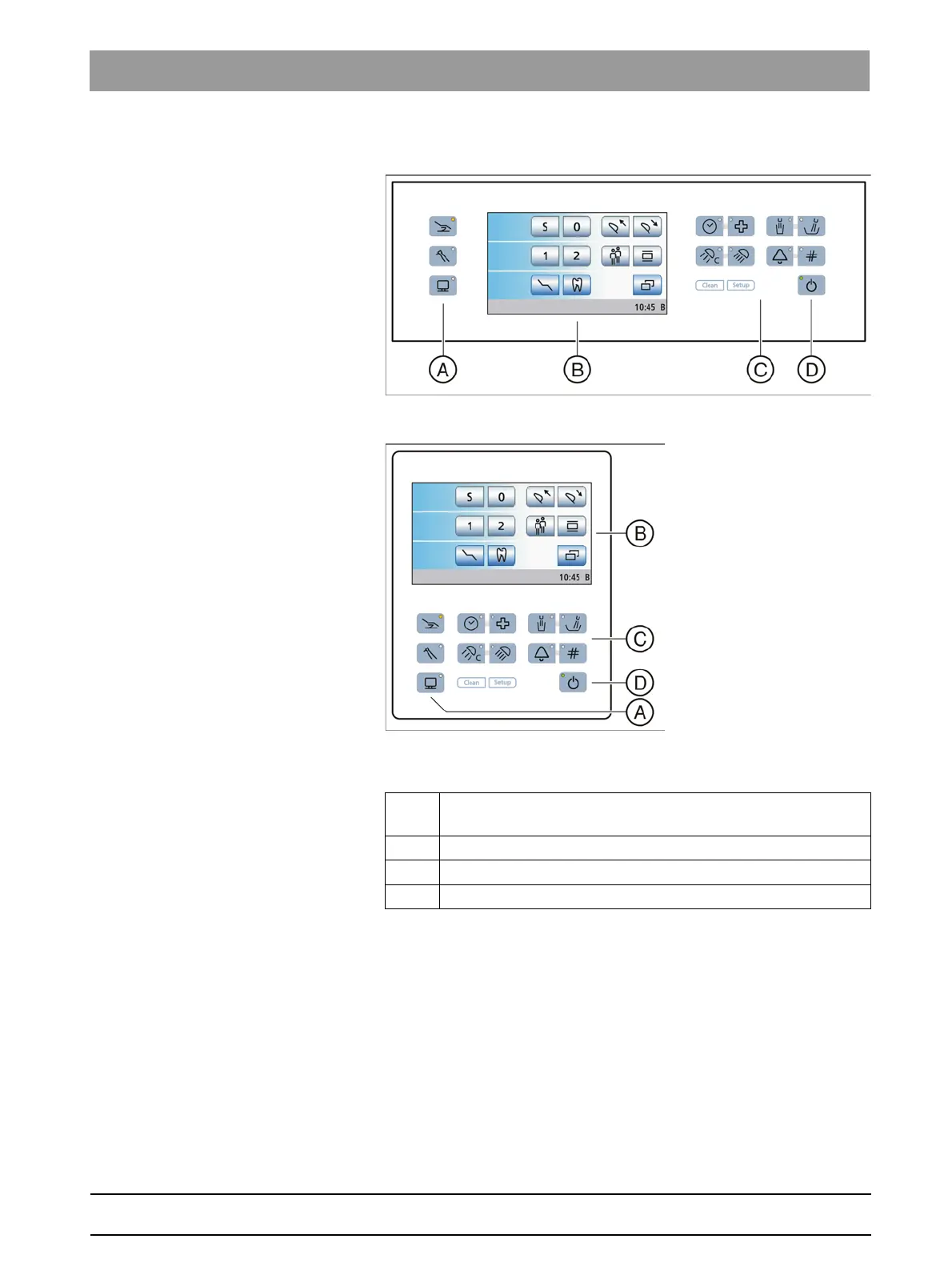
EasyTouch user interface
User interface of the SINIUS dentist element
User interface of the SINIUS CS dentist element
A Fixed keys for opening the Start, Instrument or SIVISION
screen (membrane keyboard)
B Touchscreen (pressure-sensitive user interface)
C Fixed keys (membrane keyboard)
D Main switch















 To Next Page