63 22 726 D3561
80 D3561.201.01.03.02 05.2012
4 Operation Sirona Dental Systems GmbH
4.5 Dentist element Operating Instructions SINIUS / SINIUS CS
2. Press the
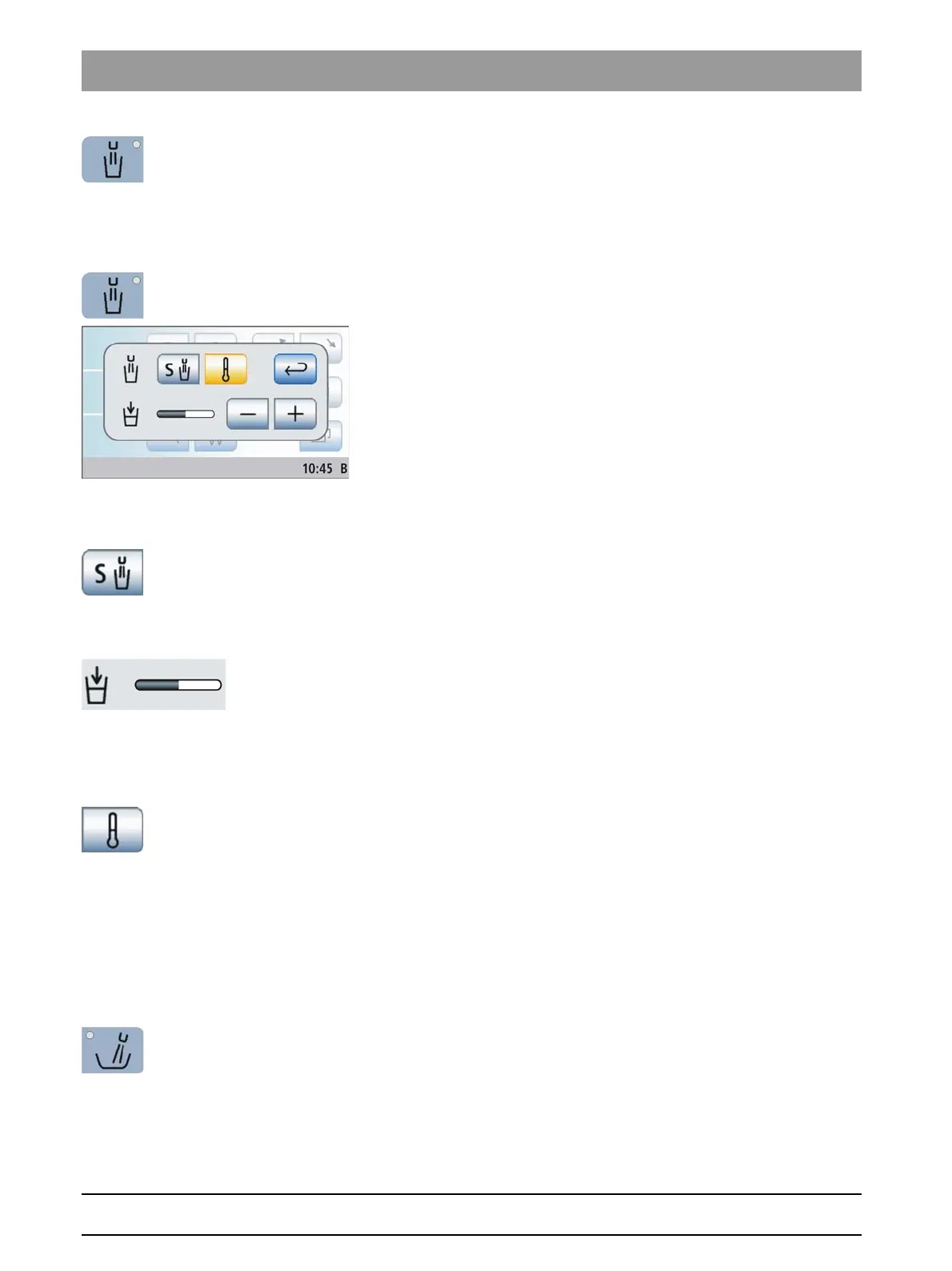
Tumbler Filling
fixed key.
The tumbler is filled with water for the preset time.
Pressing the
Tumbler Filling
fixed key again stops the filling function
immediately.
Opening the settings screen
➢ Press and hold the
Tumbler Filling
fixed key (> 2 s).
The
Tumbler Filling
settings screen is displayed.
Linking tumbler filling to the mouth rinsing position and setting the
filling time
1. Touch the
Link tumbler filling to mouth rinsing position
key.
If the key is marked orange, the tumbler filling function will
automatically be switched on for the duration of the preset filling
time when the mouth rinsing position chair program (S) is
activated.
2. Use the – and + keys to set the filling time.
Since the setting
Tumbler filling with automatic sensor control
regulates
the water volume via the filling level, systems with this option do not allow
for setting thefilling time, see "Tumbler filling with automatic sensor
control“" [ → 134].
Water tempering on/off
➢ Switch the tumbler tempering function on/off. Touch the
Water
Tempering
key.
If the key is highlighted orange, the tumbler tempering function is
activated.
4.5.4.8
Flushing of the cuspidor bowl
Flushing of the cuspido r bowl
The flushing function can be used for rough cleaning of the cuspidor
during treatment.
Switching the flushing on/off
➢ Press the
Flushing
fixed key.
The LED in the key lights up during the flushing function. The
flushing function is activated for the preset flushing time.















 To Next Page