63 22 726 D3561
D3561.201.01.03.02 05.2012
85
Sirona Dental Systems GmbH 4 Operation
Operating Instructions SINIUS / SINIUS CS 4.5 Dentist element
båÖäáëÜ
4.5.7 Placing the instruments in their holders
Placing th e instruments in t heir holders
Automatic opening of Instrument programs
In the
Start program without instrument functions
operating mode, the
touchscreen will automatically display the instrument program of the
removed instrument. In the
Start program with instrument functions
operating mode, the touchscreen will display the speed or intensity values
of the removed instrument.
If more than one instrument is removed, the program or the speed or
intensity values of the instrument removed first are displayed.
If you are using the SINIUS dentist element, always make sure that all
instruments are placed in the correct instrument holders. If any
instruments are placed in the wrong holders, the wrong Instrument
programs will be opened when they are removed from the holders.
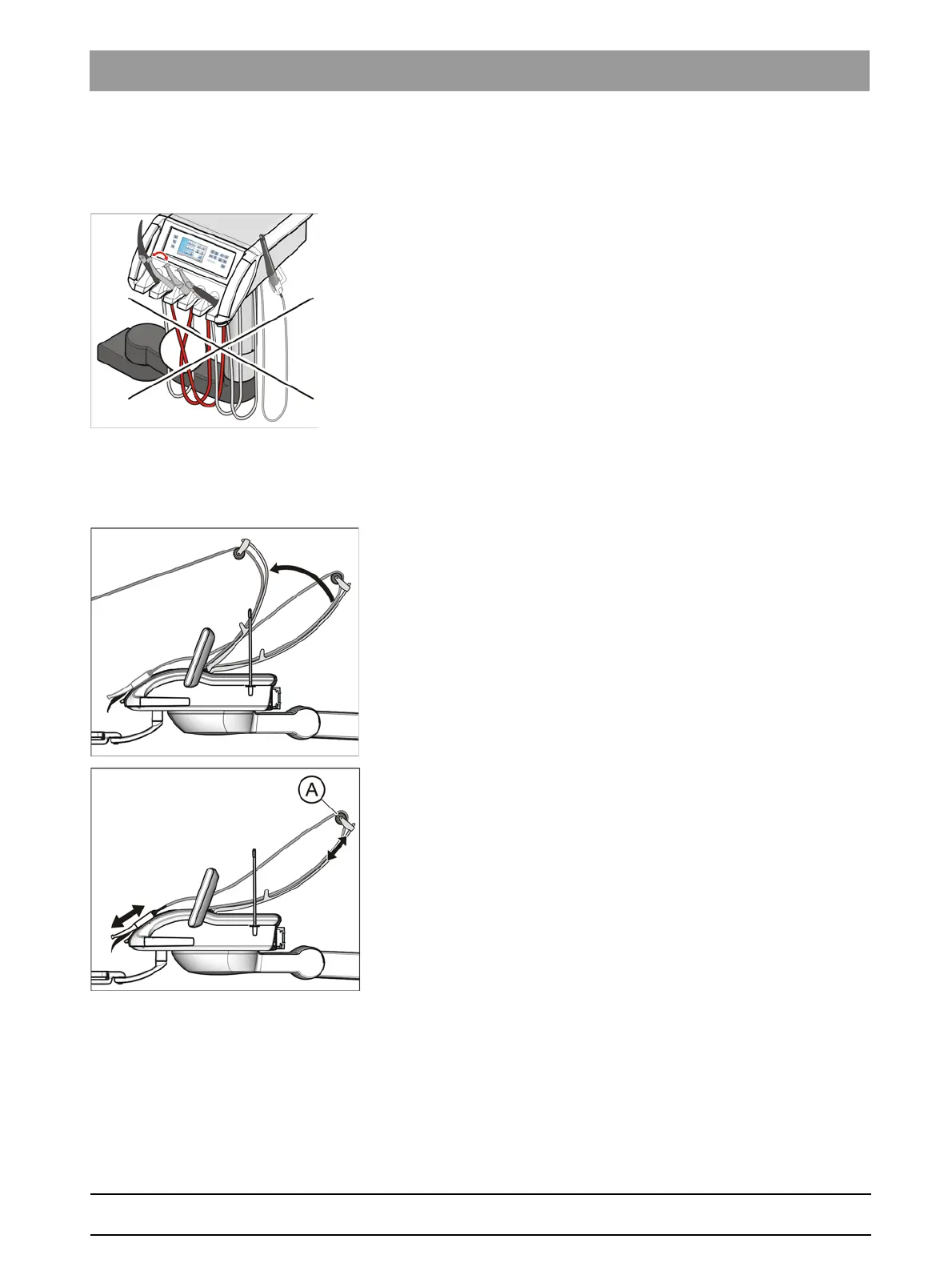
SINIUS CS dentist element
Spring elements in the dentist element pull the swivel arm back into its
original position, preventing instrument hoses from hanging down.
➢ Remove the required instrument from its holder and pull it toward you.
The swivel arm is pulled forward along the instrument hose. The
touchscreen displays the instrument program or the speed or
intensity values corresponding to the instrument. The instrument
can be activated via foot control.
The position of the instruments on the rack can be optimized by shifting
the guide rollers A on the swivel arms.















 To Next Page