63 22 726 D3561
D3561.201.01.03.02 05.2012
103
Sirona Dental Systems GmbH 4 Operation
Operating Instructions SINIUS / SINIUS CS 4.5 Dentist element
båÖäáëÜ
4.5.10.3
Setting the direction of rotation
Setting the direction of rotation
The direction of rotation can be changed only with the motor stopped.
In the
Start program with instrument functions
operating mode, the
direction of rotation can only be set by using the foot control.
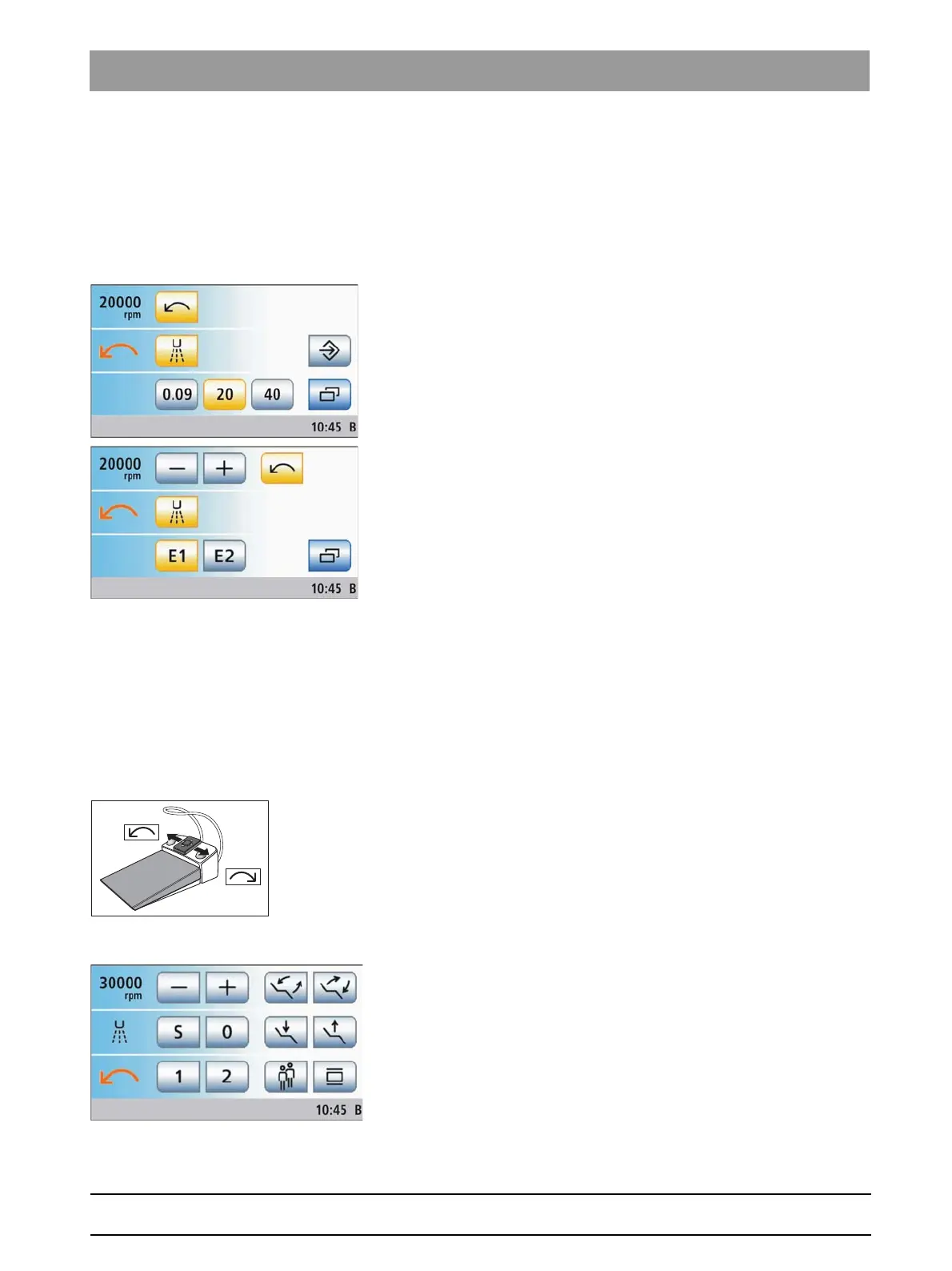
Via touchscreen
✔ The
Start program without instrument functions
operating mode is
selected.
✔ An electric motor is removed.
✔ The
Motor screen
is displayed on the touchscreen.
➢ Touch the
CCW Rotation
key on the touchscreen.
For counterclockwise rotation: The key is highlighted orange and
an orange CCW arrow appears.
For clockwise rotation: The key is displayed gray and the orange
CCW arrow disappears.
Via foot control
When the cursor control is switched off, the rotational direction of the
motor can also be set via the 4-way foot control plate of the foot control.
In the
Start program without instrument functions
operating mode, the
direction of rotation must be set via the foot control.
✔ An electric motor is removed.
✔ The
Motor program
or the
Start program without instrument functions
is displayed on the touchscreen.
➢ For counterclockwise rotation: Slide the 4-way foot control plate to the
left.
For clockwise rotation: Move the 4-way foot control plate to the right.
In the
Start program without instrument functions
:
If CCW rotation is selected, the
CCW Rotation
key is highlighted
orange and an orange CCW arrow appears. If the motor runs in
CW rotation, the
CCW Rotation
key is displayed gray and the
orange CCW arrow disappears.
In the
Start program with instrument functions
:
If CCW rotation is selected, an orange CCW arrow appears. The
CCW arrow disappears when CW rotation is selected.
Tip: After you start the electric motor with the foot control, an audible
warning signal sounds 6 times if counterclockwise rotation is activated.















 To Next Page