63 22 726 D3561
D3561.201.01.03.02 05.2012
79
Sirona Dental Systems GmbH 4 Operation
Operating Instructions SINIUS / SINIUS CS 4.5 Dentist element
båÖäáëÜ
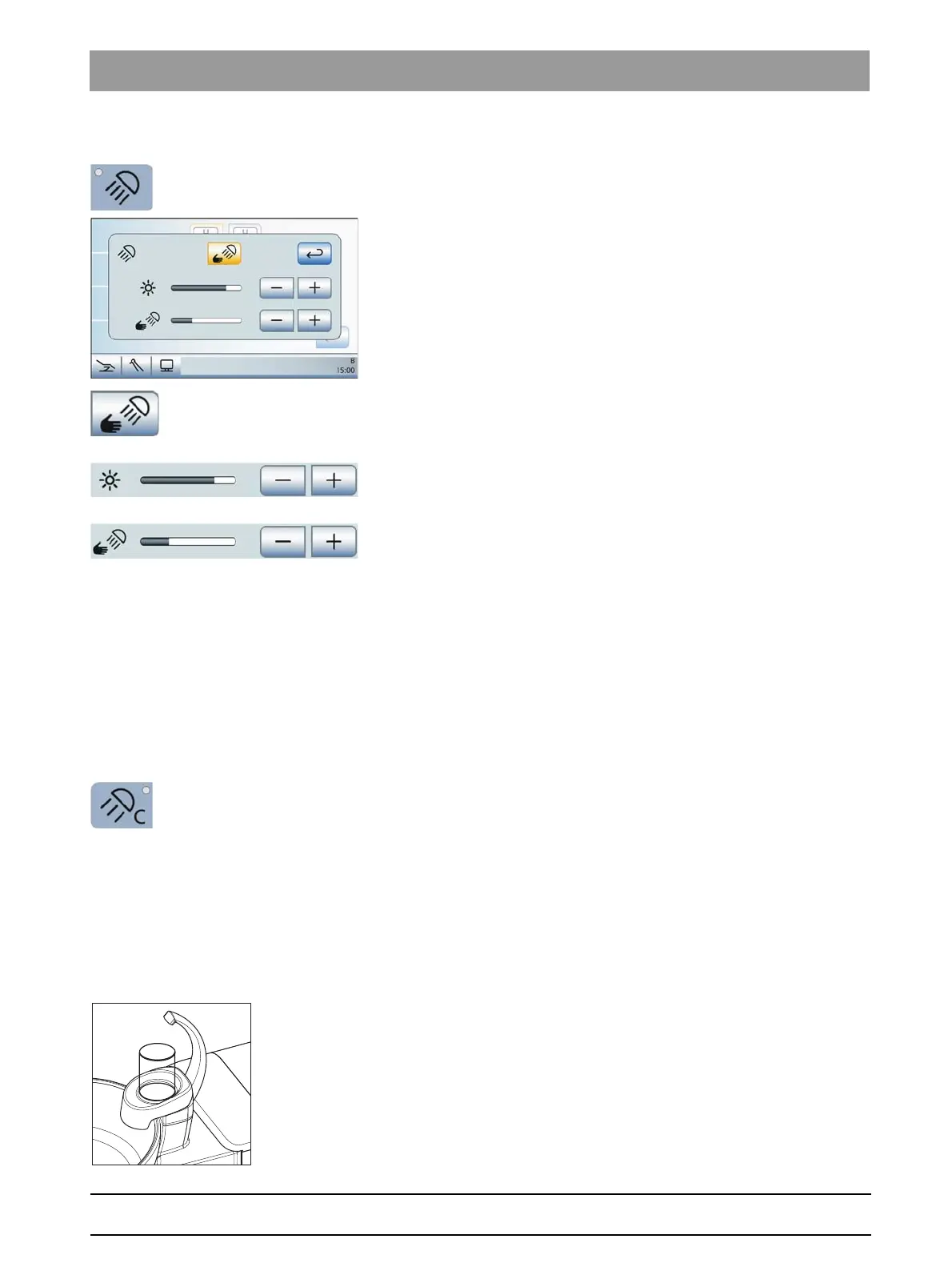
The brightness of the operating light is also set via the touchscreen.
1. Press and hold the
Operating Light
fixed key on the dentist element
(> 2 s).
The
LEDview
settings screen is displayed on the touchscreen.
2. Touch the
Sensor control
key.
If the key is highlighted in orange, the contactless switch can
control the LEDview operating lights.
3. Use the – and + keys to set the desired operating distance. The
adjustment should be selected in such a way that unintended
operation of the contactless switch is not possible.
4. Use the – and + keys to adjust the brightness of the operating light.
LEDview S brightness
LEDview S brightness
The brightness of the LEDview S operating light can only be adjusted by
the technician.
4.5.4.6
Composite function
Composite function
With the composite function, the operating light can be operated at
reduced brightness.
This function is required to prevent the premature curing of composite
fillings.
➢ Press the
Composite Function
fixed key.
If the composite function is switched on, the LED of the fixed key
lights up on the dentist and assistant elements.
4.5.4.7
Tumbler filling
Tumbler filling
If the tumbler filling system of your treatment center is equipped with
automatic sensor control, see “Tumbler filling with automatic sensor
control” [ → 134].
Filling the tumbler
1. Place the tumbler under the tumbler filler.















 To Next Page