63 22 726 D3561
D3561.201.01.03.02 05.2012
111
Sirona Dental Systems GmbH 4 Operation
Operating Instructions SINIUS / SINIUS CS 4.5 Dentist element
båÖäáëÜ
4.5.13.2
Setting the intensity
Setting the inte nsity
Quick setting keys and function levels can only be accessed in the
Start
program without instrument functions
operating mode. In the
Start
program with instrument functions
operating mode, the intensity should
be set by using the – and + keys, see “Setting intensity in the Start
program with instrument functions” (below).
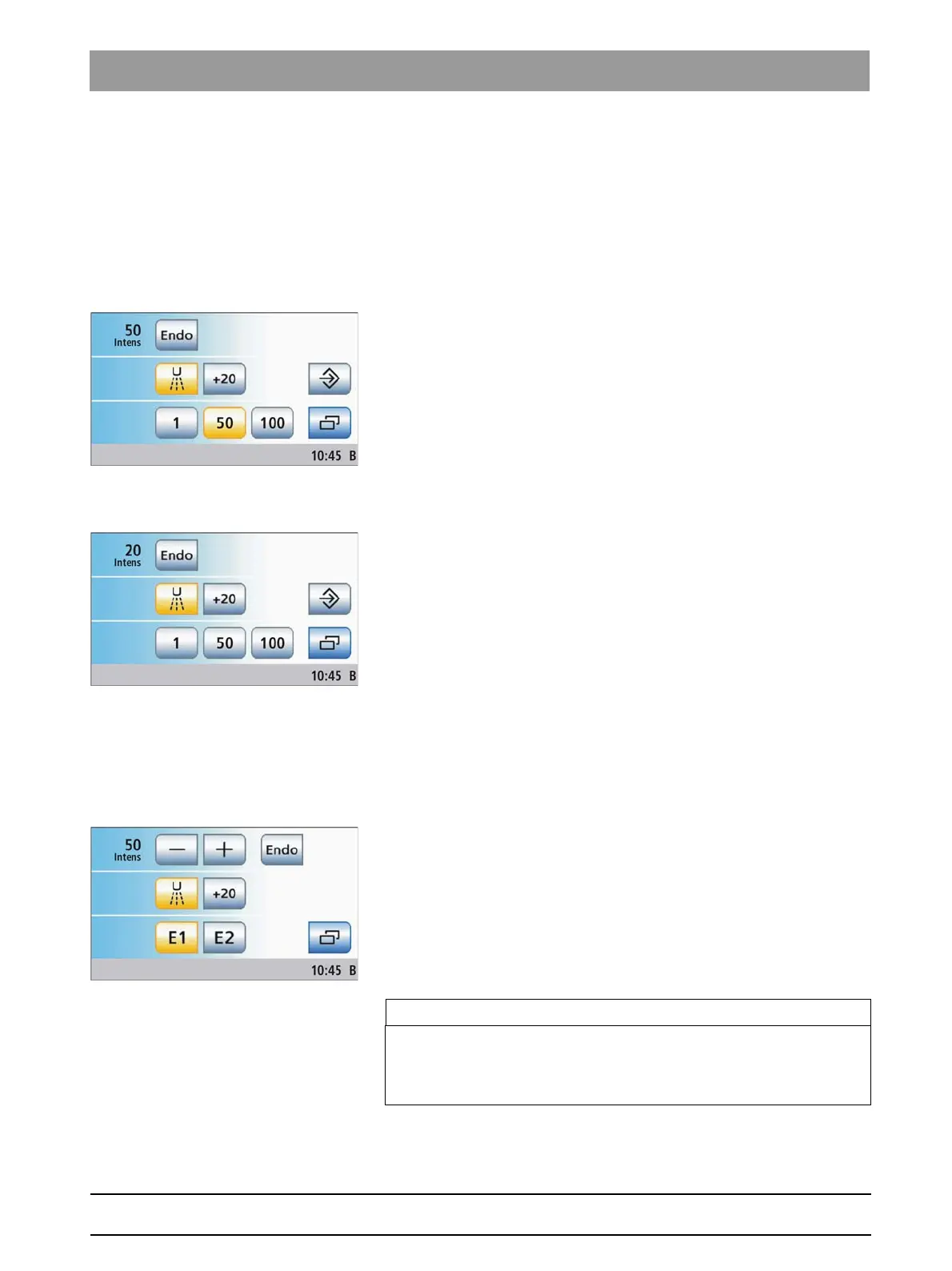
Selecting the intensity with the quick setting keys
✔ The
Start program without instrument functions
operating mode is
selected.
✔ The SIROSONIC TL scaler is removed.
✔ The
Ultrasonic screen
is displayed on the touchscreen.
➢ Touch one of the quick setting keys in the bottom line key briefly
(< 1 s).
The quick setting key is highlighted orange. The selected
intensity is displayed in the first line.
Setting intermediate intensity values with quick setting keys
✔ The
Start program without instrument functions
operating mode is
selected.
✔ The SIROSONIC TL scaler is removed.
✔ The
Ultrasonic screen
is displayed on the touchscreen.
➢ Increasing the intensity: Press andhold a quick setting key whose
intensity value is greater than or equal to the value displayed in the
first line (> 1 s).
Reducing the intensity: Press andhold a quick setting key whose
intensity value is less than the value displayed in the first line (> 1 s).
The selected intensity is displayed in the first line. The intensity
changes in increments of 1. The quick setting keys are shaded
gray for intermediate values.
Setting the intensity with function levels
✔ The
Start program without instrument functions
operating mode is
selected.
✔ The SIROSONIC TL scaler is removed.
✔ The
Ultrasonic screen
is displayed on the touchscreen.
➢ Set the intensity using the – and + keys.
< 1 s coarse adjustment, > 1 s fine adjustment
The selected intensity is displayed in the first line.
Ultrasonic handpiece, intensity values of quick setting keys
IMPORTANT
Increments
The coarse adjustment increments are 1, 25, 50, 75, 100.
For fine adjustment, the intensity changes in increments of 1.















 To Next Page