63 22 726 D3561
D3561.201.01.03.02 05.2012
49
Sirona Dental Systems GmbH 4 Operation
Operating Instructions SINIUS / SINIUS CS 4.2 Control concept of touchscreen
båÖäáëÜ
4.2.2 Instrument functions in the Start program
Instrument fun ctions in the Start program
After the treatment center is switched on the
Start program
automatically
appears.
The Start program can run in two operating modes. The operating mode
Start program without instrument functions
displays the functions of the
patient chair and the instruments in a separate screen. The operating
mode
Start program with instrument functions
displays the functions of
the patient chair and the instruments which are most important for the
treatment in the same screen.
You can select your preferred operating mode in the treatment center
setup, see “Displaying instrument functions in the Start program" [ → 160].
The operating modes are described in detail below:
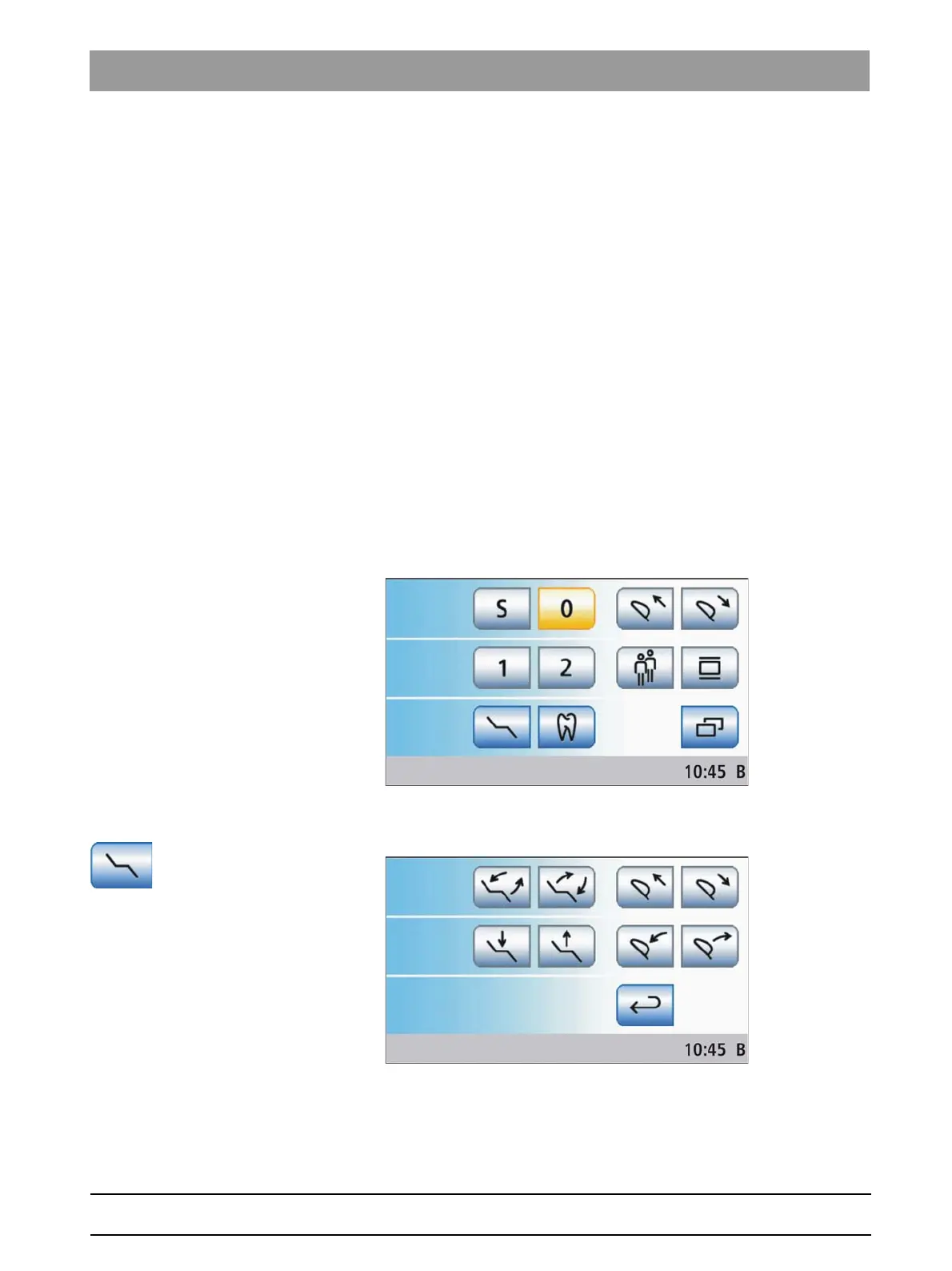
Start program without instrument functions
In the
Start program without instrument functions
only the chair program
function keys and, if in case of a motor-driven headrest, the
Move
headrest in/out
function are displayed on the screen. The full range of
functions offered by the treatment center can be used in this operating
mode.
All other chair functions are listed in the separate
Manual Chair Settings
screen. This can be accessed via the
Manual Chair Adjustment
key.
Other general functions of the treatment center are listed in the
Start
sub-
screen. This can be accessed via the
Sub-screen
key.















 To Next Page