63 22 726 D3561
D3561.201.01.03.02 05.2012
131
Sirona Dental Systems GmbH 4 Operation
Operating Instructions SINIUS / SINIUS CS 4.6 Assistant element
båÖäáëÜ
4.6.6.2
Connecting the Mini L.E.D.
Connecting the Mini L.E.D.
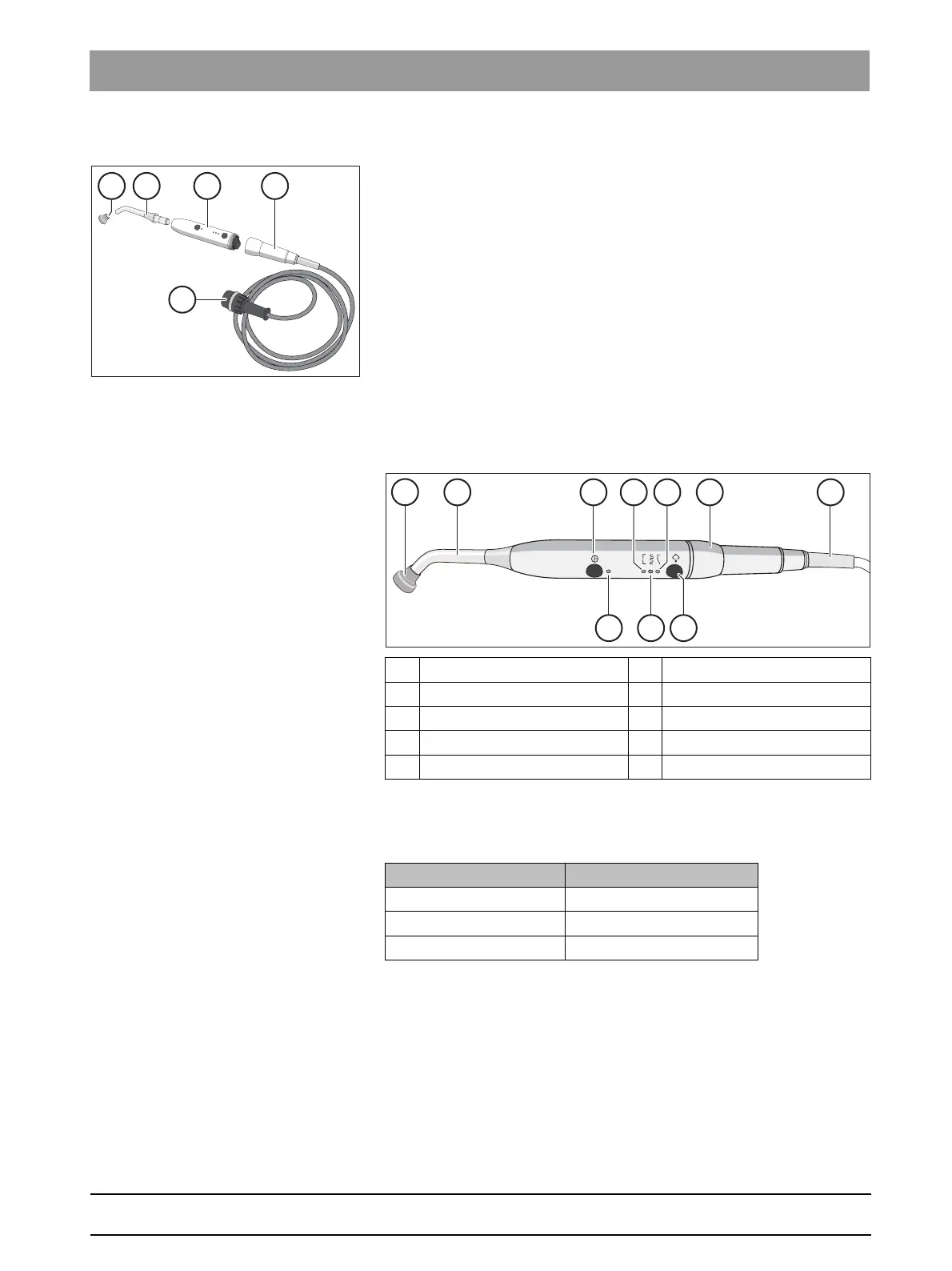
The Mini L.E.D. is connected to the assistant element in holder 1.
1. Connect the supply cable (A) to the treatment center.
2. Screw the hose coupling (B) onto the Mini L.E.D. (C).
3. Screw the sterilized light guide (B) onto the Mini L.E.D. (C). Make
sure to insert the light guide correctly.
The light guide engages with a “click”.
4. Slip the glare shield (E) onto the light guide (D).
The glare shield protects your eyes against reflecting curing light
4.6.6.3
Functional description
Functional description
Controls
Status control lamp
The status control lamp (D) signals the following states:
A Glare shield F Pulse curing mode light
B Light guide G "Soft start" mode lamp
C On/off button H Mode button
D Status control lamp I Handpiece
E Quick curing mode light J Supply cable
Status control lamp Mode
off Instrument deposited
Green Normal operation
red, flashing Overheat protection















 To Next Page