63 22 726 D3561
40 D3561.201.01.03.02 05.2012
3 Unit description Sirona Dental Systems GmbH
3.8 Assistant element Operating Instructions SINIUS / SINIUS CS
3.8.2 User interface
User inter face
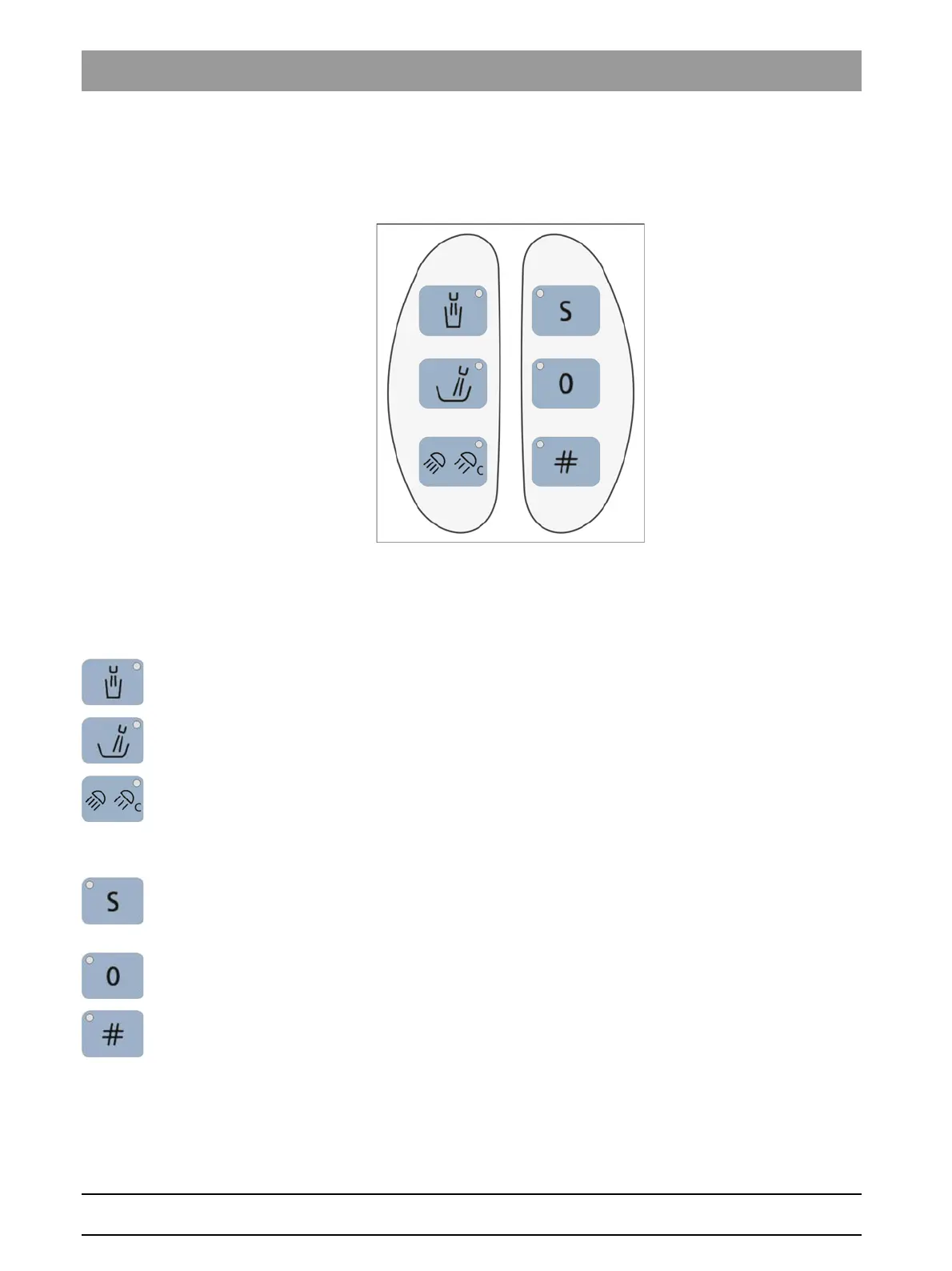
There are three fixed keys located on each side, to the left and right of the
assistant element.
3.8.3 Fixed keys on the assistant element
Fixed keys on the as sistant element
For a more detailed description of the fixed key functions, see "Fixed keys
on the assistant element" [ → 125].
Fixed keys on the assistant element
Tumbler filling
on/off
Flushing of the cuspidor bowl
on/off
Operating light/Composite function
Switches the operating light on/off.
Switches the composite setting for the operating light on/off.
Reduced light intensity< 8,000 lux
Chair program S
Mouth rinsing position with last-position memory function
(programmable)
Chair program 0
Entry/exit position (programmable)
Freely selectable function
The
Hash key
on the assistant element can be configured in the Setup
program. The key allows the user to switch the X-ray viewer or the white
screen function on the SIVISION monitor on or off or alternatively to
activate the bell or hash relay.
Freely available relay 230 VAC, 6 A
(connected by the service engineer).















 To Next Page