63 22 726 D3561
D3561.201.01.03.02 05.2012
215
Sirona Dental Systems GmbH 5 Care, cleaning and maintenance by the practice team
Operating Instructions SINIUS / SINIUS CS 5.7 Foot control and connection box
båÖäáëÜ
5.7
Foot control and connection box
Foot control and connection box
5.7.1 Changing the battery of the wireless foot control
Changing the b attery of the wireless foot control
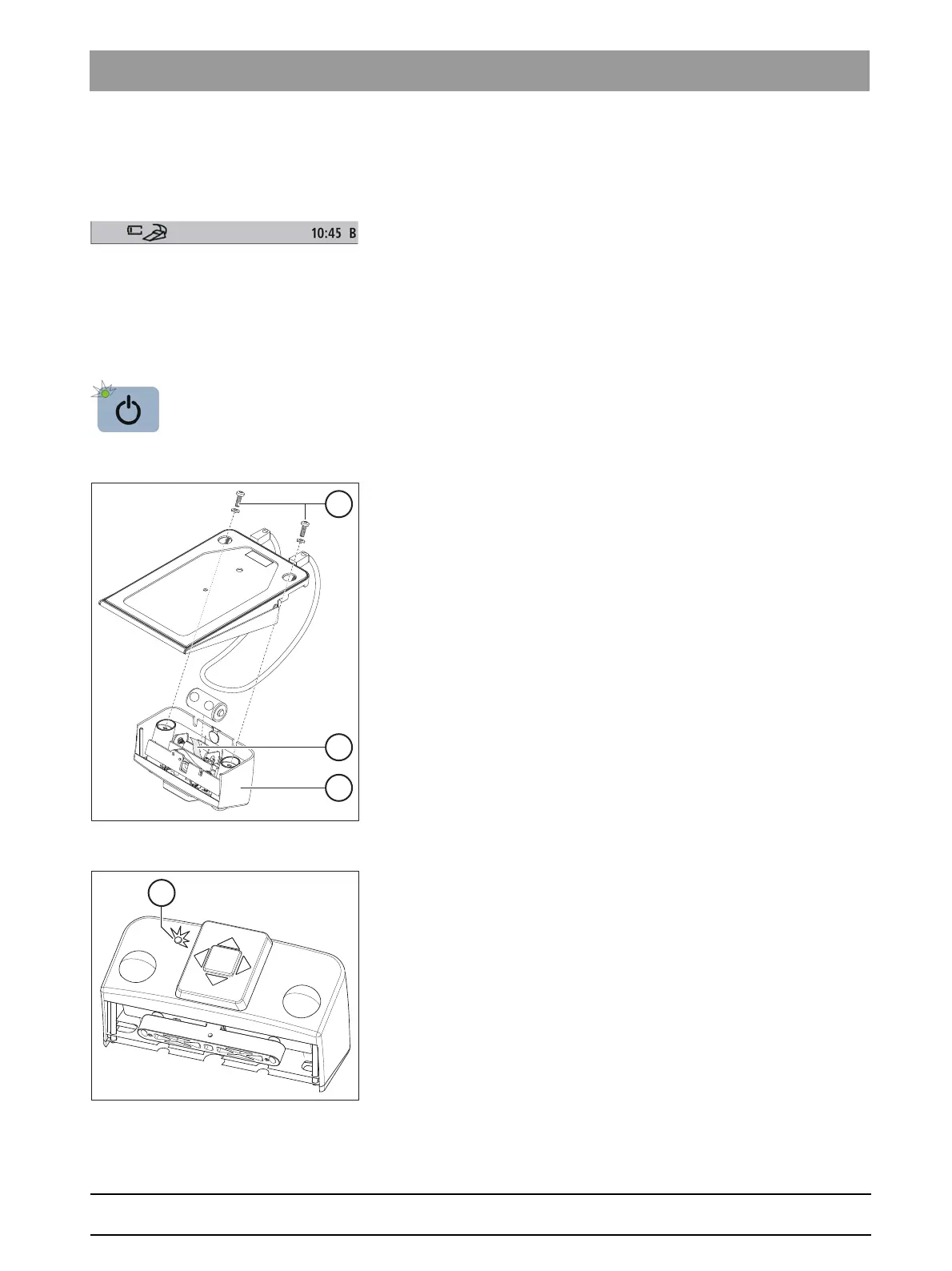
The wireless foot control is powered by a battery. An empty battery is
detected and displayed by the system. The battery can be changed by the
user, see "Changing the battery of the wireless foot control".
For the battery type, see "Spare parts and consumables" [ → 221].
The housing of the wireless foot control must be opened to change the
battery. Touch a grounded metal part before opening the housing to
prevent damage to the PC board due to electrostatic discharge.
➢ Prior to changing the battery, switch the treatment center off at the
main switch. This prevents the inadvertent triggering of unwanted
functions.
Removing and replacing the battery
1. Remove the screws (A) from the bottom of the foot control.
2. Remove the switch part (C) from the foot control.
3. Pull the battery out of the battery compartment by pulling the cloth
strap B and replace it with a new one. Be careful to insert it with the
correct polarity (minus pole facing spring). The cloth strap (B) must
again lie underneath the battery.
Checking the battery status
The battery status is indicated by the yellow LED D in the switch part.
● LED lights up for approx. 10 s after battery is inserted – Battery OK
● LED flashes after battery is inserted – Battery too weak, must be
replaced
● LED doesn't light up – Battery empty, must be replaced















 To Next Page