63 22 726 D3561
D3561.201.01.03.02 05.2012
153
Sirona Dental Systems GmbH 4 Operation
Operating Instructions SINIUS / SINIUS CS 4.12 Operation with a PC
båÖäáëÜ
4.12.1.1
Starting PC communication
Starting PC communication
Opening the SIVISION program
✔ All PC applications which were started from the treatment center
have been terminated.
✔ SIUCOM plus has been started, e.g. via Autostart.
➢ Touch the
SIVISION program
program change key next to the
touchscreen on the left side.
or
➢ Or, if intraoral images are desired: Pull out the SiroCam AF
intraoral camera. The SIDEXIS PC application or SI Video starts
immediately.
The
SIVISION program
is displayed on the touchscreen.
Starting other PC applications
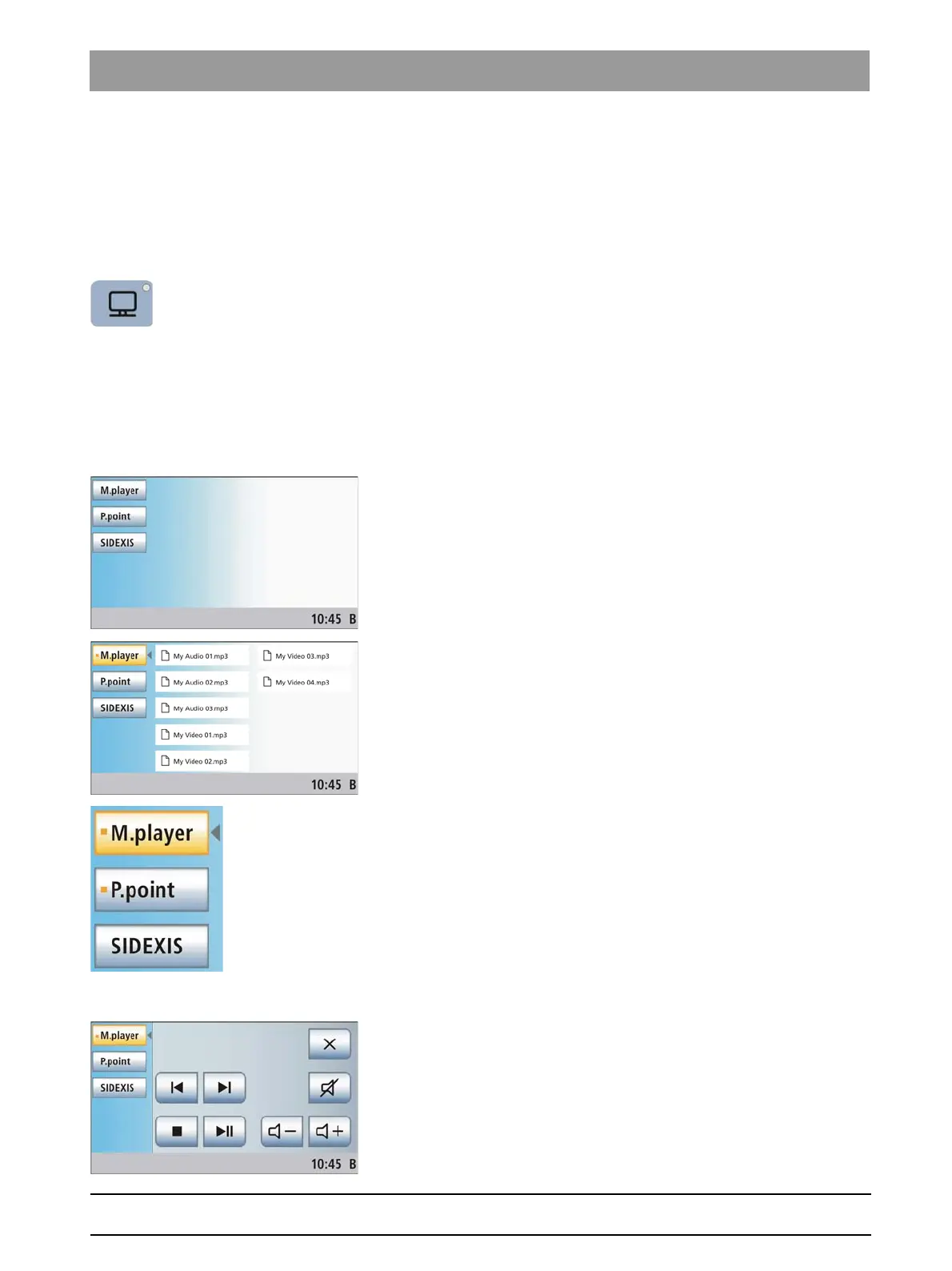
1. Select the desired PC application from the left side of the
touchscreen.
The key of the selected PC application is highlighted orange and
the corresponding control keys are displayed on the right side of
the touchscreen; see the following sections. The PC application
is automatically started on the PC.
2. The
File Selection
screen opens for PC applications that can access
files of the PC. Select the desired file by touching it.
The control keys of the relevant PC application are displayed on
the touchscreen.
The treatment center starts the PC applications automatically. An orange
square located in front of the respective PC application on the
touchscreen indicates whether the application has been started and is
ready for operation on the PC. As long as the orange square is displayed,
communication with the PC application is not yet possible.
4.12.1.2
Communication with the media player
Communication with the media player
The treatment center offers the possibility of playing back multimedia files
stored on the external PC using the Windows Media Player. The selection
of audio or video files from the file system and control of the Media Player
can be performed from the treatment center. Video images can be viewed
on the SIVISION monitor.















 To Next Page