63 22 726 D3561
D3561.201.01.03.02 05.2012
177
Sirona Dental Systems GmbH 5 Care, cleaning and maintenance by the practice team
Operating Instructions SINIUS / SINIUS CS 5.2 Surfaces
båÖäáëÜ
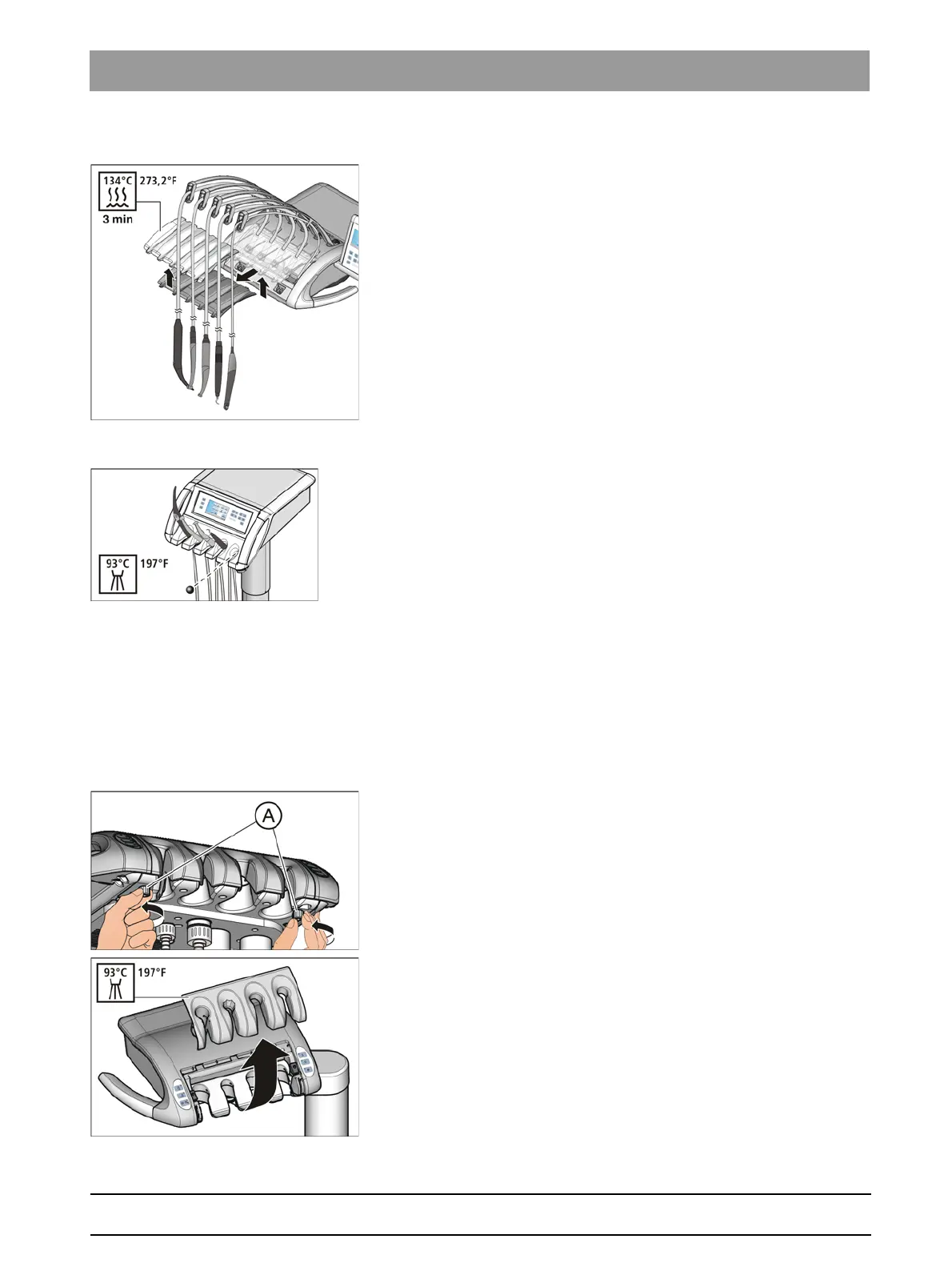
Removing the holder
1. To do this, remove all instruments one after the other and allow these
to overhang in front of the dentist element.
2. Lift the instrument holder by the front edge until the clamps are
released and the holder can be removed.
Inserting holder
1. First insert the instrument holder into the groove on the dentist
element. Then push the holder forward and downward until it locks
into place.
2. Place the instruments in their holders. Make sure that the instrument
hoses are once again located in the guide rolls of the swivel arm.
Ball stopper (only for SINIUS dentist element)
If a ball stopper is inserted in an unused instrument holder, it can be
pushed out of the holder from the rear to facilitate cleaning or thermal
disinfection.
5.2.7 Thermally disinfect the instrument holder of the assistant
element
Thermally disinfect the instrument hold er of the assist ant element
The instrument holder can be removed for easier cleaning or thermal
disinfection.
Removing the instrument holder
1. Remove all instruments from the instrument holder.
2. Loosen the screws A located below the assistant element.
3. Remove the instrument holder.















 To Next Page