63 22 726 D3561
D3561.201.01.03.02 05.2012
115
Sirona Dental Systems GmbH 4 Operation
Operating Instructions SINIUS / SINIUS CS 4.5 Dentist element
båÖäáëÜ
Switching the Treatment function off
If the Treatment function is activated, the
Endodontics program
is
displayed on the touchscreen instead of the
Motor screen
when the burr
drive assigned to the treatment is removed. In order for the
Motor screen
to be displayed again the next time the burr drive is removed, the
Treatment function must be switched off beforehand.
➢ Touch the
Treatment
key again.
If the key is blue, the Treatment function is deactivated. The
Motor screen
opens when the burr drives are removed.
4.5.14.2
File selection
File selection
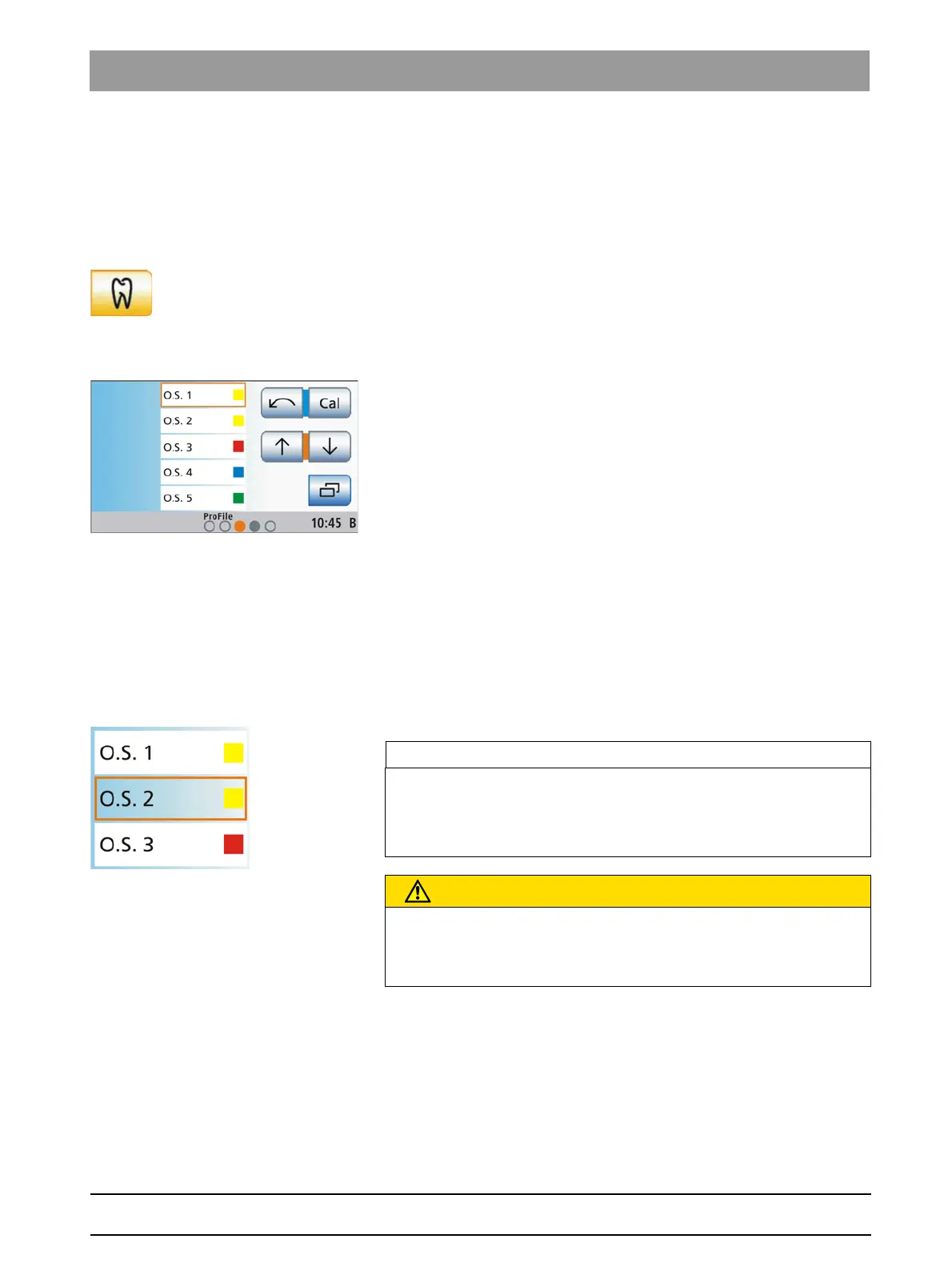
A list of the files available for this endodontic treatment is displayed over
the full height of the touchscreen in the
Endodontics program
. This way,
five files can be displayed at the same time.
The speed and torque values preset or set for the selected files are
automatically used.
✔ An endodontic treatment is selected.
✔ The
Endodontics program
is displayed on the touchscreen.
➢ Use the ↑ and ↓ keys to select the file that you would like to use.
or
➢ Select the endo file directly by touching the corresponding list
entry.
The selected file is highlighted orange.
Tip: The four keys that are marked with cursor positions (blue/orange)
can be operated with the foot control, even when the cursor control is not
active.
Treatment, Background shading of files
Endodontics, material fatigue of files
4.5.14.3
Calibrating the burr drive
Calibrating the burr drive
A calibration must be performed at the start of treatment as well as each
time you change or lubricate the contra-angle handpiece. Recalibration is
not necessary when a file is changed.
The contra-angle handpiece is automatically checked during calibration.
This includes a measurement of motor current at different speeds to
assess the properties of the system.
IMPORTANT
Background shading of files
Files are displayed on the touchscreen with or without a white
background. Files, for which the speed or the torque were changed, are
highlighted with a transparent background.
CAUTION
Root canal files are subject to material fatigue
Fatigued files may break during treatment.
➢ Use files only for the service life specified by the manufacturer.















 To Next Page