63 22 726 D3561
216 D3561.201.01.03.02 05.2012
5 Care, cleaning and maintenance by the practice team Sirona Dental Systems GmbH
5.7 Foot control and connection box Operating Instructions SINIUS / SINIUS CS
Assembling the foot control
1. Mount the switch part (C) on the foot control.
2. Remove the screws (A) from the bottom of the foot control.
Foot control, after battery change
Battery disposal
For environmental reasons, batteries may not be disposed with
household garbage. Please observe the applicable national regulations
for battery disposal.
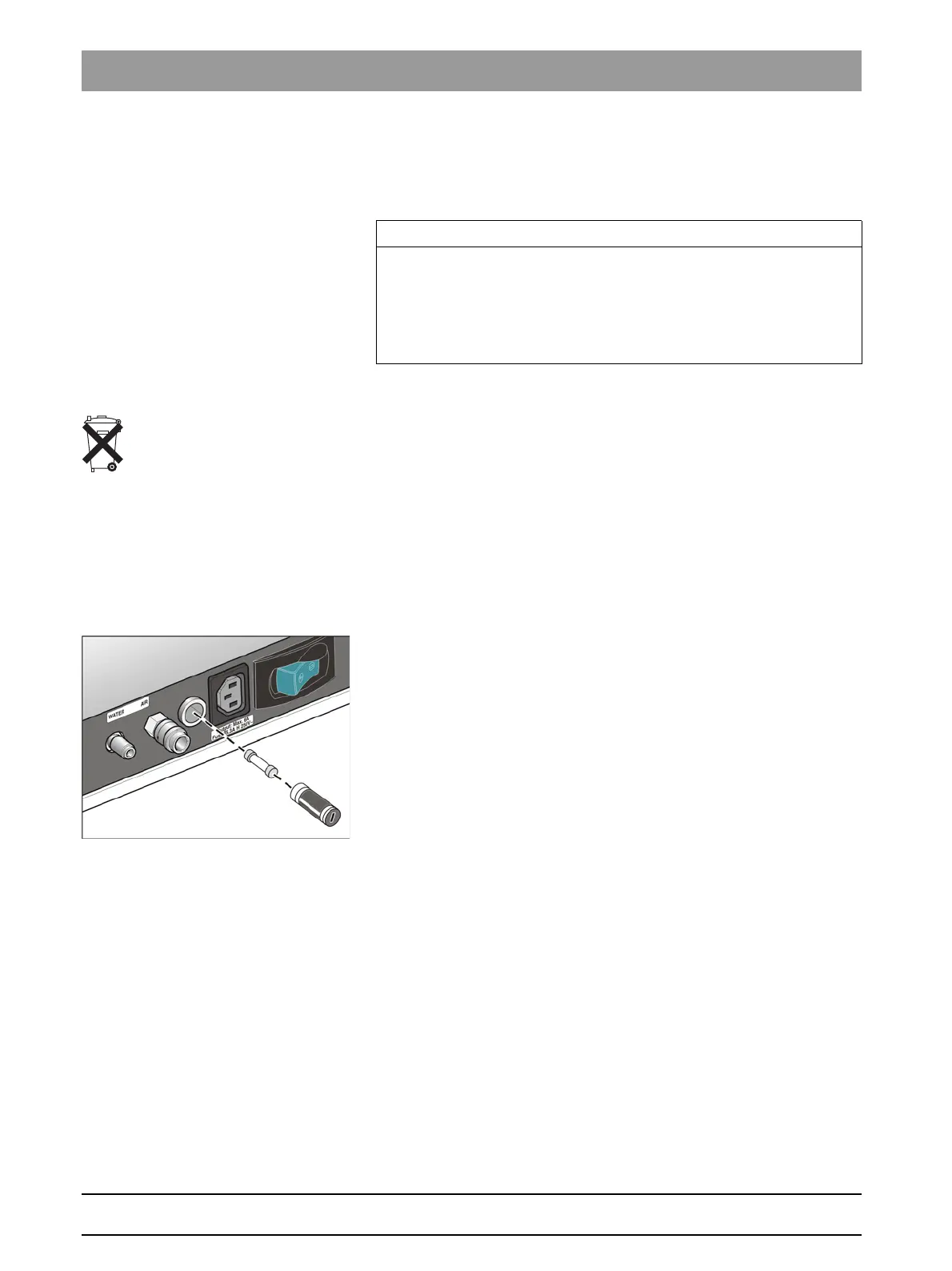
5.7.2 Changing the fuse of the external device connection
Changing the fuse of the external d evice connection
The inlet connector remains live even when the power switch is turned off.
The fuse can nevertheless be changed.
To reorder the fuse, see "Spare parts and consumables" [ → 221].
✔ The inlet connector is not supplying any power.
1. Pull the plug of the connected device out of the inlet connector.
2. Use a screwdriver to unscrew the fuse sleeve.
3. Replace the fuse (T 6.3 A, 250 VAC) and screw the fuse sleeve back
in.
4. Reconnect the external device to the inlet connector.
If the inlet connect still is not supplying any power, contact the
manufacturer of the connected device or your local distributor.
IMPORTANT
Putting the wireless foot control back into operation
After changing the battery, start the treatment center and check the
complete functionality of the foot control.
It is notnecessary to register the foot control again at the treatment
center after changing batteries.















 To Next Page